
Projects and Construction: Audit of Unprocessed Records by Project
Have you ever found yourself about to close a project but unsure whether every related record has been fully processed? In MYOB Acumatica 2026.1.1, the new Project Audit (PM406000) generic inquiry form helps you find the answer quickly. The form shows you all unprocessed records tied to the project. You can scan the list, drill down into records that need attention, and decide what to do next—before closing the project.
- The Project Audit form is available in the Modern UI only if the Projects feature group is enabled on the Enable/Disable Features (CS100000) form.
- By default, the form is available to users with any of these roles: the Administrator, Project Manager Assistant, and Acumatica Support.
Easily Spot Records Pending Processing
You use the Project Audit (PM406000) form to review all records pending processing for a specific project.
Here's how to get started:
- In the Project box (Item 1 below), select the project whose unprocessed records you want to review. You can select a project with any status except Closed.
- Optional: In the From and Until boxes (Item 2), specify the date range of the records to be shown based on the Date value of these records.
- In the left pane, click an entity type (Item 3)—such as bills and adjustments, pro forma invoices, or change orders. You can see the number of records pending processing next to each entity type. You can click any entity type to view the records of that type in the table (Item 4).
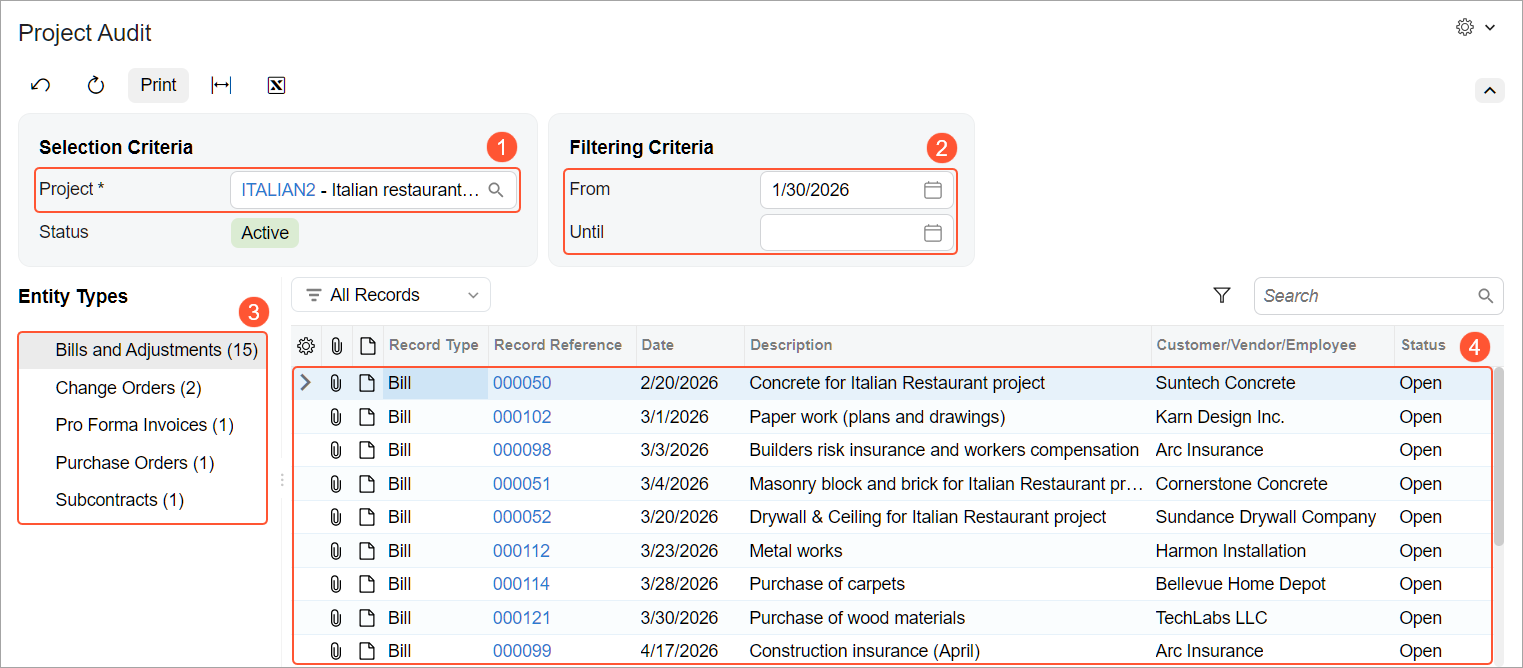
Now you can review the list, drill down into individual records, and decide whether to process them or route them to someone else for follow-up.
Print and Share the Records Pending Processing
You may need to share the status of unprocessed records related to the project with other stakeholders. In this case, click Print on the form toolbar of the Project Audit (PM406000) form. This opens the Project Audit (PM406010) report, which you can print, email, or export to a PDF or Excel file.
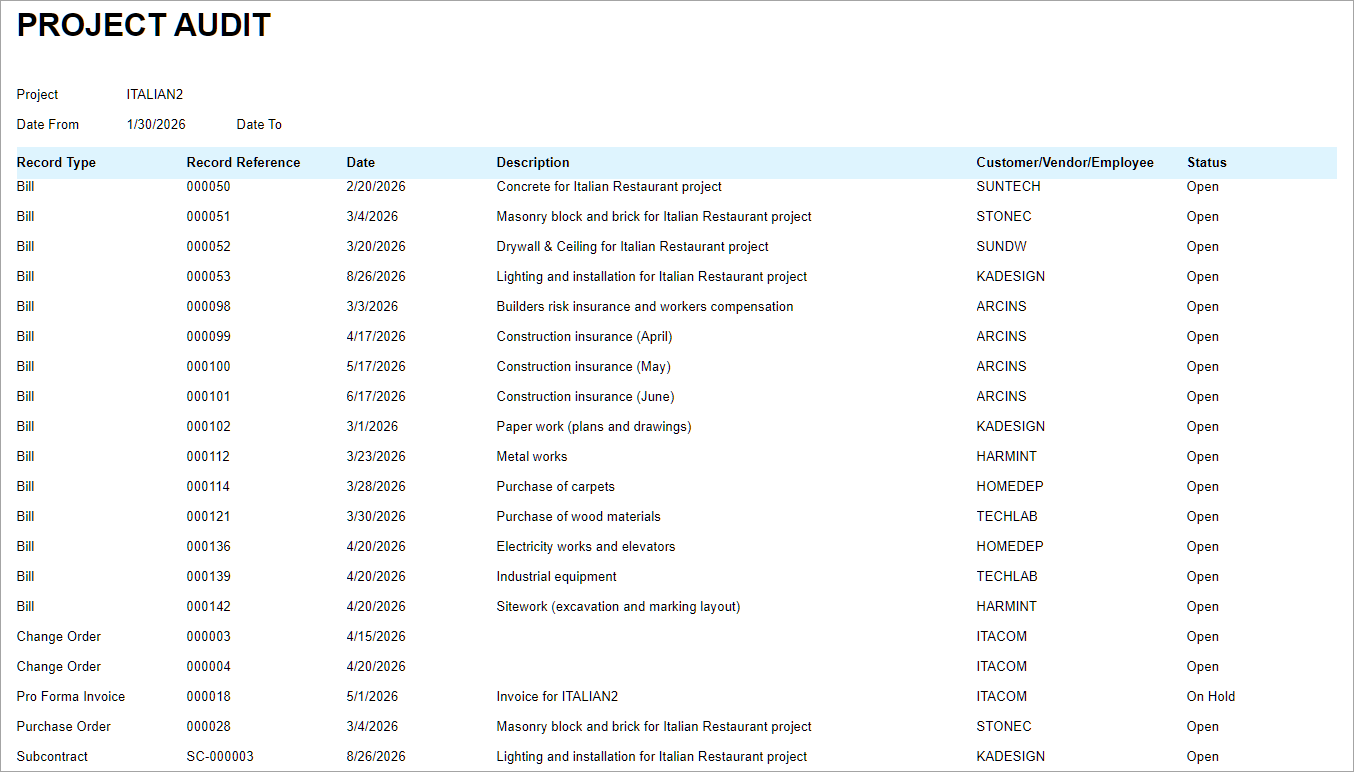
Unprocessed Records Available for Review
The project-related records shown on the Project Audit (PM406000) form depend on the features enabled in your system. It can list unprocessed documents, transactions, and other records created on any of the following forms:
- Appointments (FS300200)
- Bills and Adjustments (AP301000)
- Cash Purchases (AP304000)
- Cash Sales (AR304000)
- Cash Transactions (CA304000)
- Change Orders (PM308000)
- Change Requests (PM308500)
- Checks and Payments (AP302000)
- Cost Projection by Date (PM305500)
- Employee Time Activities (EP307000)
- Expense Claim (EP301000)
- Expense Receipt (EP301020)
- Release IN Documents (IN501000)
- Invoices and Memos (AR301000)
- Journal Transactions (GL301000)
- Paychecks and Adjustments (PR302000)
- Payments and Applications (AR302000)
- Production Order Maintenance (AM201500)
- Pro Forma Invoices (PM307000)
- Route Service Contracts (FS300800)
- Project Transactions (PM304000)
- Purchase Orders (PO301000)
- Sales Orders (SO301000)
- Service Contracts (FS305700)
- Service Orders (FS300100)
- Subcontracts (SC301000)
Learn More
Need more details on how projects progress from planning to closure? See Project Creation and Processing: A Project’s Lifecycle.