
UI Development: New Phone Control
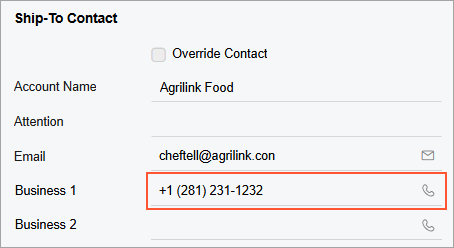
MYOB Acumatica 2026.1.1 introduces a new control that lets you start a call directly from a phone number entered in a text box. The new control looks like a text box with a phone icon, as shown below. When you tap the phone icon, the system opens the default phone app of your device and calls the specified number.
Note:
The Phone control is available only in the Modern UI.
Configuration of the Phone Control
In the backend, the phone field is configured as a regular string field with optional business logic attributes. An example of such a field is shown in the following code.
[PXDBString(50)]
[PXUIField(DisplayName = "Business 1", Visibility = PXUIVisibility.SelectorVisible)]
[CR.PhoneValidation()]
[PXPersonalDataField]
public virtual String Phone1 { ... }
public abstract class phone1 : PX.Data.BQL.BqlString.Field<phone1> { }
In the frontend, the name of the control is qp-phone-editor. To enable the control, you need to specify the type of the control (qp-phone-editor) in the fieldConfig decorator, as shown below.
@fieldConfig({ controlType: "qp-phone-editor" })
Phone1: PXFieldState;