
AI Studio: Collecting Statistics in AI Automation
Large language model (LLM) providers charge by the number of processed tokens, which are small units of text. In AI Studio, you can monitor how many input and output tokens you've used. Input refers to the text that you send to the LLM, and output refers to the text in the LLM's response.
Starting in MYOB Acumatica 2026.1.1, the system collects statistics on your LLM prompts, connections, and commands. Real-time monitoring can help you avoid budget overruns, prevent errors caused by excess token usage, and understand your usage patterns. These insights can help you refine prompts and decide whether a more efficient LLM is worth considering.
Collect Token Statistics
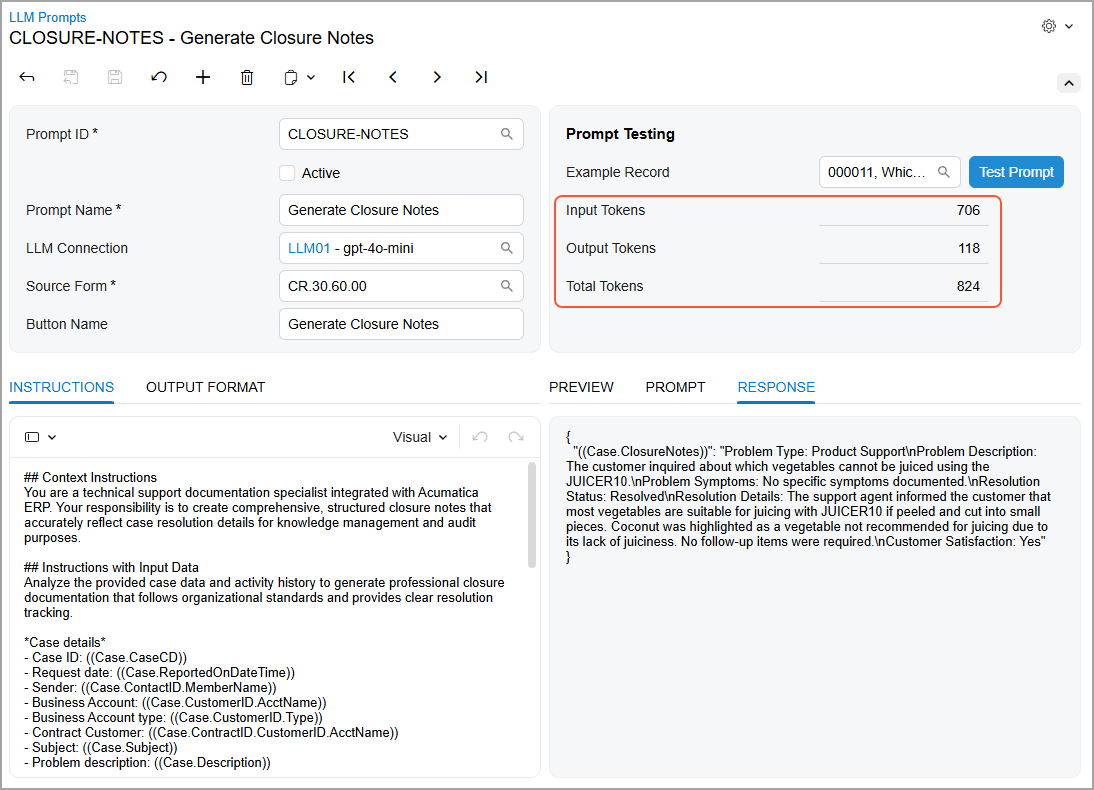
To help you keep track of the tokens used for a particular prompt, we've added new boxes to the LLM Prompts (ML202000) form. You can now see at a glance the number of input and output tokens, as well as their total amount (see below).
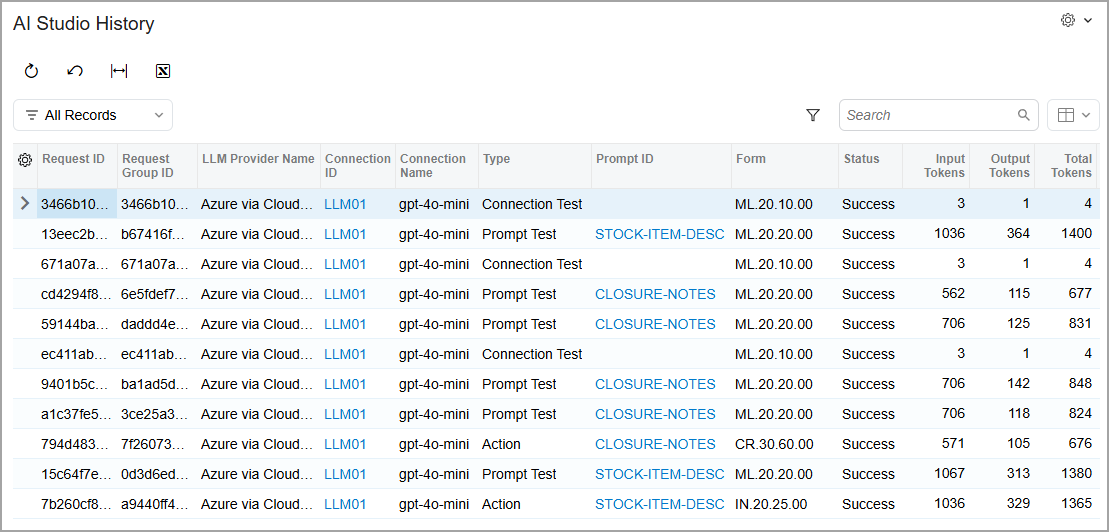
You view statistics for all LLM connections, prompts, and LLM-generated commands on the new AI Studio History (ML400000) form, as shown below. Each time you perform an operation in AI Studio, the system adds the appropriate record to the table. The Type column indicates the type of each record:
- Connection Test: Testing of an LLM connection on the LLM Connections (ML201000) form
- Prompt Test: Testing of an LLM prompt on the LLM Prompts (ML202000) form
- Action: Testing of an LLM-generated command on a particular form
Take Action Based on Statistics
When you review the data on the AI Studio History (ML400000) form, you can decide on your course of action as follows:
- If the number of output tokens is large, you may want to use another LLM. (Different
LLMs respond differently.)
Alternatively, you can change the prompt and ask the LLM to be brief.
- If the number of input tokens is large, try using shorter prompts.
- If errors occur, review the error messages to determine whether you need to modify the connection settings or the instructions.
Tips for Success
- Track the number of used tokens to stay within budget.
- Determine how you can optimize your prompts so that they use fewer tokens.
Learn More
For more information, see: