
Retail Commerce: Syncing Payment Terms for Shopify Orders
In previous versions, you could already sync payment terms from Shopify orders (shown below) with the credit terms of MYOB Acumatica sales orders. In MYOB Acumatica 2026.1.1, we've expanded this capability by adding more flexible mapping of credit term and support for syncing payment terms on draft orders.
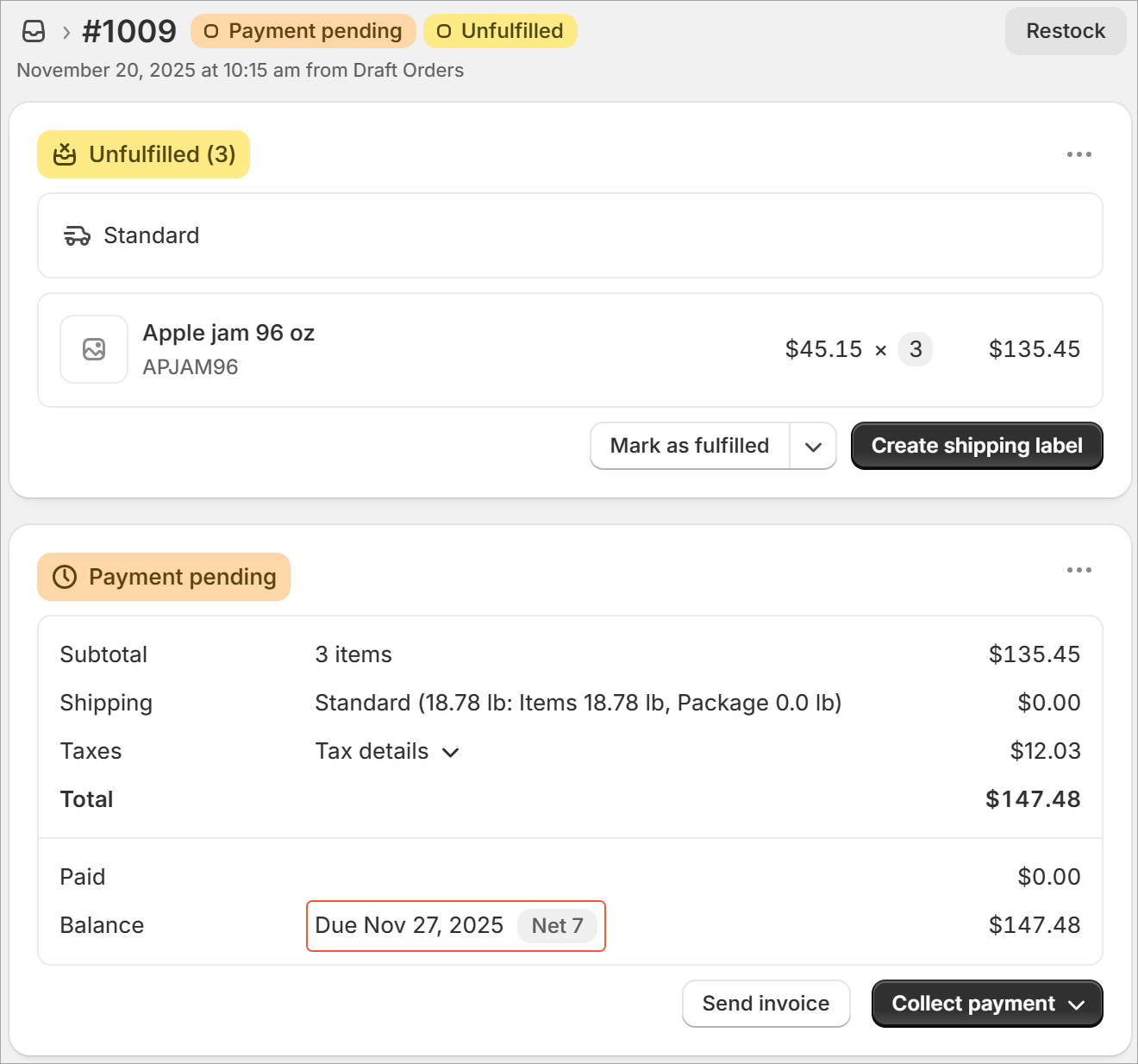
Let's take a look at what's new.
Configuring Credit Terms in MYOB Acumatica
In MYOB Acumatica, you define credit terms on the Credit Terms (CS206500) form. The system imports the list of Shopify payment terms and displays them on the Customers tab of the Shopify Stores (BC201010) form. In the ERP Credit Terms column, you map payment terms from Shopify with credit terms defined in MYOB Acumatica, as shown below.
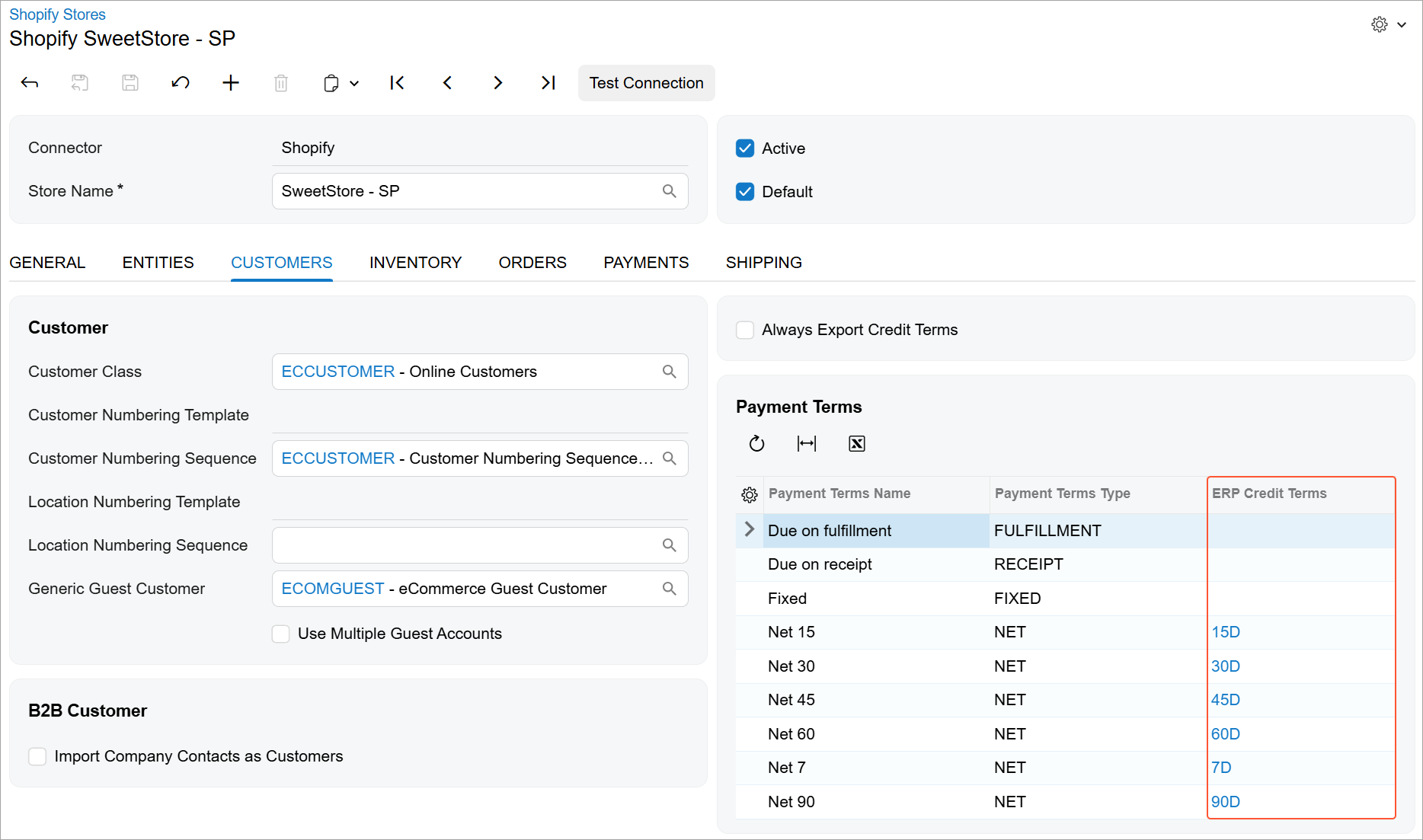
The system uses these mappings to sync payment terms across systems for orders, draft orders, and customers.
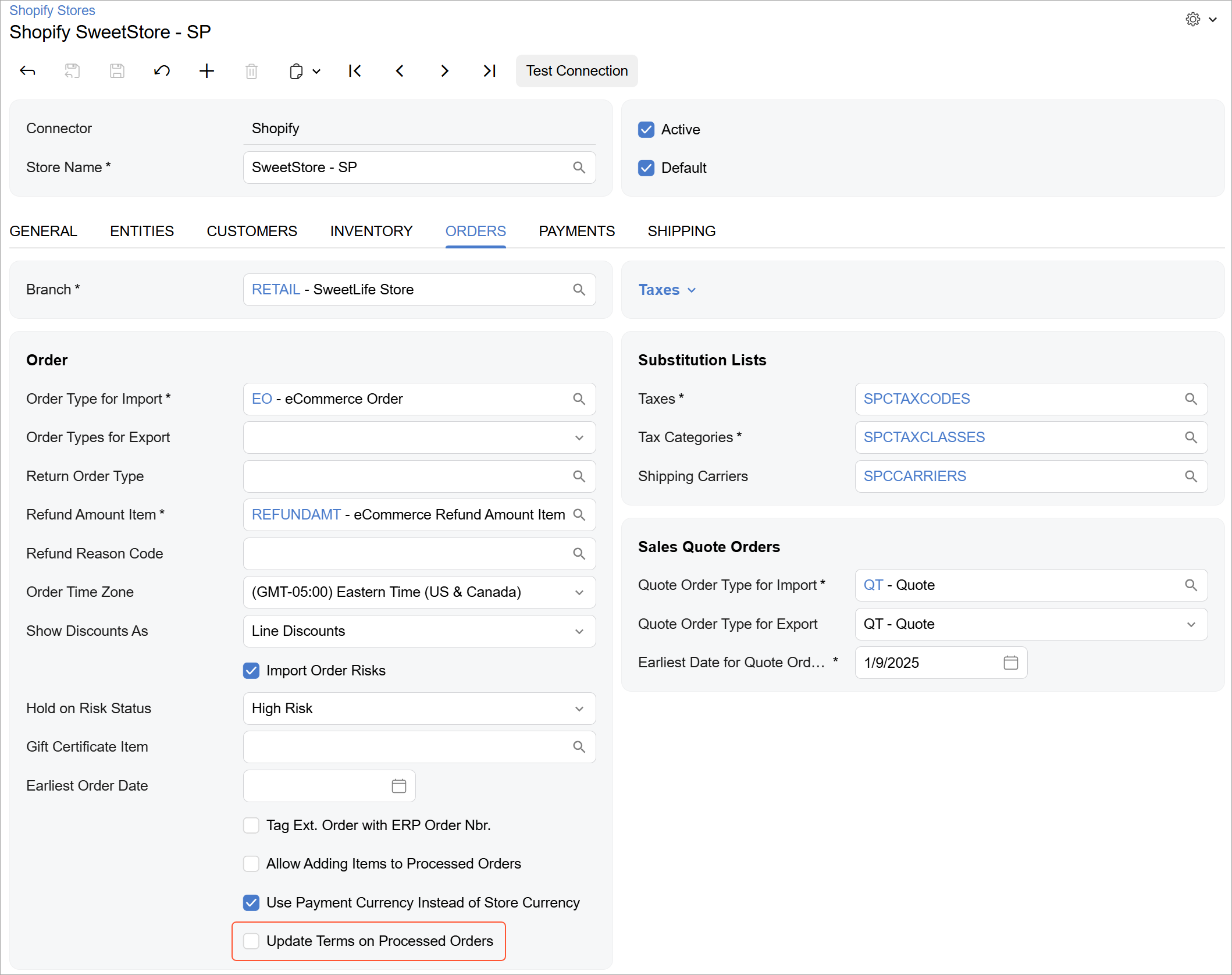
You may want to prevent credit terms in already-imported sales orders from being updated if payment terms are changed in Shopify orders if mappings are updated in MYOB Acumatica. To do this, you clear the Update Terms on Processed Orders check box (shown below) on the Orders tab of the Shopify Stores form.
Importing Payment Terms from Shopify Orders
When an order or draft order with payment terms is imported from Shopify, the system determines which credit terms to insert in the Terms box on the Financial tab of the Sales Orders (SO301000) form as follows:
- It checks whether the payment terms are mapped to any credit terms in the Payment Terms table on the Customers tab of the Shopify Stores (BC201010) form.
- If no mapping is found, it checks whether any credit terms with the same name exist on the Credit Terms (CS206500) form.
- If no matching credit terms exist, it uses the credit terms specified for the customer on the Financial tab of the Customers (AR303000) form.
- If the customer has no credit terms specified, the system assigns no credit terms to the order.
Exporting Credit Terms to Shopify Orders
The system exports credit terms from an MYOB Acumatica sales order to a Shopify order or draft order based on whether an invoice has been created for that sales order in MYOB Acumatica. If a mapping exists in the store settings, the system exports the credit terms as follows:
- If no invoice has been created: The system exports the credit terms only if the corresponding payment terms are of the Fulfillment or Receipt type.
- If at least one invoice has been created: The system exports the credit terms. If the corresponding payment terms are of the Fixed or Net type, the system also exports the invoice date from MYOB Acumatica as the order issue date to Shopify and the invoice due date from MYOB Acumatica as the payment due date to Shopify. If multiple invoices have been created for the sales order, the system uses the dates from the latest invoice.
Key Takeaways
You can now sync payment terms between Shopify and MYOB Acumatica not only for Shopify orders but also for Shopify draft orders. The previous substitution-list approach of mapping payment terms to credit terms has been replaced with a clearer, more flexible mapping configuration directly in the store settings.