Retail Commerce: Enhanced Mapping for eCommerce Connectors
You now have more control over how eCommerce connectors handle field mapping. MYOB Acumatica 2026.1.1 introduces a standardized mechanism so that you can unmap fields and apply system default mappings in formulas. You can use this mechanism for both export mappings and import mappings across the Shopify, Amazon, and BigCommerce connectors.
Let's take a look at how to get this functionality set up and start using it.
Configuring Mapping
For all entities on the Entities (BC202000) form, you can now use two new keywords in mapping formulas in the following columns:
- External Field / Value on the Import Mapping tab
- ERP Field / Value on the Export Mapping tab
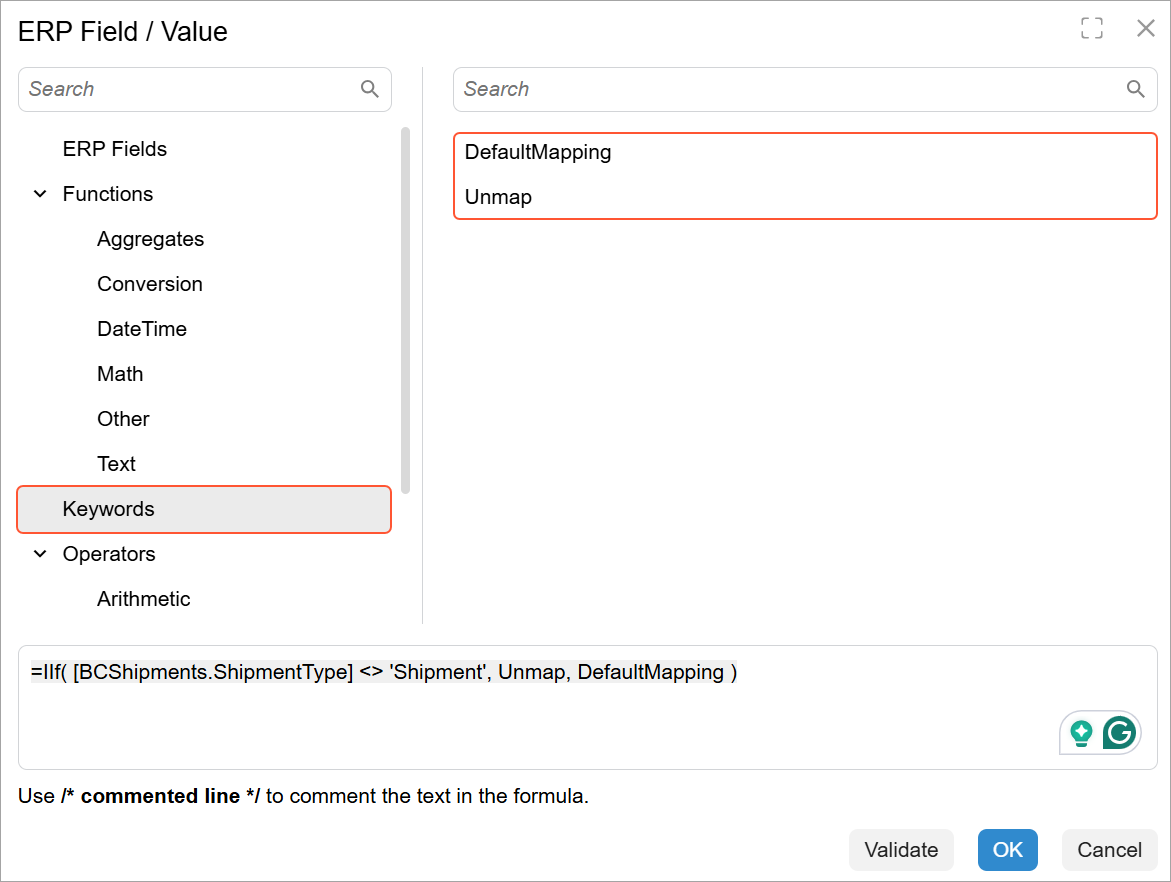
When you open the Formula Editor dialog box for either column, you can find the following new keywords in the Keywords group, as shown below:
Unmap: Explicitly unmaps a field. In earlier versions of MYOB Acumatica, theUnmapoption was available but couldn't be used within formula-based mappings.If the field is required, the connector uses either the default value or
NULLif there is no default value defined.DefaultMapping: References the default field mapping defined for the connector. When the keyword is applied, the system follows the default behavior as though no manual mapping is configured. This keyword is especially useful when you want to preserve or conditionally apply the default behavior.
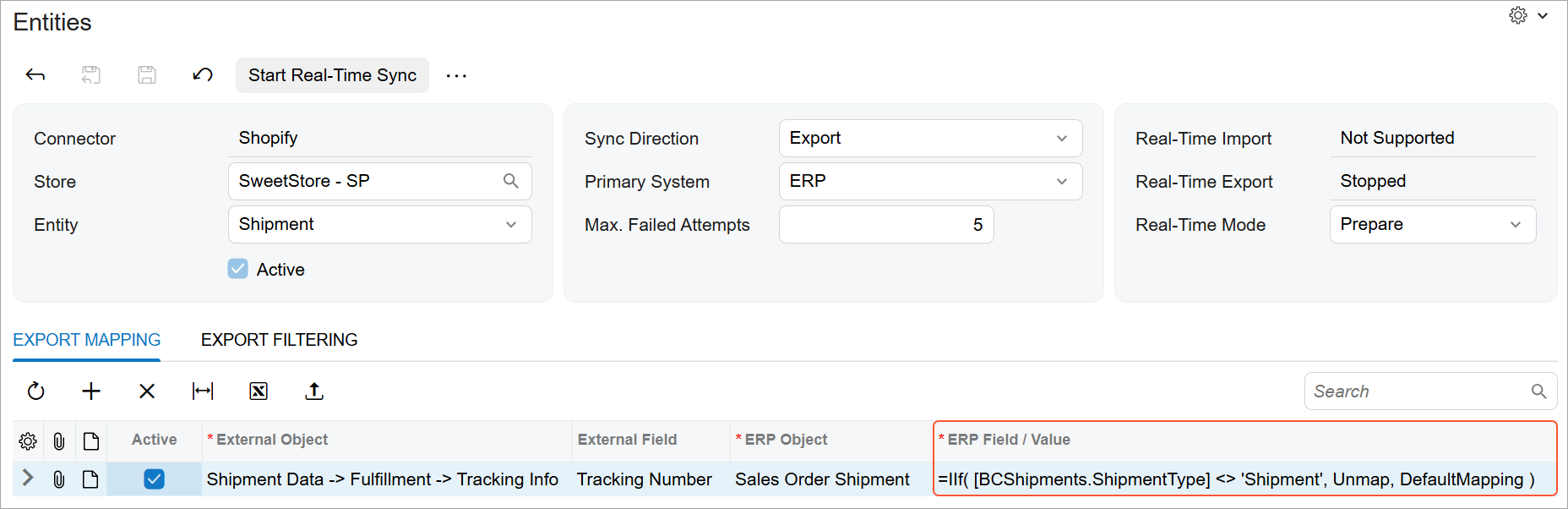
The following example shows how to use the Unmap and
DefaultMapping keywords in a formula. This formula inserts the tracking
number (DefaultMapping) for a Shopify
order only if the shipment type is Shipment. Otherwise, the external field is
unmapped (Unmap), and the connector assigns no tracking number.