
CRM: Tracking a Record's Approval History
Starting in MYOB Acumatica 2026.1.1, you can view a record’s approval history at any time. This gives you a complete picture of who approved or rejected a record, when decisions were made, and which decisions are still in effect.
How to View a Record’s Approval History
When you work with a record with an approval workflow, you can view its approval history on the Approvals tab of the form. (You can find the list of supported forms later in this topic.)
To make it easier to understand who participated in the approval process and what decisions were made, the names of the following columns on the tab have been updated, as shown in the screenshot below:
- Assignee ID to Assignee
- Assigned To to Assignee Name
- Originally Assigned To to Original Assignee
- Approved by (ID) to Reviewer
- Approved by to Reviewer Name
- Approval Date to Date
- Status to Decision
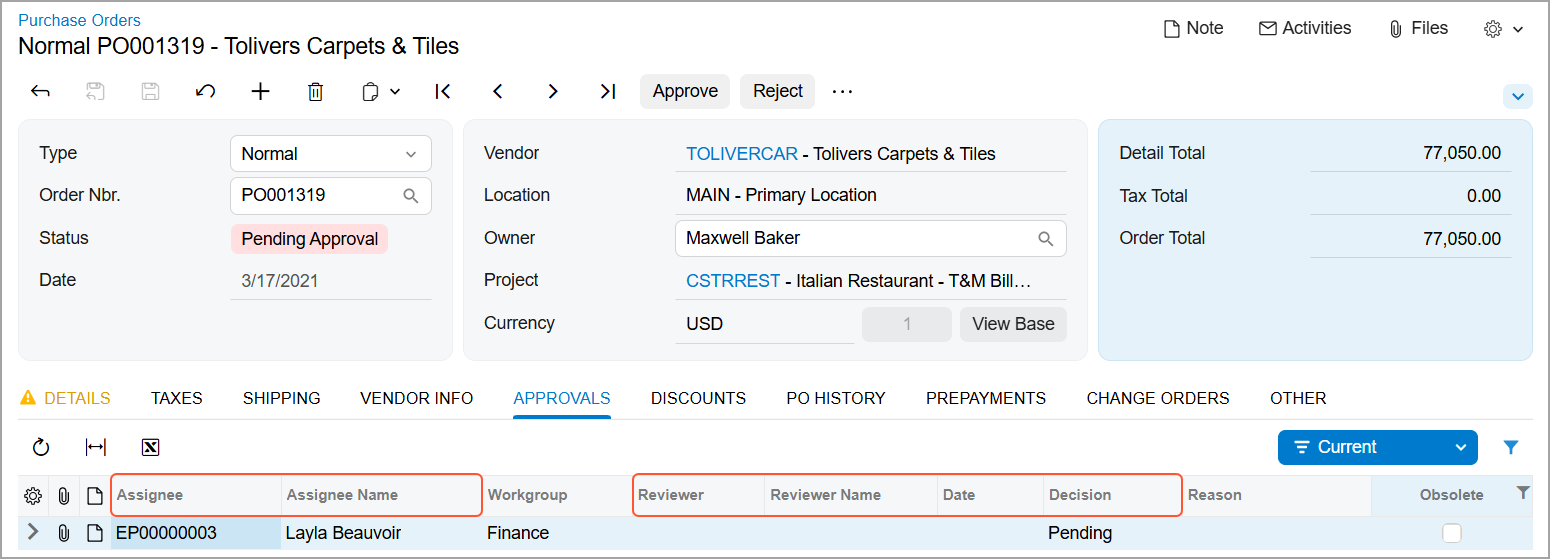
In addition to the columns shown above, you can display the following columns, which are hidden by default:
- Description: The description of the approval request.
- Amount: The amount associated with the approval request. The column is updated automatically when you switch between the Currency and Base views.
On the Approvals (EP503010) form, the following columns have been renamed:
- Assigned Approver to Assignee
- Originally Assigned To to Original Assignee
How the Approval History Is Updated
If a document is again assigned the On Hold status after submission, the Approvals tab is updated as follows:
- Lines with the Pending decision are removed.
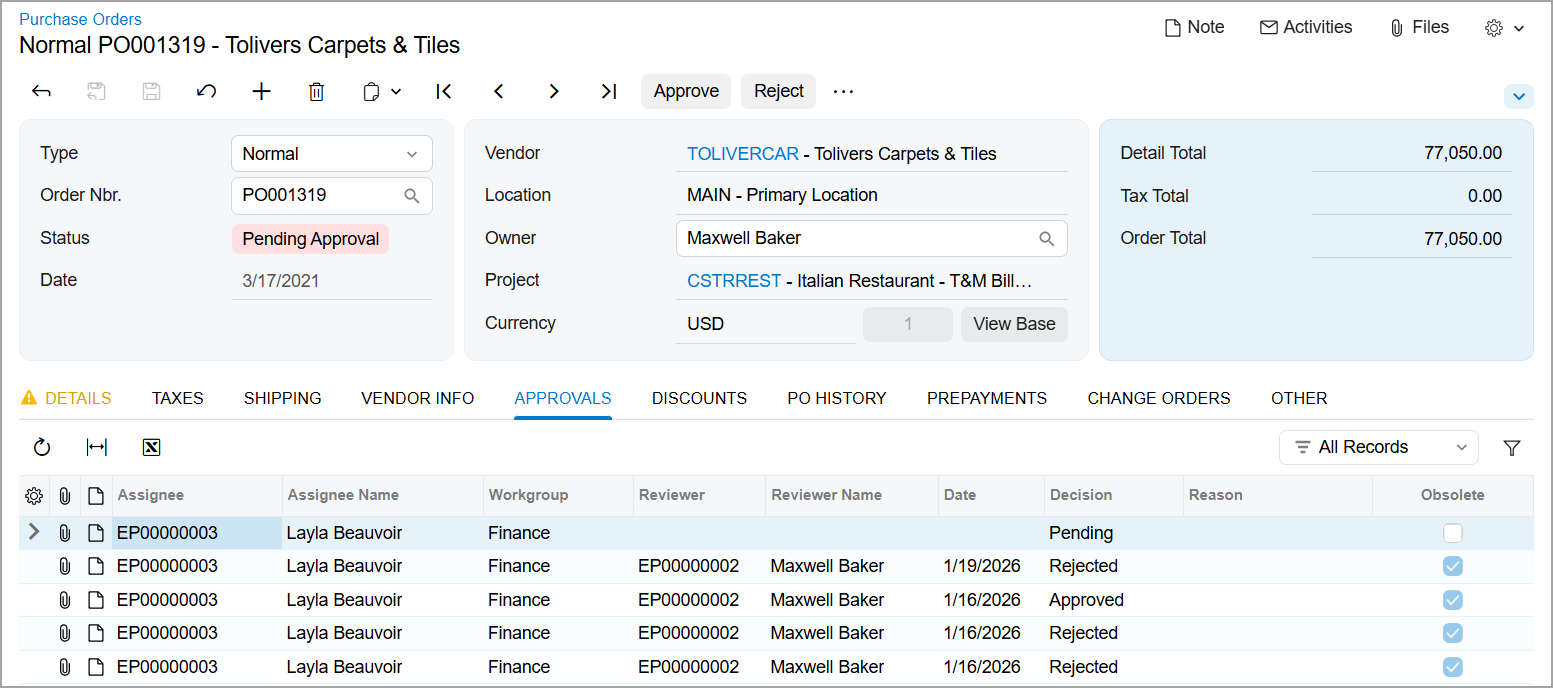
- The Obsolete check box is selected for lines with past Approved or Rejected decisions, indicating that those decisions are no longer valid.
When the document is submitted for approval again, the tab shows both obsolete decisions and the current pending decisions, as shown below.
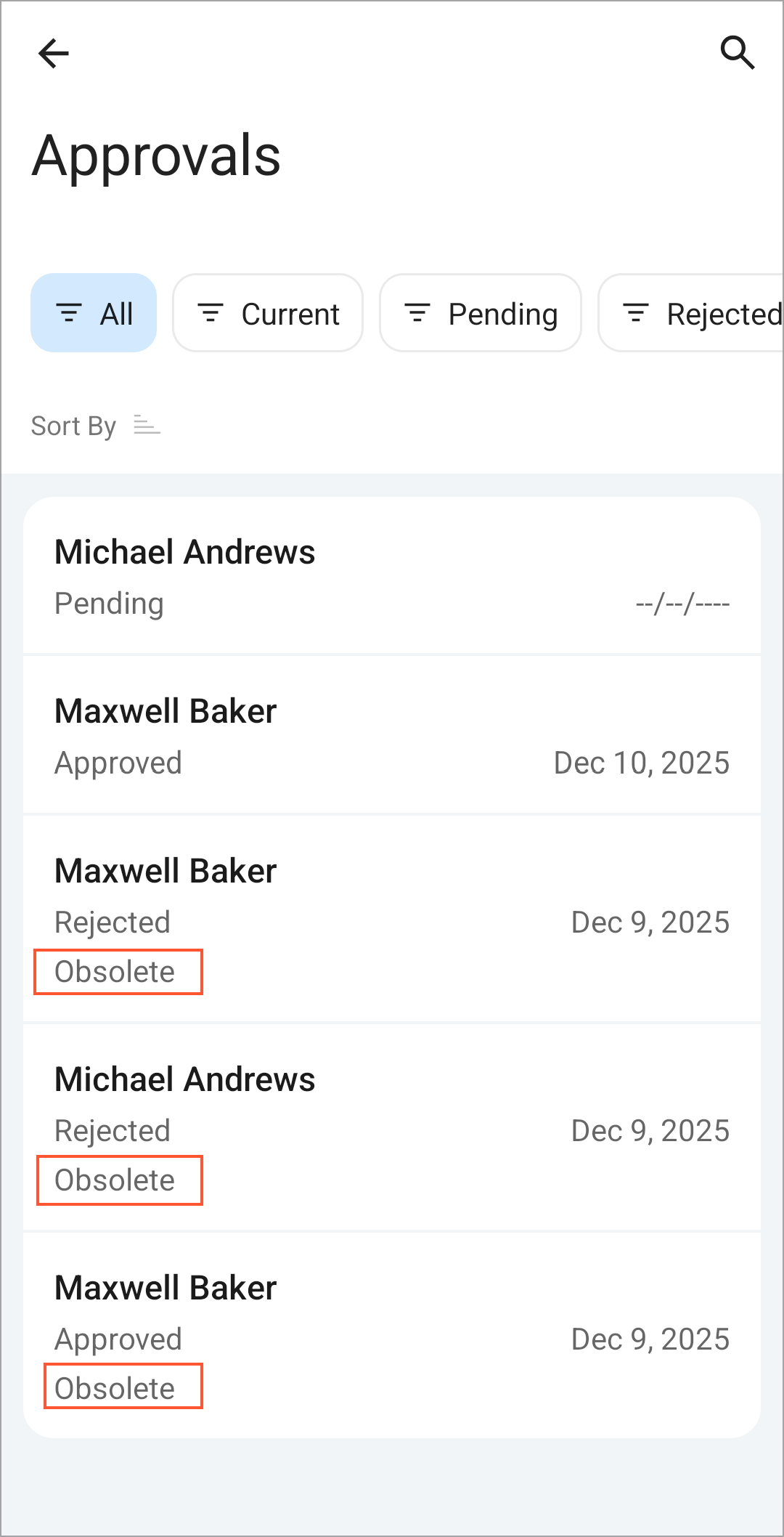
In the MYOB Acumatica mobile app, past decisions are also marked as Obsolete.
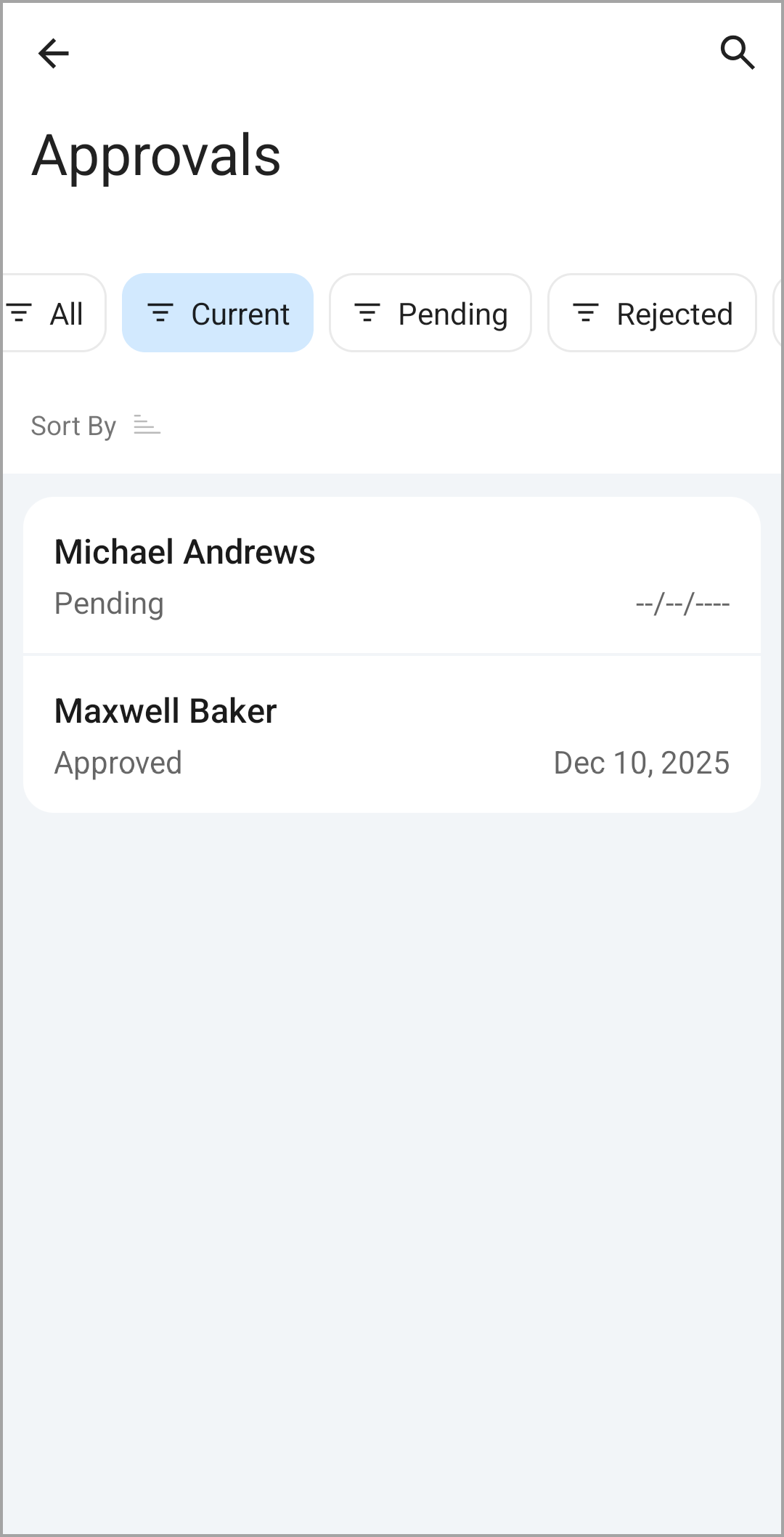
On the Approvals tab, you can view all decision lines on the tab or filter them by the following decision types:
- Approved: Shows only lines with the Approved decision
- Current (default): Displays only lines that aren't obsolete
- Pending: Displays only lines with the Pending Approval decision
- Rejected: Shows only lines with the Rejected decision
Where You Can View the Approval History
You can see the approval history for records on the Approvals tab of the following forms:
Manufacturing:
- Engineering Change Request (AM210000)
- Engineering Change Order (AM215000)
Accounts Payable:
- Bills and Adjustments (AP301000)
- Checks and Payments (AP302000)
- Cash Purchases (AP304000)
Accounts Receivable:
- Invoices and Memos (AR301000)
- Payments and Applications (AR302000)
- Cash Sales (AR304000)
Cash Management:
- Reconciliation Statements (CA302000)
- Cash Transactions (CA304000)
Customer Relationship Management:
- Sales Quotes (CR304500)
Time and Expenses:
- Expense Claim (EP301000)
- Expense Receipt (EP301020)
- Employee Time Cards (EP305000)
- Equipment Time Card (EP308000)
General Ledger:
- Journal Transactions (GL301000)
Construction:
- Daily Field Report (PJ304000)
- Subcontracts (SC301000)
Projects:
- Projects (PM301000)
- Progress Worksheets (PM303000)
- Project Quotes (PM304500)
- Cost Projection (PM305000)
- Cost Projection by Date (PM305500)
- Project WIP Adjustment (PM305600)
- Pro Forma Invoices (PM307000)
- Change Orders (PM308000)
- Change Requests (PM308500)
Purchase Orders:
- Purchase Orders (PO301000)
Purchase Requisitions:
- Requests (RQ301000)
- Requisitions (RQ302000)
Sales Orders:
- Sales Orders (SO301000)
- Invoices (SO303000)
Learn More
For more information about approvals, see: