
CRM: AI-Powered Summaries for Opportunities and Cases
Staying up to date on the progress of the opportunities or cases you manage is essential. In MYOB Acumatica 2026.1.1, AI-generated summaries for opportunities or cases provide a quick overview of the current situation, helping you refresh key details and focus on next steps without reviewing the entire record.
Generating an AI Summary
When you work with an opportunity or case, you can quickly review an AI-generated summary that highlights the most recent and relevant information. To do this, click the AI Summary icon in the side panel, which is available:
- In the Opportunities (CR3040PL) list of records or on the Opportunities (CR304000) form for opportunities
- In the Cases (CR3060PL) list of records or on the Cases (CR306000) form for cases
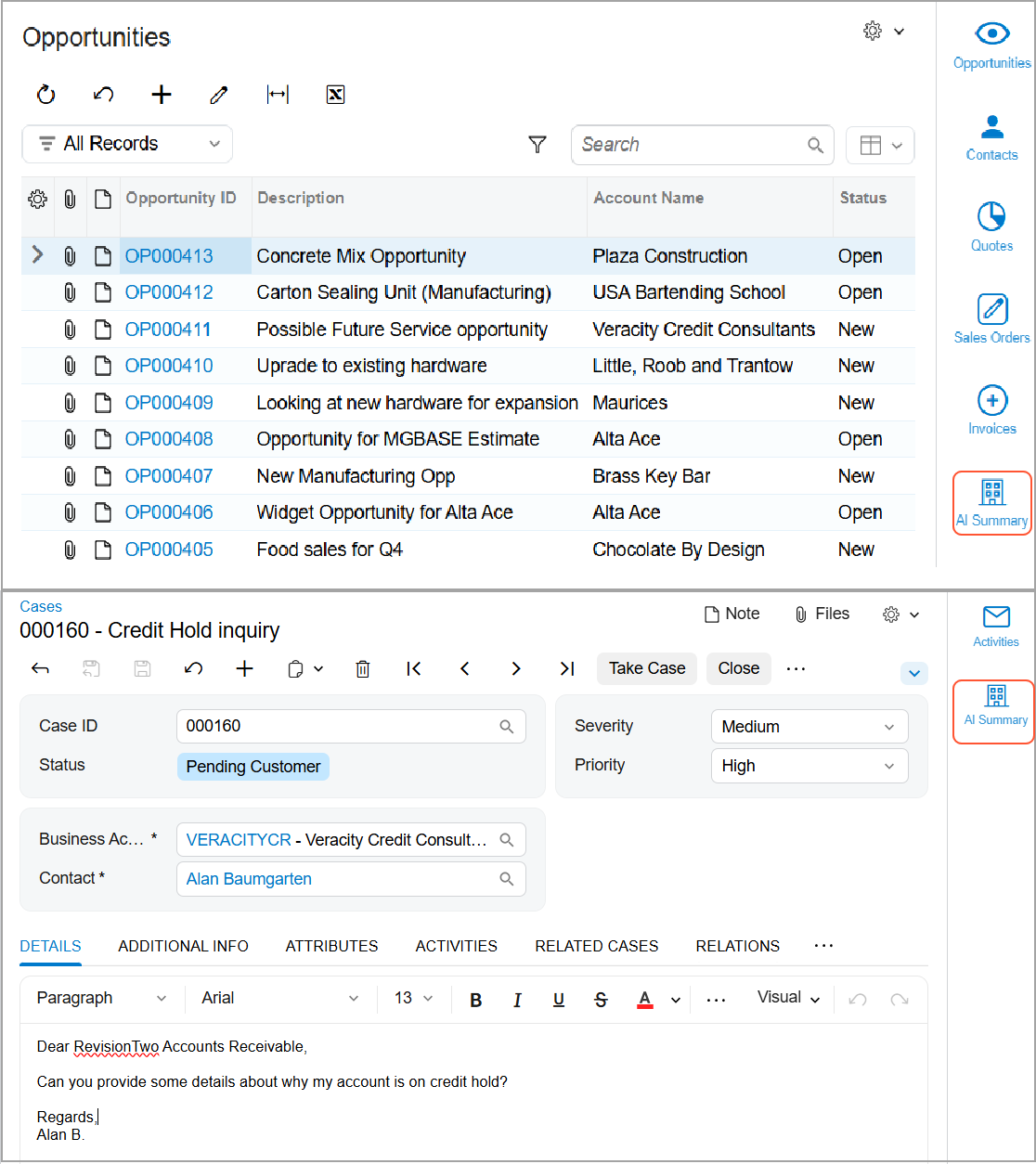
Each time you click the icon, the system opens the side panel and starts generating the AI summary by using predefined large language model (LLM) prompts:
- OPPOSUMMARY for an opportunity
- CASE-SUMMARY for a case
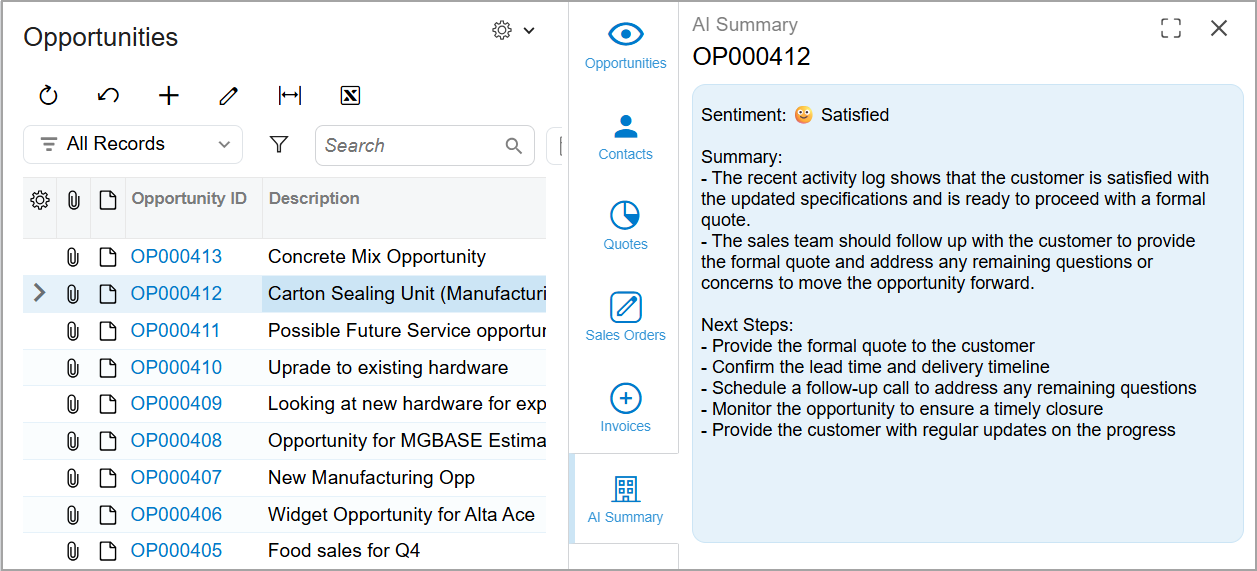
The LLM prompt analyzes the opportunity or case data along with the history of related activities and generates an AI summary with the following details (see below):
- Sentiment: The level of customer satisfaction. The system
analyzes the customer's
wording
in the most recent incoming activity,
including tone and expressed emotions, and assigns a satisfaction score. The
sentiment—shown as an emoji and the corresponding satisfaction level—can be
one of the following:
 Satisfied
 Neutral
 Unsatisfied
- Summary: A brief summary of recent incoming activities, focusing on customer expectations or concerns and highlighting any important actions to be taken by personnel.
- Next Steps: Recommended follow-up actions based on the most recent incoming activity, reflecting what the customer may expect the company to do next.
Managing LLM Prompts
By default, the OPPOSUMMARY and CASE-SUMMARY prompts are inactive. If you’re an administrator, you can activate a prompt by selecting the Active check box on the LLM Prompts (ML202000) form. An LLM connection is required.
If you want to adjust a prompt to better fit your company’s needs, consider creating a copy and making changes to the copy. This approach helps preserve the original prompt, which cannot be restored after modification.
Learn More
For more information about prompts, see Integration with LLM Providers: General Information