
CRM: Duplicate Validation for Customers and Vendors
Keeping customer and vendor information clean and free of duplicates is essential, especially when you work with many records. Starting in MYOB Acumatica 2026.1.1, you can proactively prevent the creation of duplicate customer or vendor records.
Duplicate Validation Rules for Customers and Vendors
When you create or work with customers or vendors on the Customers (AR303000) or Vendors (AP303000) form, you can validate them for duplicates.
When you save a new customer or vendor, the system uses the duplicate validation rules defined for the Account to Account record pair on the Duplicate Validation (CR103000) form. If the Validate on Entry check box is selected for this pair, the system automatically checks the new record against existing business accounts, customers, and vendors to identify possible duplicates before it saves the record.
If the system finds a possible duplicate, the Duplicates tab appears on the Customers or Vendors form. Depending on the duplicate validation settings, the system does one of the following:
- Prevents the record from being saved
- Saves the record when you click Save
For an existing customer or vendor, you can run duplicate validation manually by clicking Check for Duplicates on the More menu of the form.
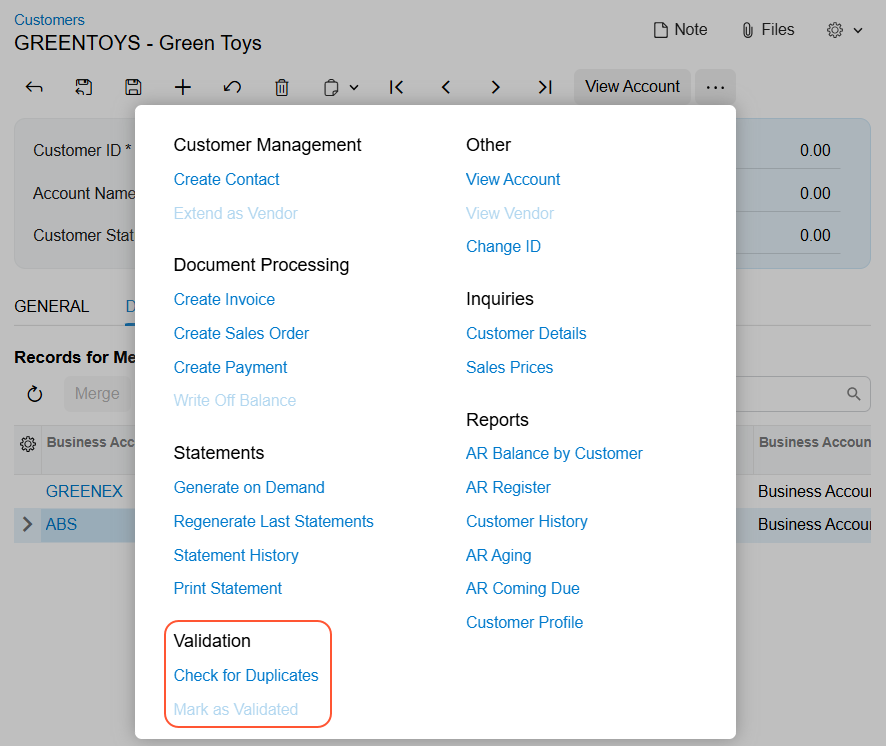
Managing Possible Duplicates
When you save the record, you'll see the possible duplicate in the Records for Merging table of the Duplicates tab of the Customers (AR303000) or Vendors (AP303000) form.
If you’re sure that the new record is a duplicate of an existing one, select the row with the existing record in the table and click Merge on the table toolbar.
For details about the merging process, see Record Validation for Duplicates: Merging of Duplicate Records.
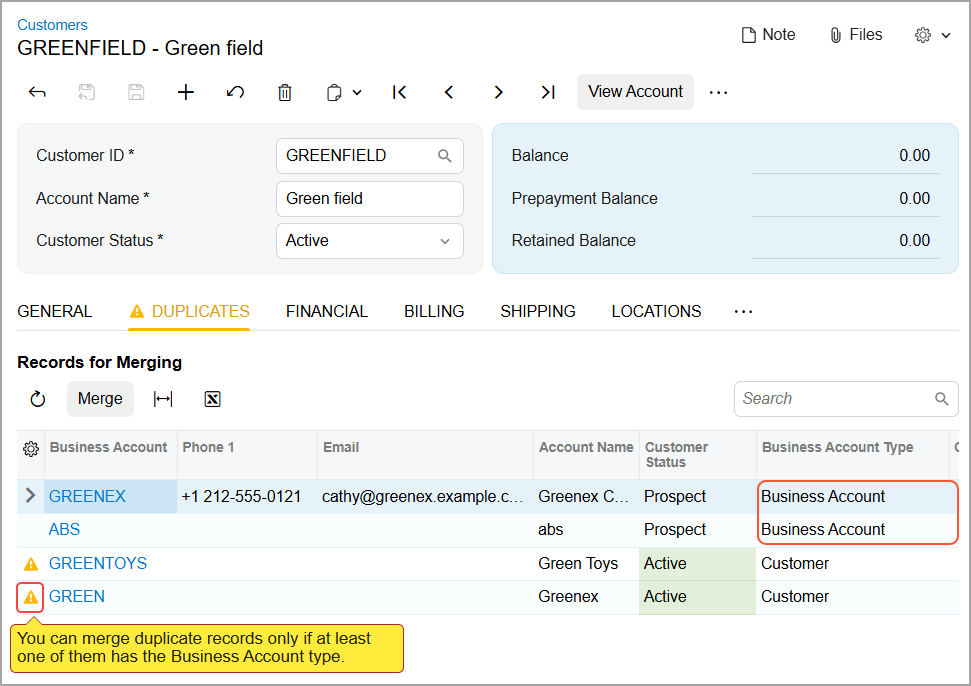
If the record is not a duplicate, click Mark as Validated on the More menu of the Customers or Vendors form. The system inserts the Validated status in the Duplicate box of the Business Accounts (CR303000) form for the business account linked to the customer or vendor.
After you merge or validate all possible duplicates, the Duplicates tab no longer appears on the form.