
Web Services: Clear Identification of Custom and Inherited Elements in Endpoints
In MYOB Acumatica, you can create custom endpoints and endpoint extensions to work with the entities and fields that aren’t available in the system endpoints. The latest improvements in Version 2026 R1 let you instantly identify which endpoint elements are custom or inherited—right on the Web Service Endpoints (SM207060) form. With these new capabilities, you can maintain endpoints with greater accuracy and less guesswork.
Quickly Spot Custom Fields
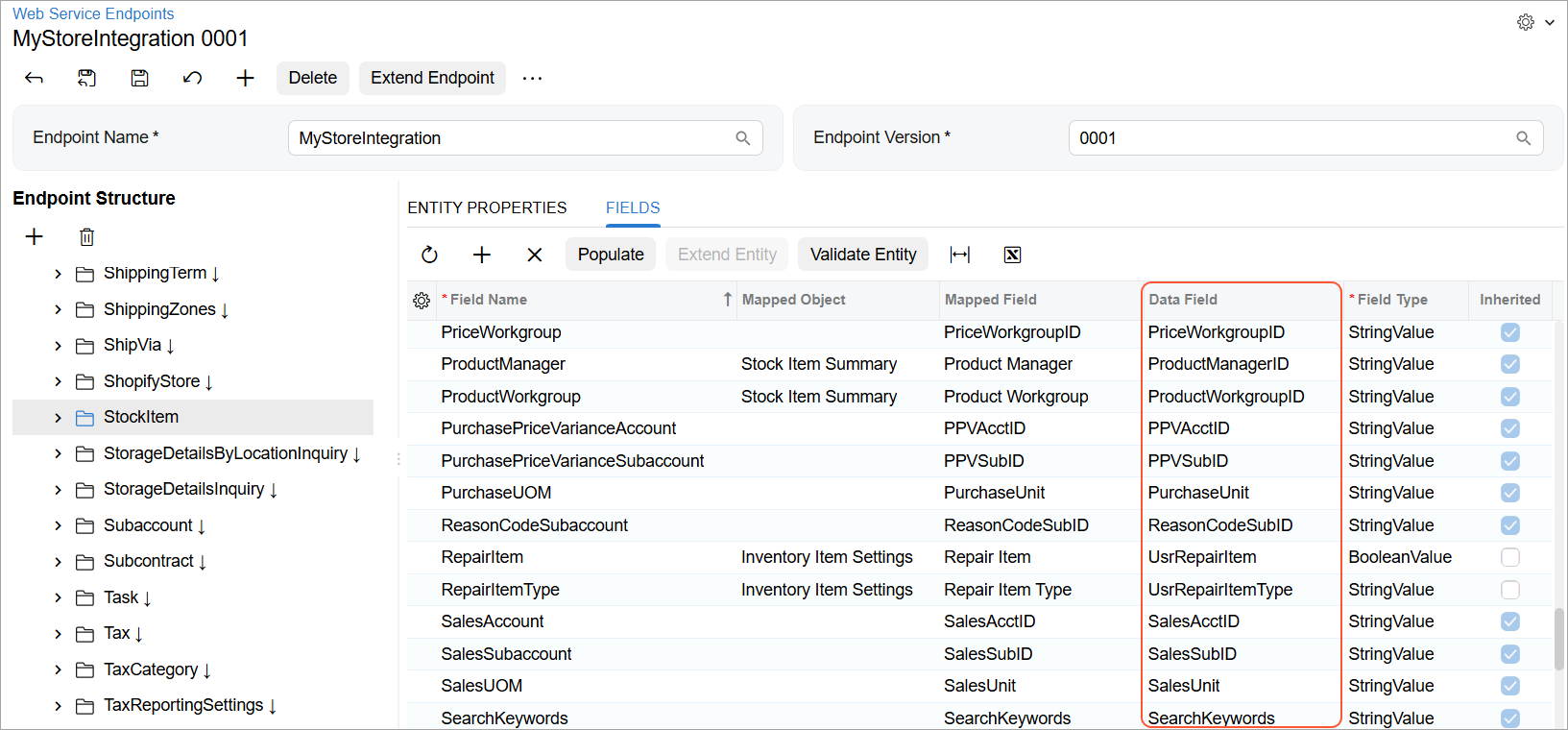
On the Web Service Endpoints (SM207060) form, now you can
immediately spot the fields that come from your customization projects. You can see the
names of data access class fields (including the Usr prefix for custom
fields) in the Data Field column (see below).
Trace Inheritance at a Glance
For every entity, action, field, and parameter on the Web Service Endpoints (SM207060) form, you can now instantly understand whether it’s inherited or newly added:
-
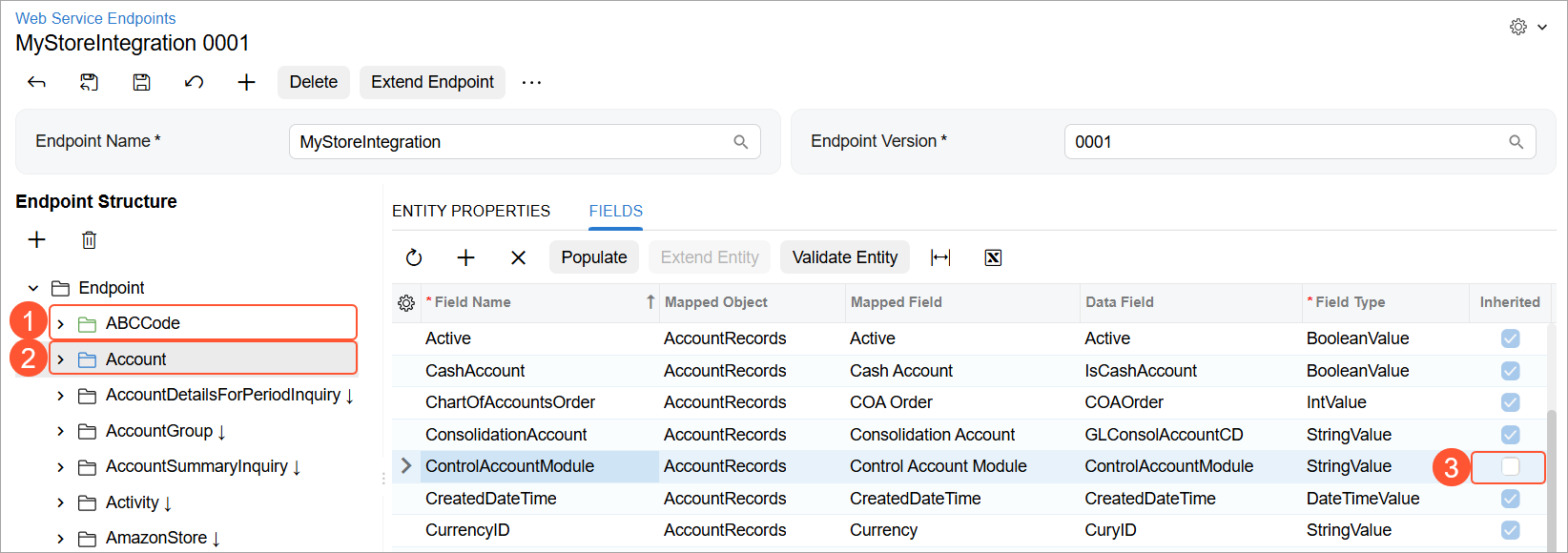
In the Endpoint Structure pane, the icons of entities and actions are color coded:
- Green for a new entity or action (Item 1 below)
- Blue for an inherited entity that has been extended (Item 2)
- A new field has the Inherited check box cleared on the Fields tab (Item 3).
- A new parameter has the Inherited check box cleared on the Parameters tab. The tab is displayed in the right pane when you select an action in the Endpoint Structure pane.
Learn More
For more information, see Custom Endpoints and Endpoint Extensions and Custom Fields.