
CRM: Side Panels with Vendor, Salesperson, and Employee Information
In MYOB Acumatica 2026.1.1, you can quickly access essential information about vendors, salespeople, or employees in the side panel. As you work with the list of records, you can use the side panel to learn more about any listed vendor, salesperson, or employee.
This lets you view key details about any record without leaving the list of records to open additional forms.
How to View Information on the Side Panel
In any of the following lists of records, you can drill down into details for any vendor, salesperson, or employee in the side panel:
- Vendors (AP3030PL)
- Salespersons (AR2050PL)
- Employees (EP2030PL)
To do this, click a record and then click one of the side panel icons. This opens the corresponding tab, which displays a particular type of information about the selected record.
Viewing the Side Panel for a Vendor
Now you can access key vendor information by using the side panel on the Vendors (AP3030PL) list of records, which has the side panel icons shown below.
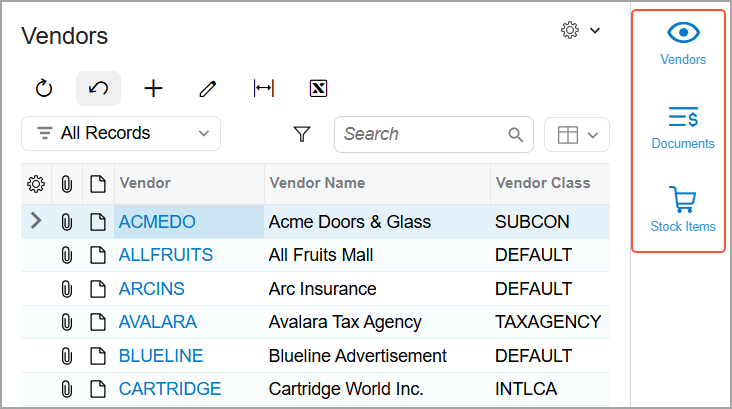
Depending on the selected tab, you can view the vendor’s settings, AP document information, or provided goods and services in the side panel.
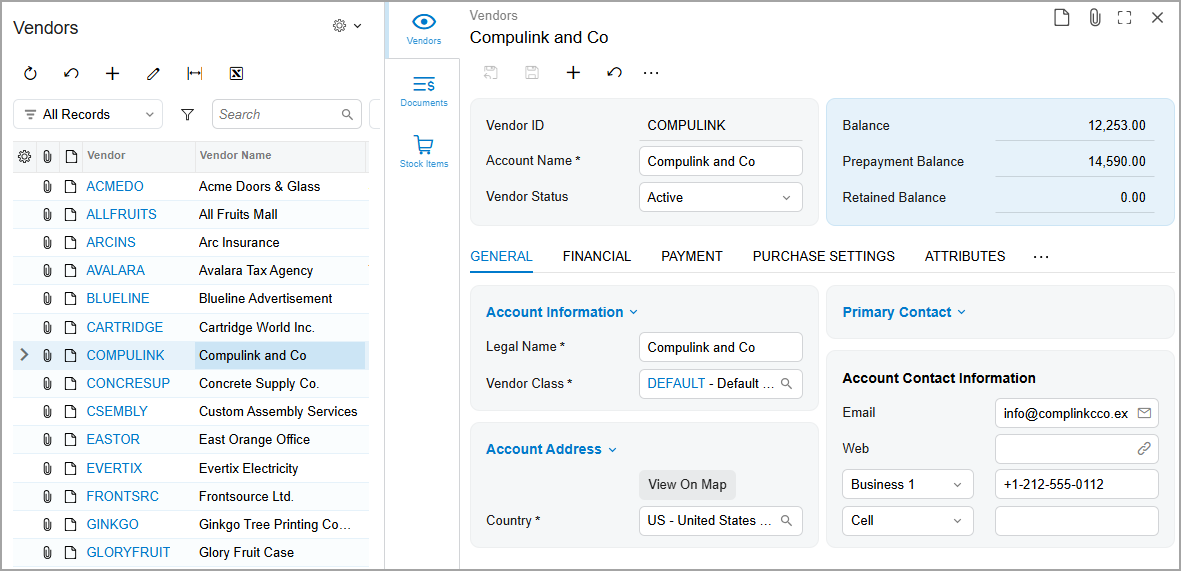
The Vendors Tab
This tab shows the vendor’s settings on the Vendors (AP303000) form.
The Documents Tab
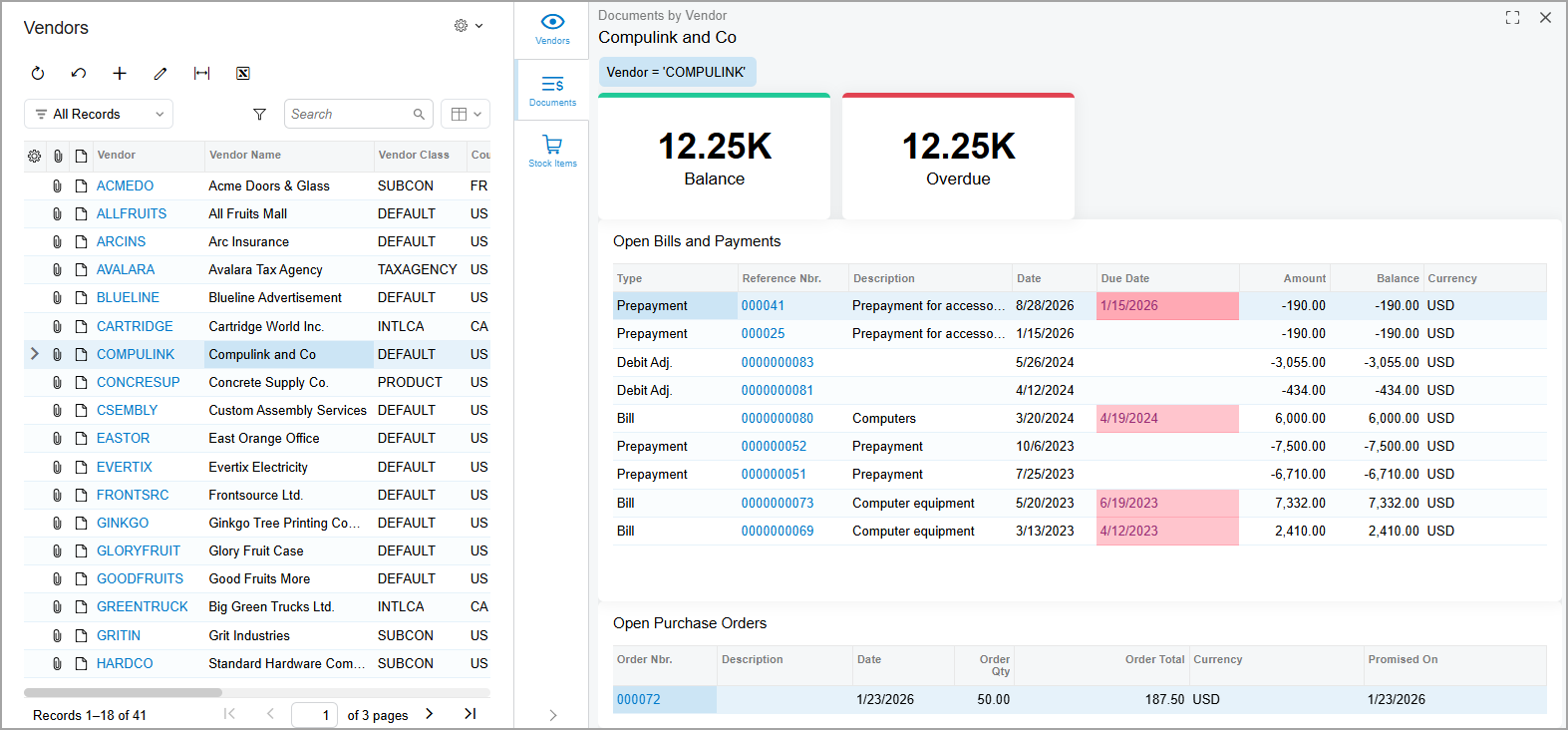
You use the Documents tab to view the selected vendor’s balances and open documents. The tab displays the Documents by Vendor (AP3013DB) dashboard with the following widgets and lists of records:
- Balance: The total amount of the vendor’s open bills, reduced by adjustments. The system calculates this amount on the Vendor Summary (AP0008DB) generic inquiry form.
- Overdue: The total amount of the vendor’s bills past due, reduced by adjustments. The system calculates this amount on the Vendor Summary generic inquiry form.
- Open Bills and Payments: The list of the vendor’s bills and payments with the Open status. You can also view these documents on the Documents by Vendors (AP3010SP) generic inquiry form.
- Open Purchase Orders: The list of the vendor’s purchase orders with the Open status. You can also view them on the Open Purchase Orders by Vendors (PO3011SP) generic inquiry form.
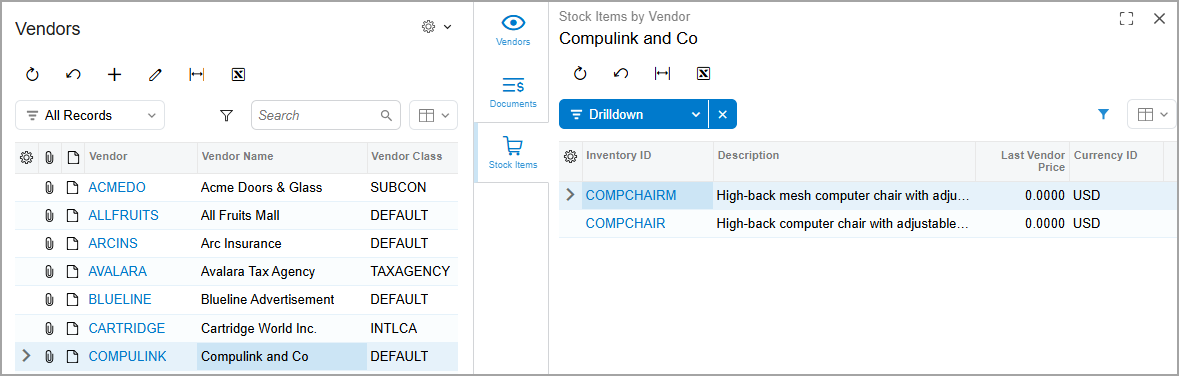
The Stock Items Tab
This tab displays the list of goods and services offered by the vendor on the Stock Items by Vendor (IN3010SP) generic inquiry form.
Viewing the Side Panel for a Salesperson
If you work with salespeople, you can use the side panel on the Salespersons (AR2050PL) list of records, which has the icons shown below, to quickly view the selected salesperson’s details and sales deals.
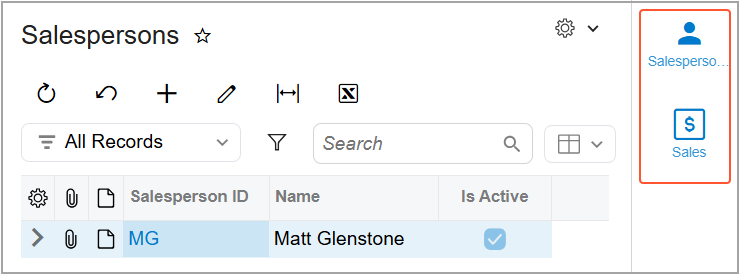
The Salespersons Tab
On this tab, you can view the Salespersons (AR205000) form, which has the salesperson’s customer list and basic settings.
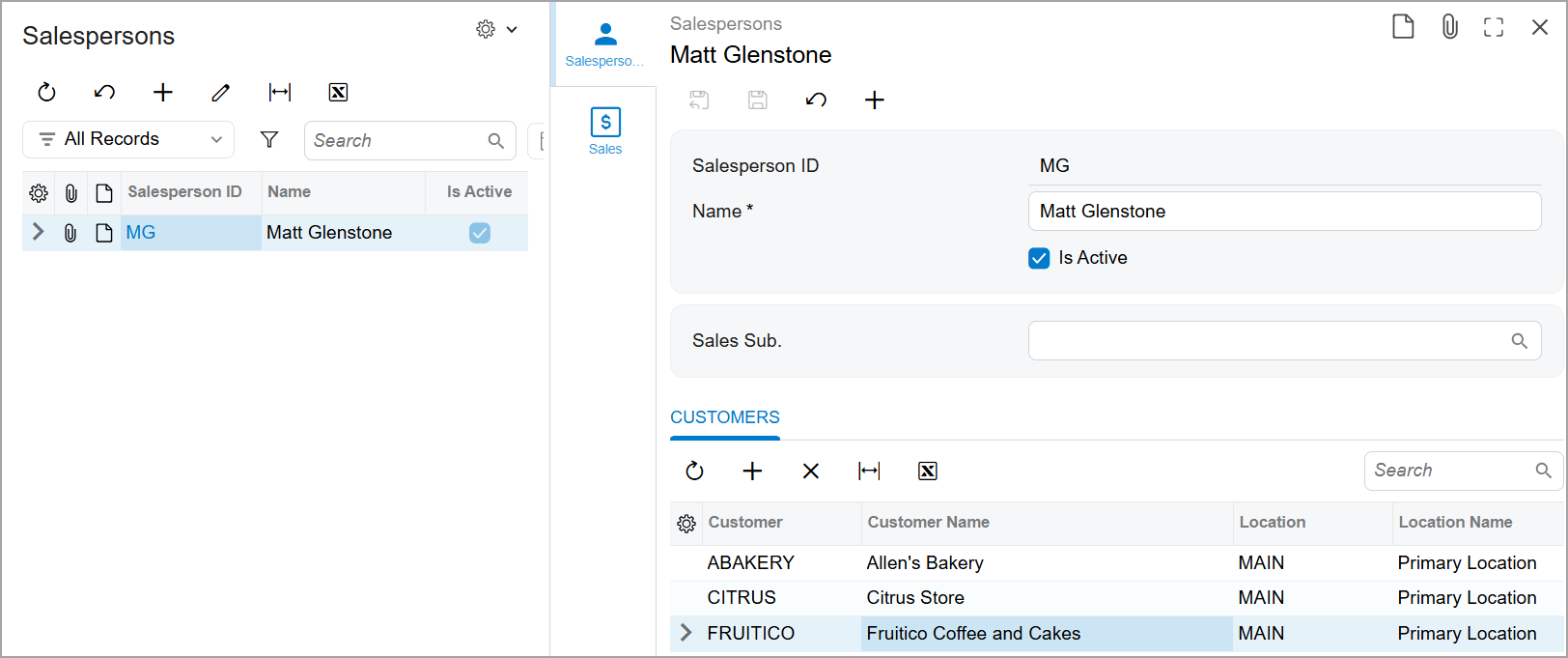
The Sales Tab
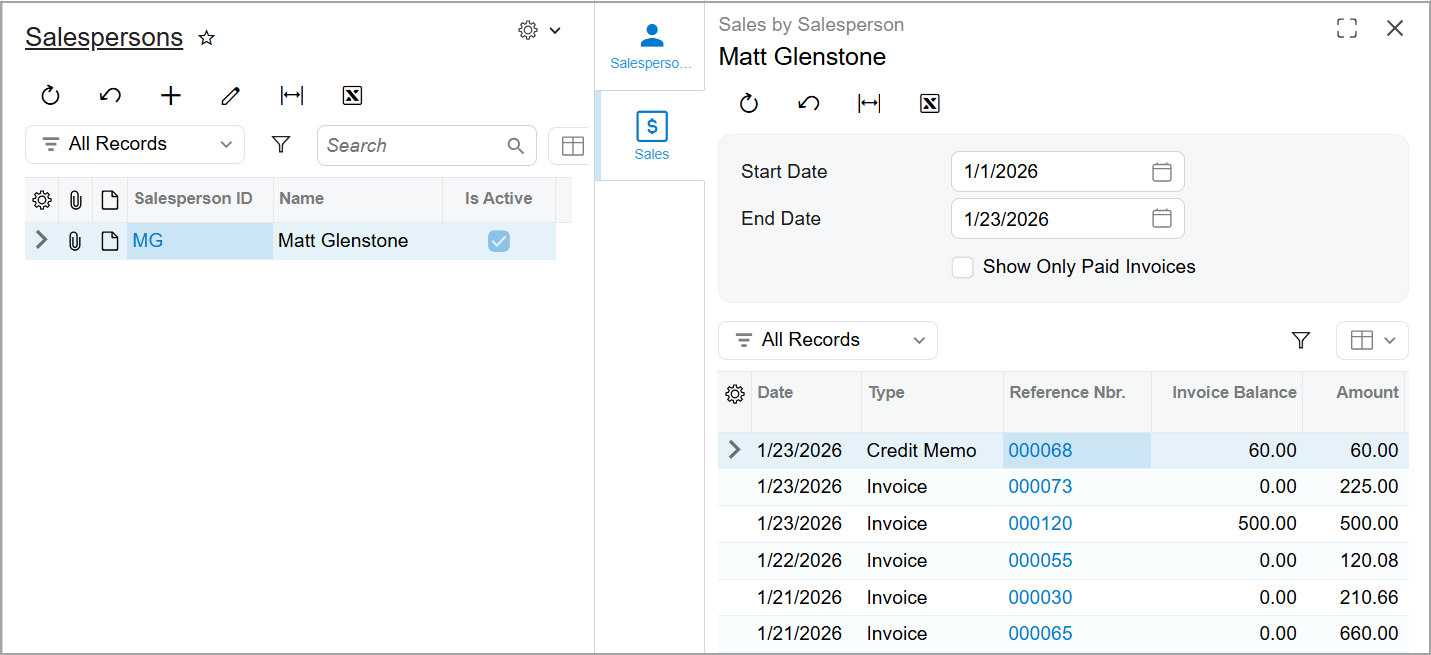
This tab displays the Sales by Salesperson (AR6730SP) generic inquiry form. You can specify a date range and view either all sales documents related to the salesperson (as shown below) or only their paid invoices.
Viewing the Side Panel for an Employee
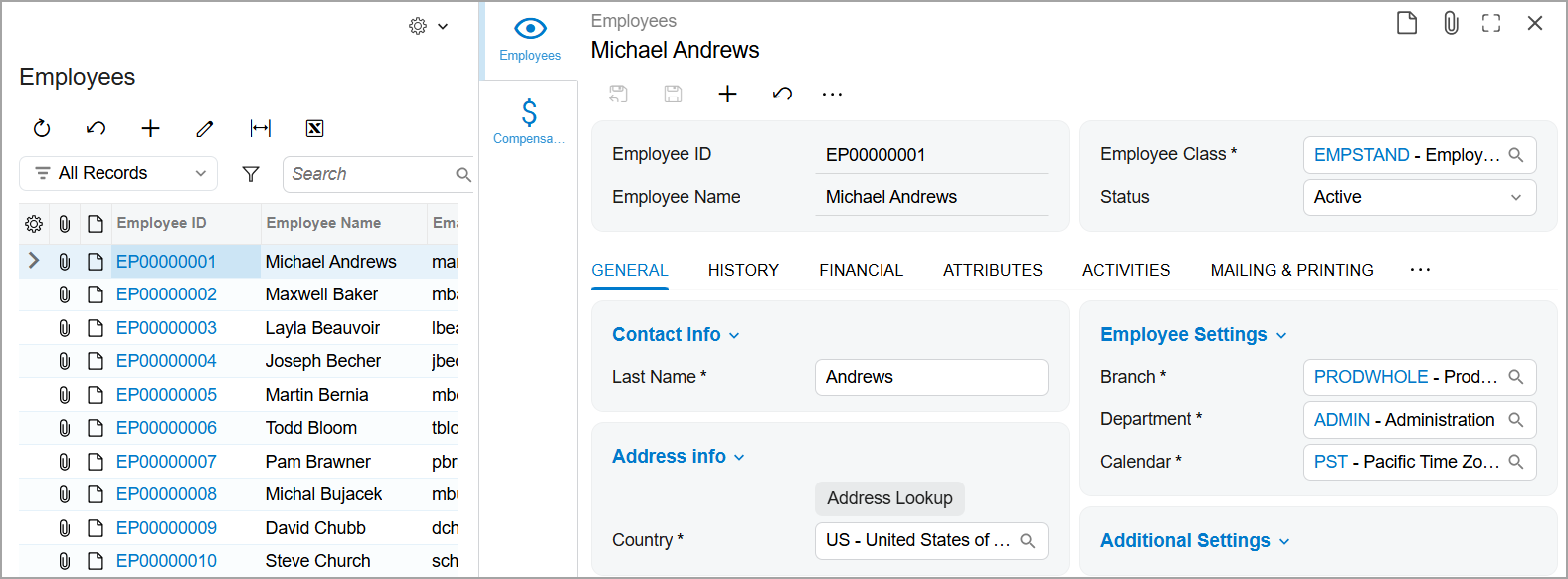
You can view any employee’s details and compensation information in the side panel of the Employees (EP2030PL) list of records, which has the icons shown below.
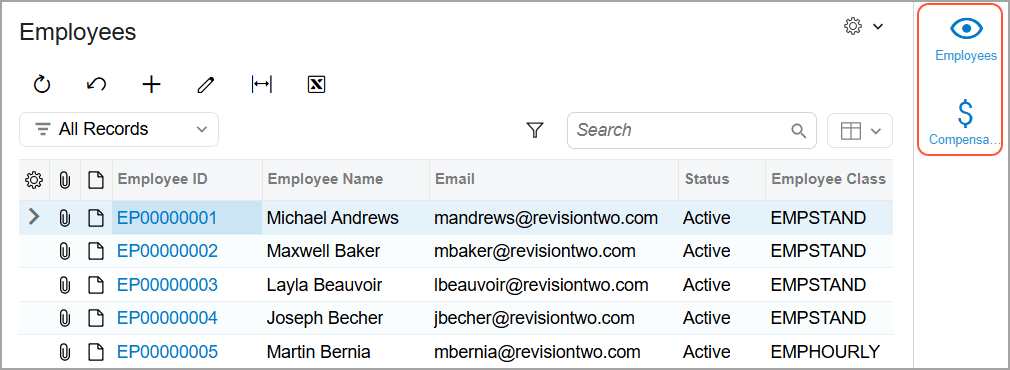
The Employees Tab
This tab displays the employee’s settings on the Employees (EP203000) form.
The Compensation Tab
On this tab, you can quickly access the Employee Compensation (PR2030SP) generic inquiry form, which shows employee’s compensation details.
