
Retail Commerce: Importing Shopify Documents in the Store Currency
Shopify stores can support multiple currencies, with one designated as the default store currency. Customers can pay in a currency that's different than the default one. In MYOB Acumatica 2025 R1, the Shopify connector introduced the ability to import orders—along with the related payments and refunds—in a single currency: the store's default currency. This improvement helped businesses maintain consistent financial reporting and simplified reconciliation for stores that operate primarily in one currency.
However, newly connected stores still imported Shopify documents in the paid currency by default. This default behavior often caused confusion, especially for users working in multicurrency environments who expected imported documents to use the store currency instead.
To make configuration simpler and reduce confusion, MYOB Acumatica 2026.1.1 updates this default behavior. The Shopify connector now imports orders and related documents using the store currency by default unless you choose a different option.
Let's take a look at what's changed.
What Has Changed
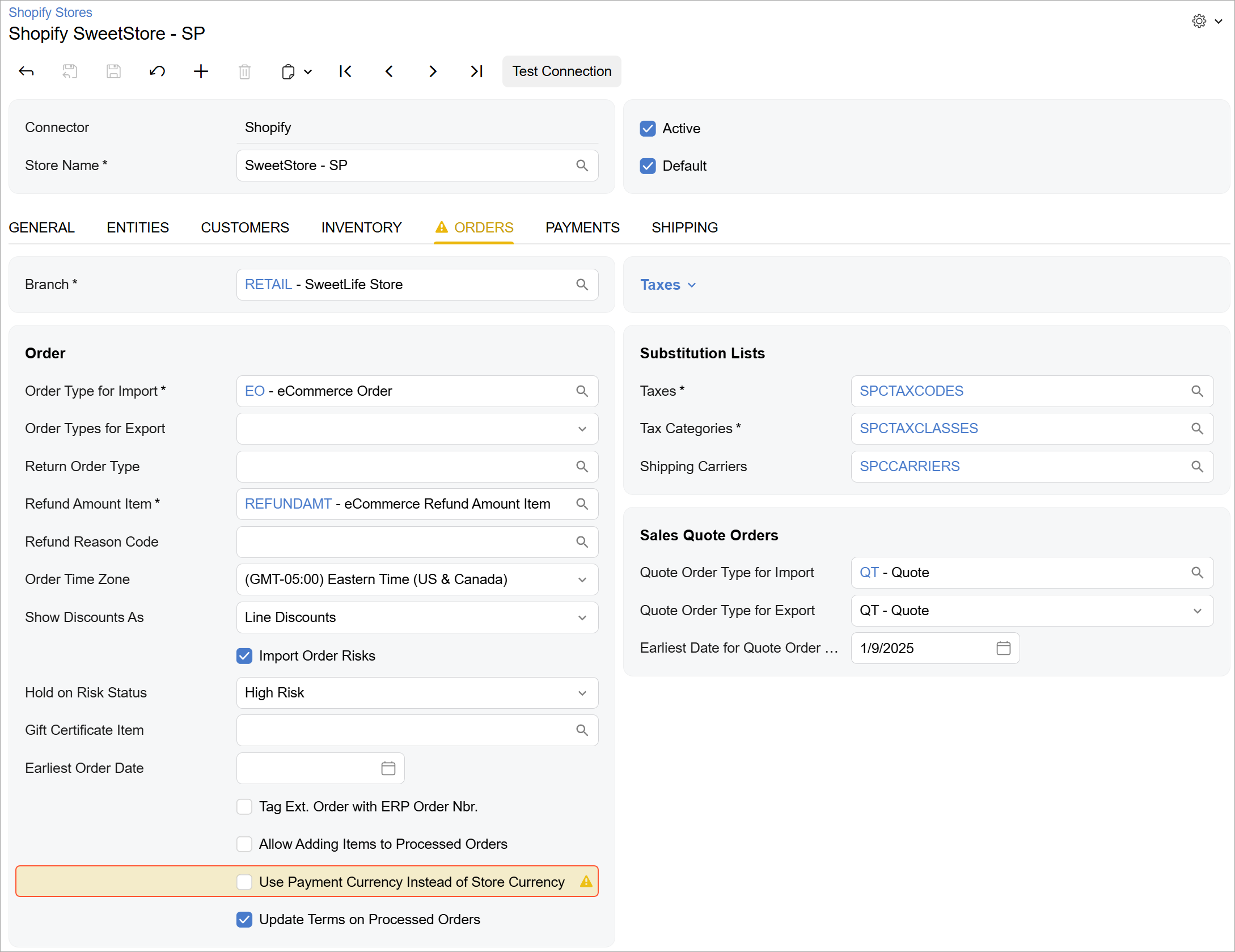
On the Orders tab of the Shopify Stores (BC201010) form, the Import in External Default Currency check box has been renamed to Use Payment Currency instead of Store Currency, as shown below. The check box remains cleared by default for newly created stores. As a result, new stores will import documents in only the store currency unless the check box is selected. When it's selected, the system imports documents in the payment currency, which may vary by document.
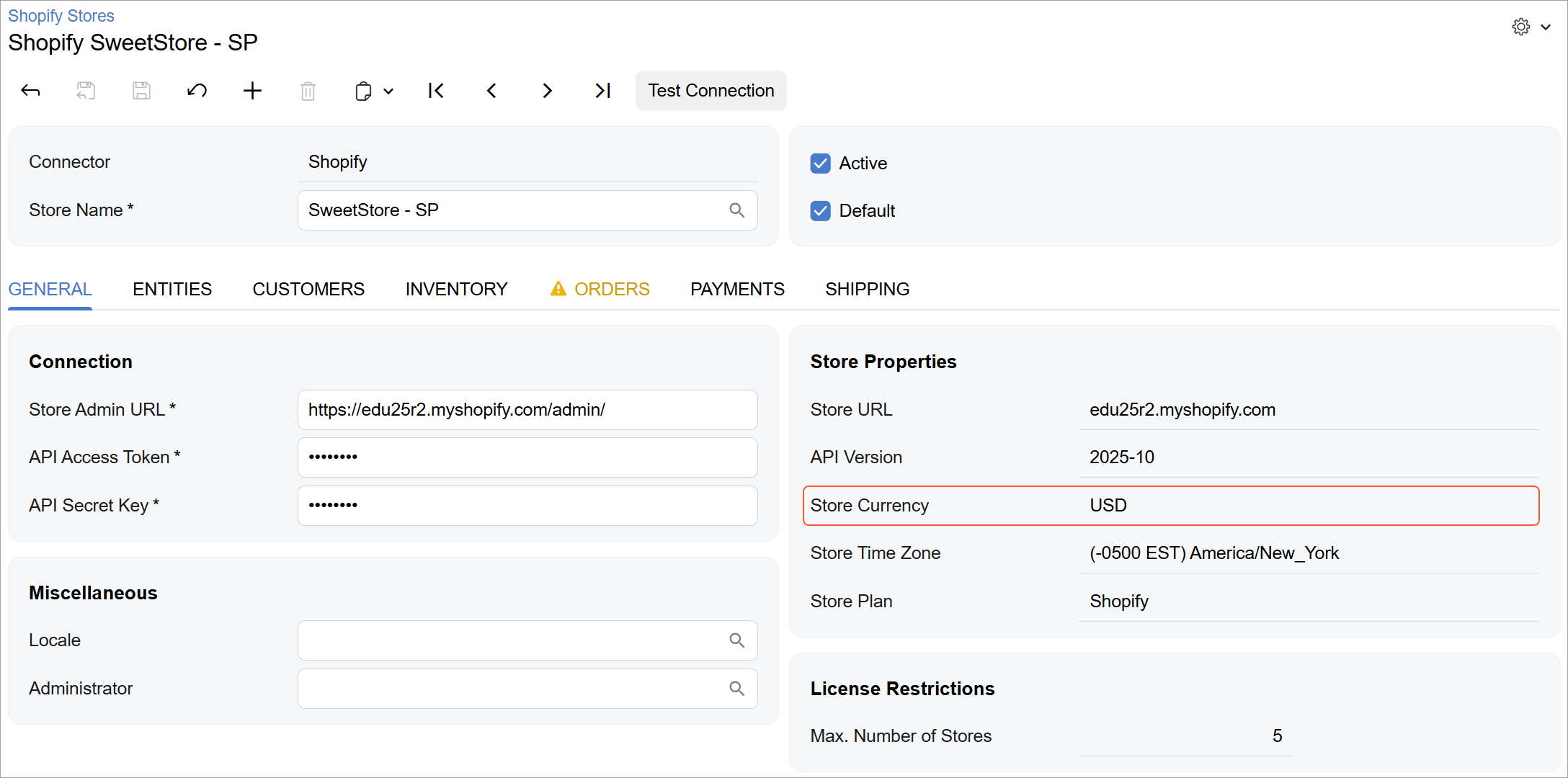
On the General tab, the Default Currency box has been renamed to Store Currency, as shown below. This box is displayed only when the Use Payment Currency instead of Store Currency check box on the Orders tab is cleared and shows the currency that the system uses for imported documents.
In the same section on the General tab, the Supported Currencies box has been renamed to Payment Currencies. This box is displayed only when the Use Payment Currency instead of Store Currency check box is selected and shows the currencies the system uses for imported documents.
If the Sales Order, Payment, or Sales Quote entities are active for the store, all currencies listed in the Store Currency or Payment Currencies boxes must be active on the Currencies (CM202000) form.
If the Payment entity is active, you must also configure mappings on the Payments tab of the Shopify Stores form for all Shopify payment methods used in any currency listed in the Store Currency or Payment Currencies box.