Platform: Enhanced Meter Widget Configuration
In MYOB Acumatica 2026.1.1 the configuration of Meter widgets has become easier and simpler. Also we have tweaked how the alarm range coloring is applied.
Simpler Configuration of Levels
In previous versions, you could only specify the exact values for the Normal Level and Alarm Level settings in the Widget Properties dialog box. Now you can explicitly specify the values for the Minimum and Maximum levels and add any number of target values between them (shown below).
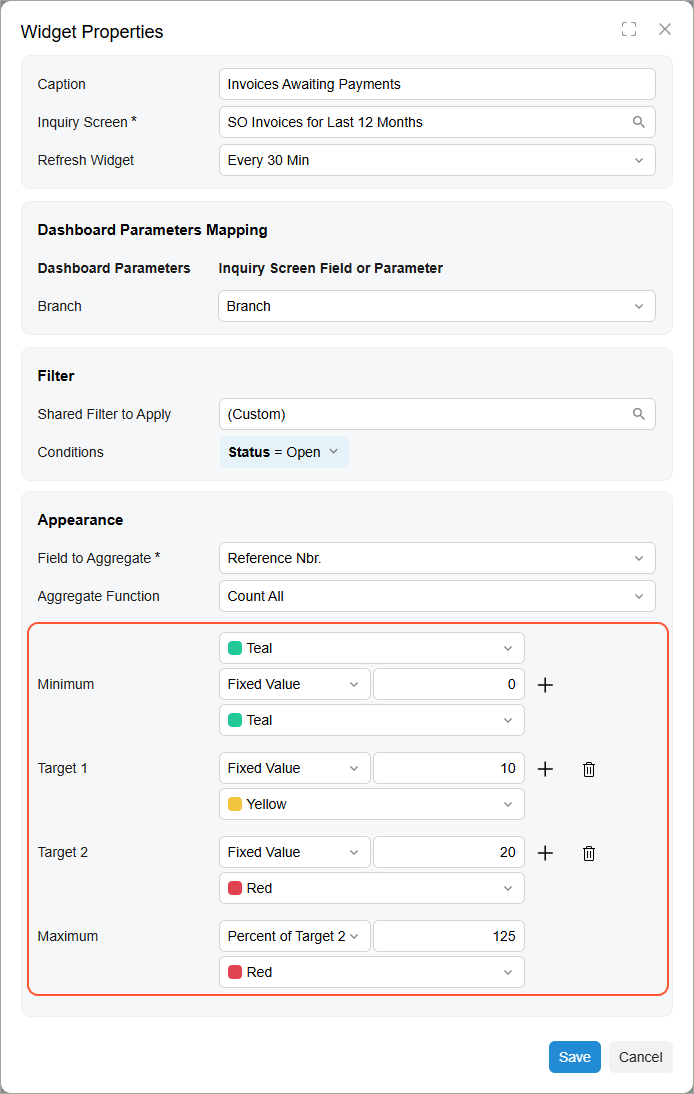
For each level you can select its own color, and how it will be calculated (fixed value, inquiry field, percentage of other value).
- If the current value is below the Minimum level, an additional sector appears on the left side of the widget and is drawn in the specified color.
- If the current value exceeds the Maximum level, an additional sector appears on the right side of the widget and is drawn in the specified color.
- If the current value is within the Minimum and Maximum levels, no additional sectors appear.
Migration Notes
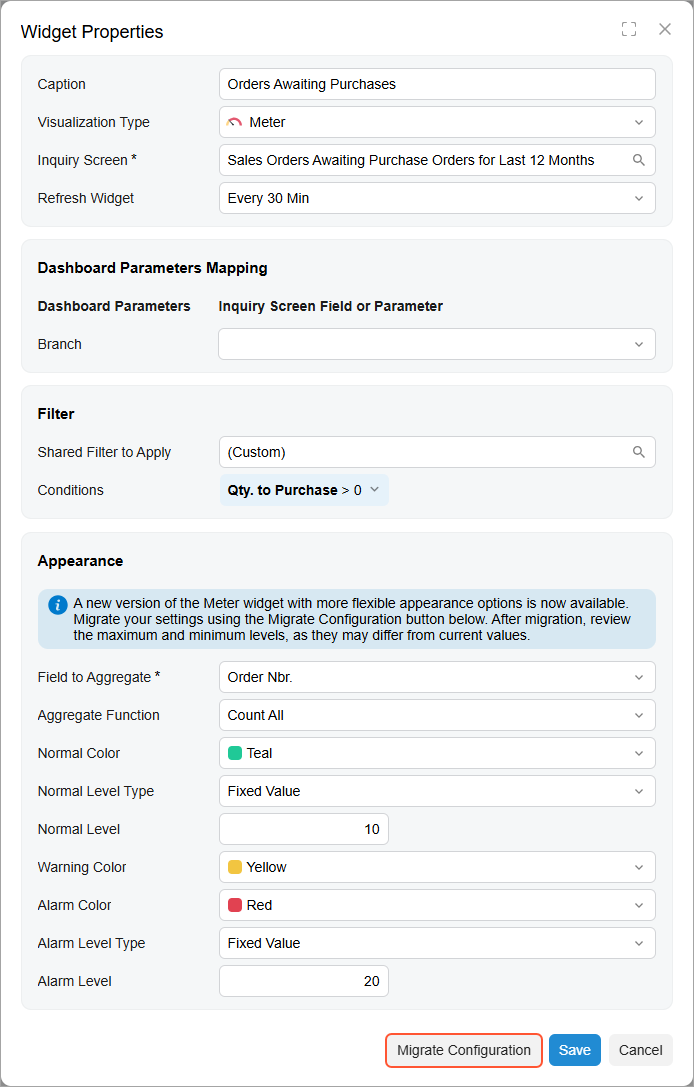
These changes do not automatically apply to your existing meter widgets. To migrate a widget, open the Widget Properties dialog box, and press Migrate Configuration (as shown below).