
Platform: DAC Browser Improvements
In MYOB Acumatica 2026.1.1, the DAC Browser has been improved as follows:
- Customized and extended DACs are now marked with context-specific tags
- Warnings are displayed for obsolete and internal DACs
The improvements make it easier for you to understand which DACs to use by distinguishing between out-of-the-box extensions and external customizations,.
Tags for Extended and Customized DACs
Previously, all extended DACs were marked with the Customized tag regardless of where the extension is located: in the out-of-the-box MYOB Acumatica code or in an external customization. In MYOB Acumatica 2026.1.1, new tags have been added to the DAC Browser:
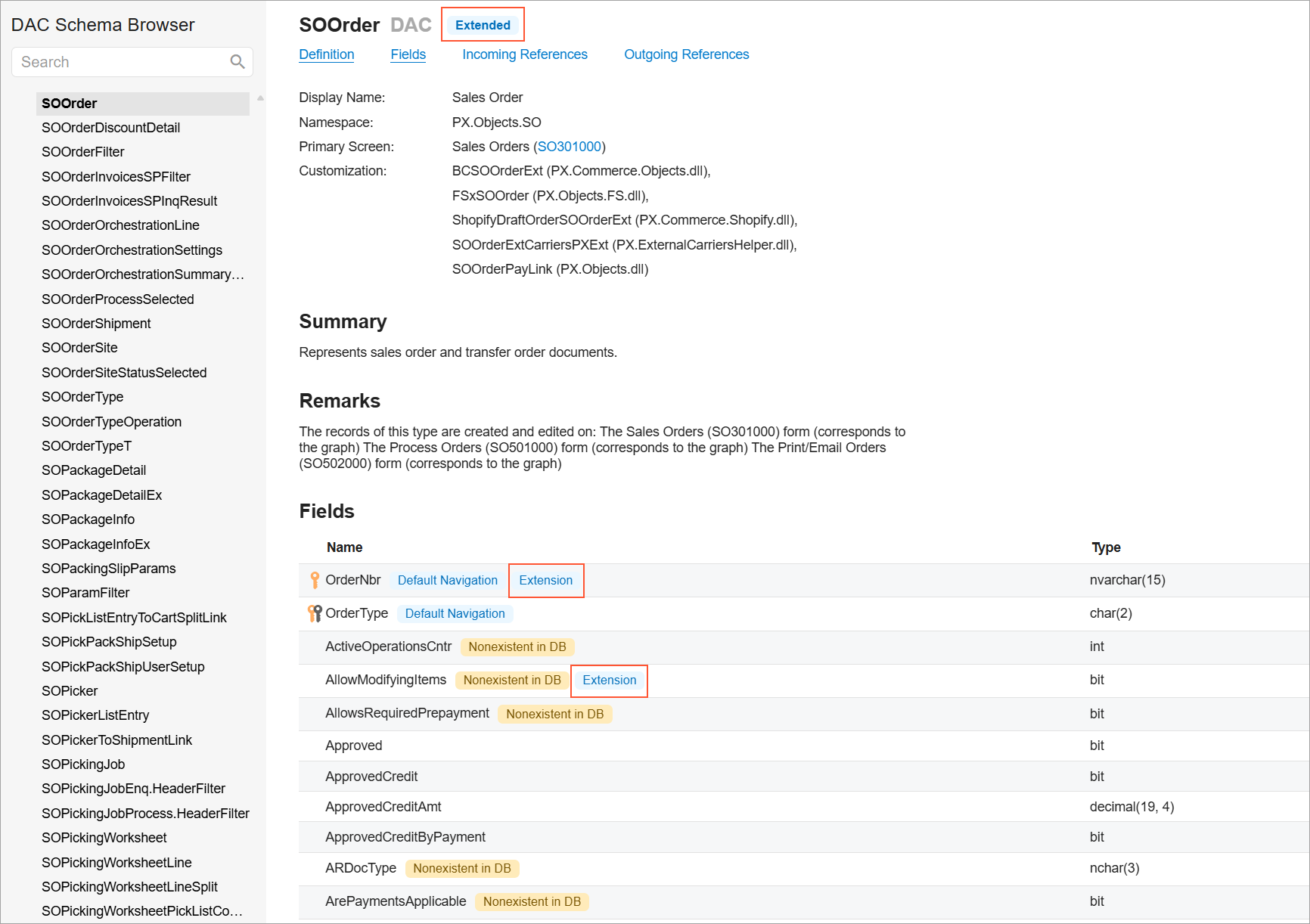
- DACs that are extended within original MYOB Acumatica code have the Extended tag. The fields that are defined in the DAC extension in the original MYOB Acumatica code are marked with the Extension tag.
- DACs that are extended in a customization project have the Customized tag. The fields that are defined in the DAC extension of a customization project are marked with the Customization tag.
An example of the new tags in shown below.
Warnings for Obsolete and Internal DACs
In MYOB Acumatica 2026.1.1, the DAC Browser displays a warning for a DAC:
- If a DAC has been marked as obsolete and its use is strongly discouraged
- If a DAC has been marked with the PXInternalUseOnly attribute (meaning that it can be used only by Acumatica developers)
These warnings improve visibility and help you understand which DACs to use.
Learn More
For more details about DAC browser, see DAC Schema Browser.