
Projects and Construction: Budget Control Through Cost Code Allocation
MYOB Acumatica 2025.2.1 introduces a powerful enhancement for project accounting: The ability to allocate amounts to specific cost codes. This gives you greater control over project accounting.
Cost codes help you group project expenses by type, such as labor, materials, or subcontracting. For example, you can allocate administrative fees, insurance, or ad-hoc expenses to designated cost codes. With the enhanced allocation logic, you can move expenses between cost codes within a project budget, giving you:
- More accurate profitability estimates
- Cleaner reporting
- Improved auditability of the project’s financial flow
Before You Start the Setup
- Ensure that the Cost Codes feature is enabled on the Enable/Disable Features (CS100000) form.
- Define your list of cost codes on the Cost Codes (PM209500) form.
Reallocate Project Costs to Designated Cost Codes
You can now specify a cost code for allocation transactions on the Allocation Settings tab of the Allocation Rules (PM207500) form. By default, each allocation rule step uses the original transaction's cost code. (That is, the system inserts Use Source in the new Cost Code box.) To use a different cost code:
- Select Replace in the Cost Code box.
- Select the new cost code in the new Replace Code With box (see below).
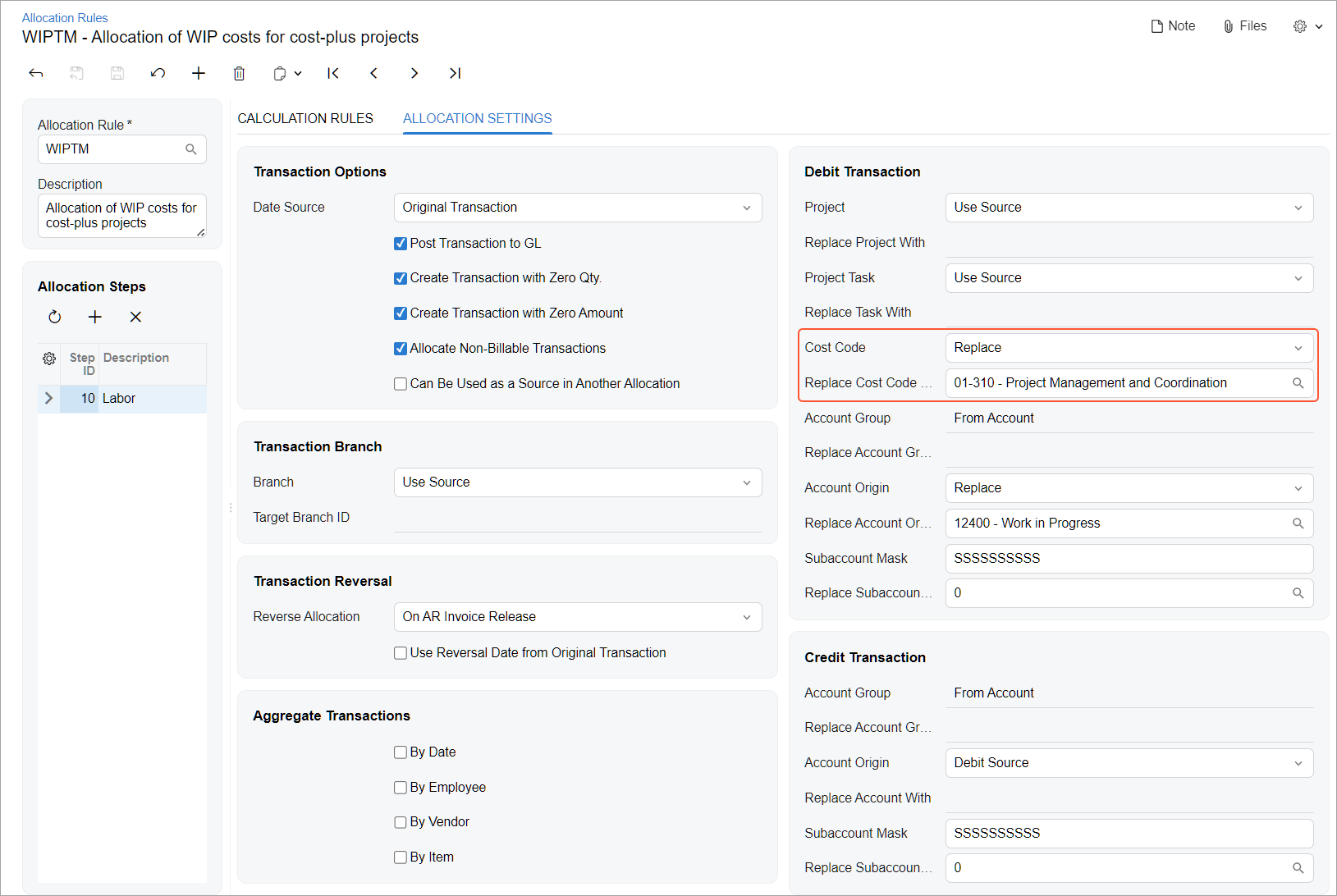
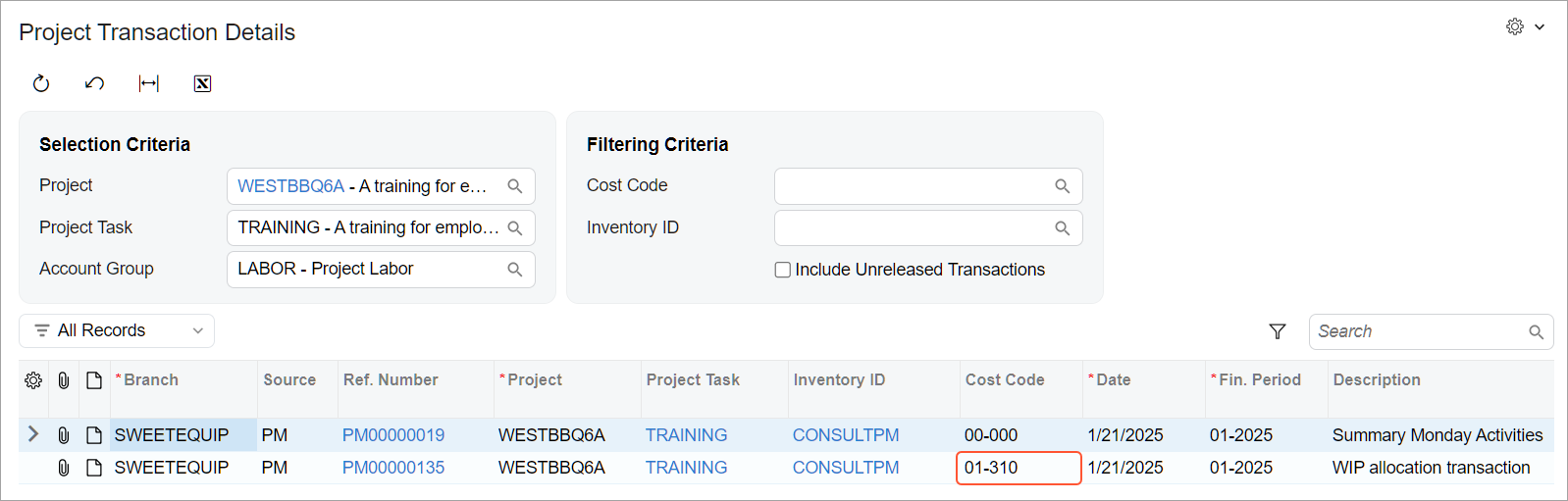
After setting up the rule, you assign it on the Tasks tab of the Projects (PM301000) form to the project tasks whose costs you want to reallocate. When you run allocation for the project, the system creates allocation transactions. In each allocation transaction, it inserts the cost codes from the step of the allocation rule associated with the project task (see below).
The Resulting Benefits
Defining a cost code in an allocation rule gives you better control of project expense grouping across the budget. You can easily move costs to the appropriate cost codes, ensuring accurate budget tracking and alignment with reporting needs.