Projects and Construction: Mobile App Enhancements
As a project manager, you may need to approve or reject documents when you’re traveling or off-site, especially when timely decisions are key to keeping the project on schedule. With MYOB Acumatica 2025.2.1, it’s even easier to keep projects moving—no matter where you are. New enhancements to the MYOB Acumatica mobile app help you manage project changes and approvals faster and more flexibly:
- Create and manage change orders and change requests from your mobile device—review, adjust, and approve project changes without delay.
- Review and approve pro forma invoices in one tap to streamline billing workflows and keep projects on track.
Managing Change Orders and Commitments
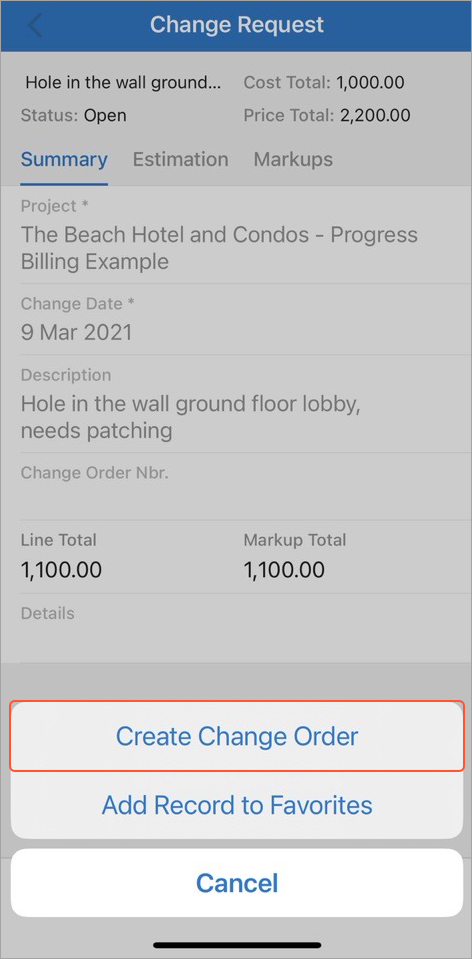
Change orders and change requests help you manage changes to a project’s scope, budget, and commitments. Change requests capture minor adjustments; change orders group them for approval. Together, they support better tracking and accountability. Now you can keep up wherever you are. In the mobile app, you can (see below):
- Create a change order from the Change Request screen
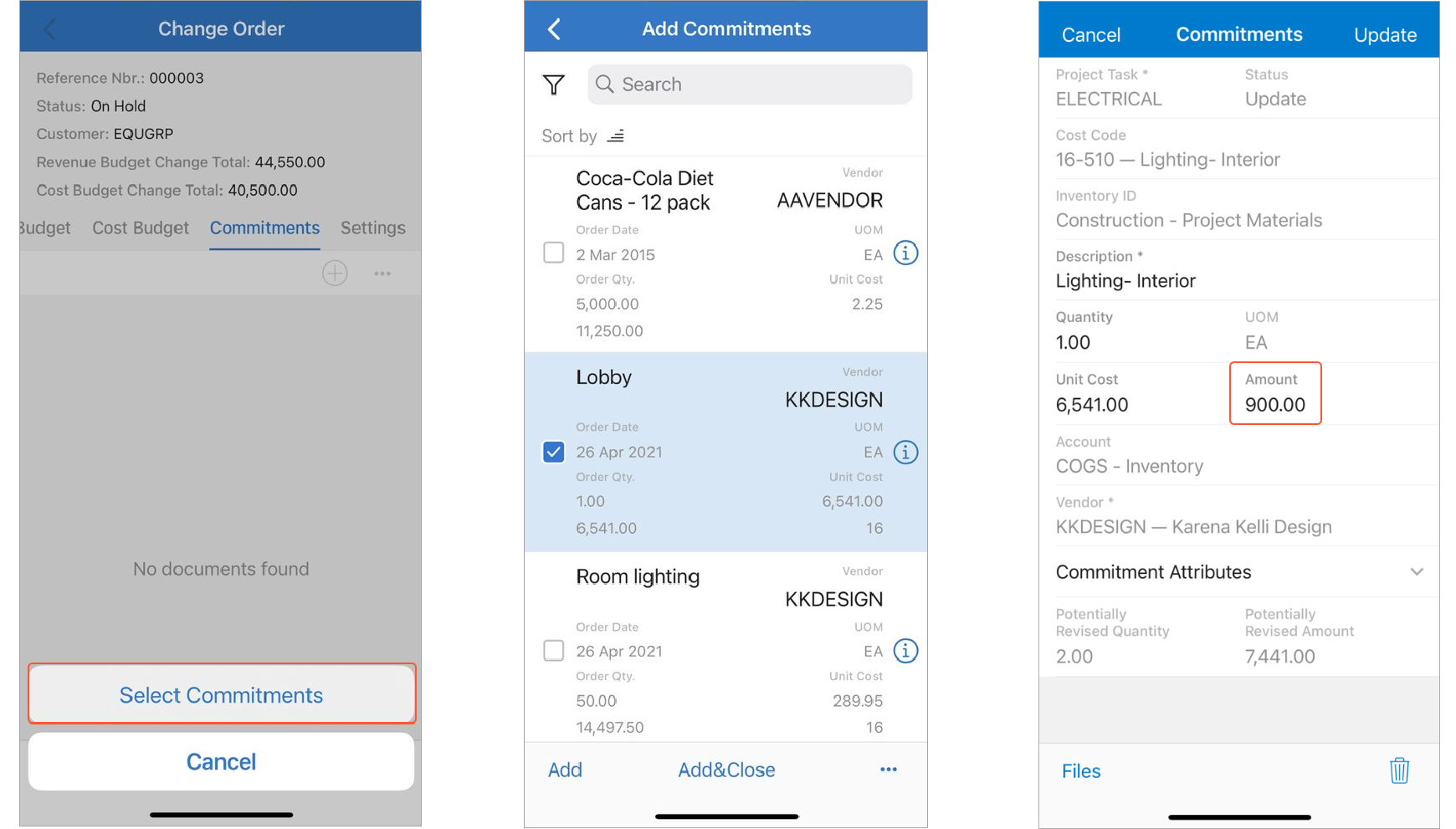
- Add existing commitments and change requests to a change order on the Change Order screen
- On the Commitments tab of the Change Order screen, open the commitment and edit its amount according to cost changes
These updates help you stay in control of projects' scope, budget, and approvals—even while you're off-site.
Approving Pro Forma Invoices with One Tap
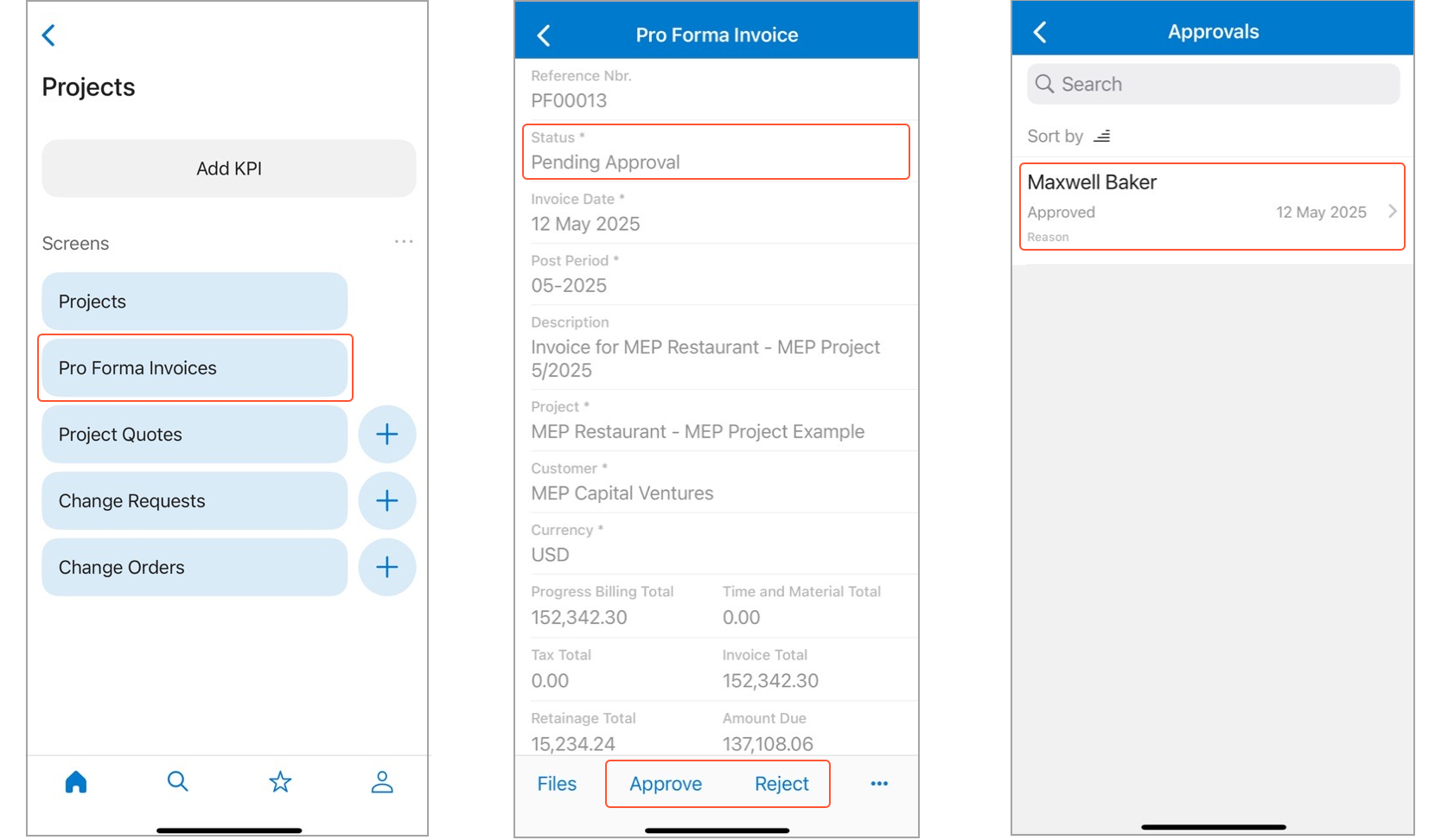
Need to sign off on a pro forma invoice while you're in the field? No problem. Use the new Pro Forma Invoice screen to:
- Approve or reject invoices with one tap.
- Add brief text explaining your decision.
- Attach files to a pro forma invoice: Just tap Files and take or upload a photo, or add a video or document.