Platform: New Aggregate Function for Flexible Data Presentation in Generic Inquiries
MYOB Acumatica
2025.2.1 introduces a new function for generic inquiries that outputs the aggregated records as a
single string. The new StringAgg function retrieves the values of
individual records that comprise aggregated data field and concatenates them into a single
string. Thus, you can enhance the readability of your data inquiries.
Concatenating Expressions
Suppose that some of your inquiries for the Sales Orders (SO301000) form use an aggregated data field
(CuryOrderTotal) and you need to display the values of the distinct
records of this field.
While designing inquiries on the Generic Inquiry (SM208000)
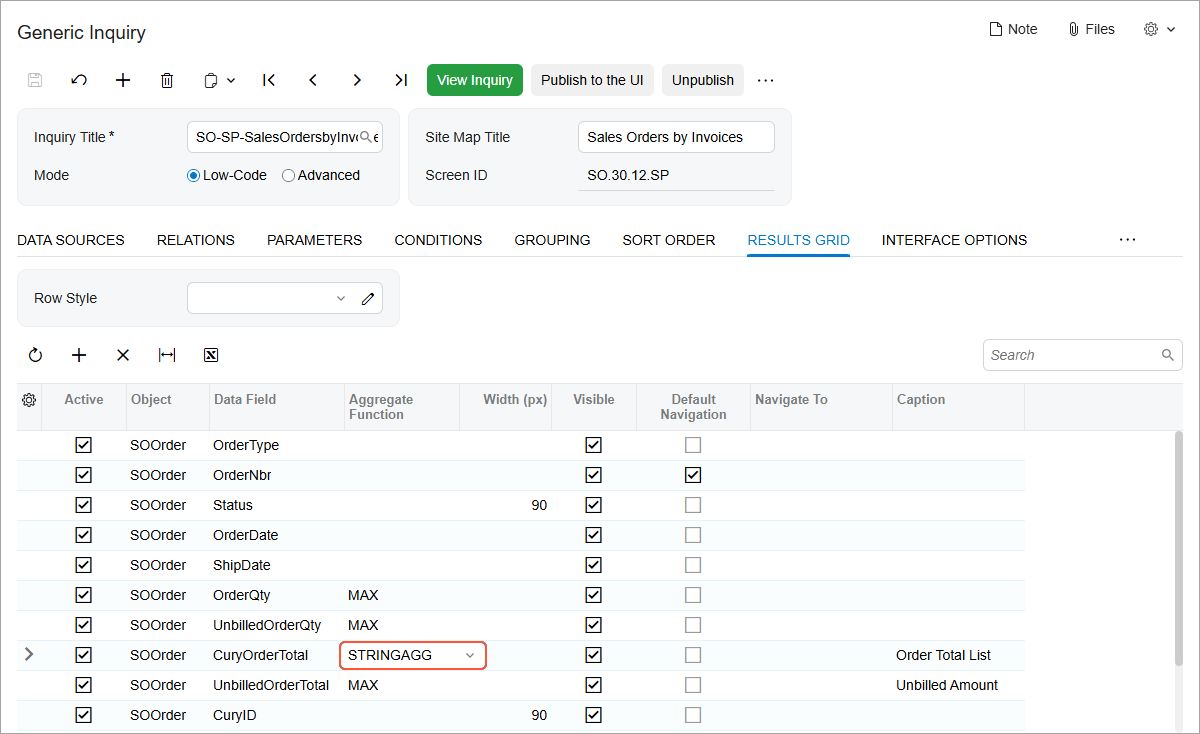
form, you can now use the StringAgg function in the Aggregate
Function column (shown below) of the Results Grid tab
to join multiple distinct records into a single string.
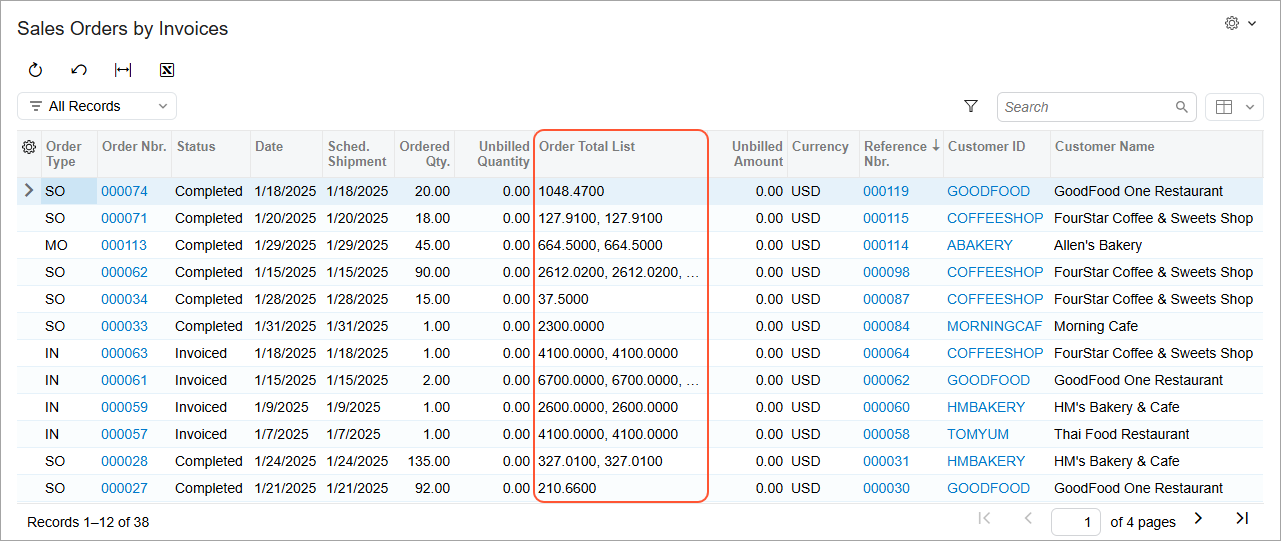
In the resulting inquiry, in the Order Total List column, the system will display the record values, separating them with a comma.
Specifying a Custom Delimiter
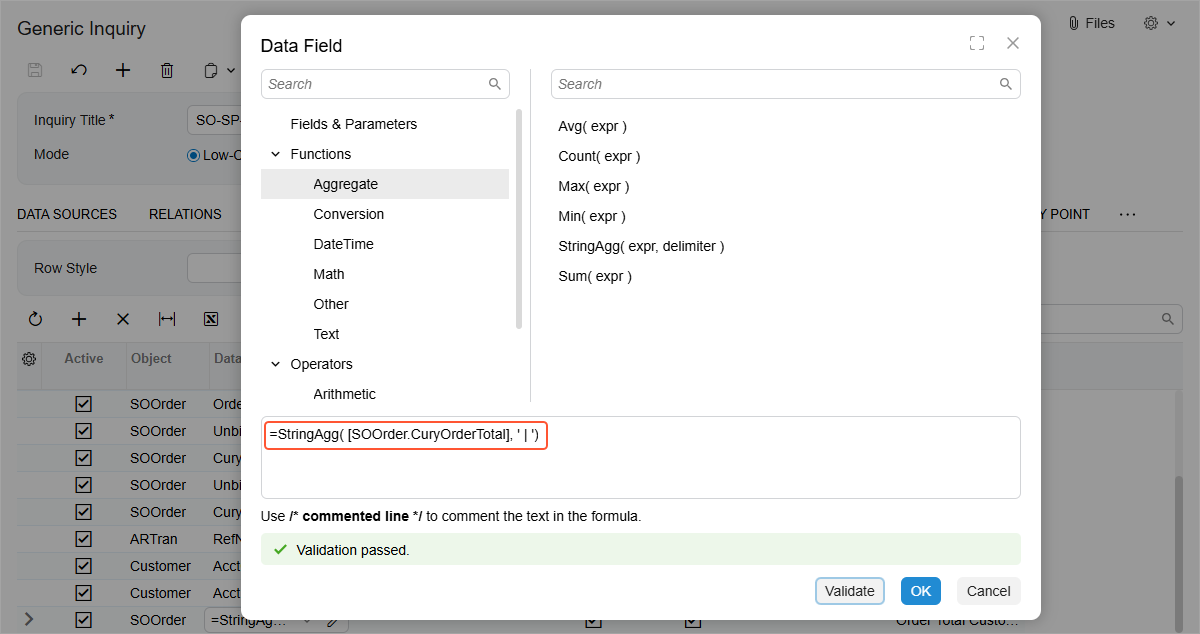
When using the StringAgg function as part of a formula, you can specify
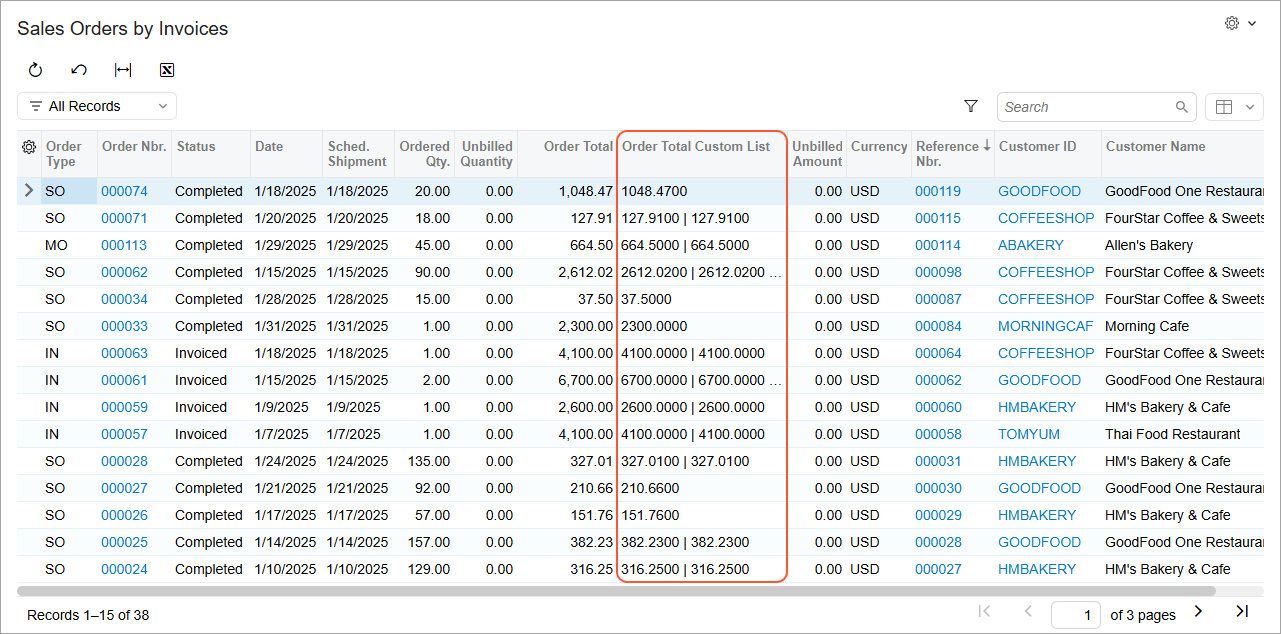
any custom delimiter. For example, you could use a pipe instead of a comma as a delimiter
(see below).
In the resulting inquiry, the system will display the record values, separating them with a pipe.