
Platform: Generic Inquiry Query Language (GIQL)
MYOB Acumatica 2025.2.1 introduces Generic Inquiry Query Language (GIQL), a powerful SQL-like language that streamlines how you create generic inquiries and configure dashboards. With GIQL, you can write queries more efficiently while gaining access to advanced features.
The integrated GIQL Editor provides intelligent guidance to help you write queries faster and with fewer errors.
Overview of GIQL
GIQL uses familiar SQL syntax and keywords, making it easy to learn if you already know SQL. You write GIQL queries in nearly the same way as in SQL, but with a few important differences:
- You reference DACs and DAC fields instead of database tables. That means you can use both database-bound and unbound DACs and DAC fields.
- You can use another generic inquiry as a data source in your query and reference fields of a generic inquiry.
- GIQL queries start with FROM, not SELECT.
Here’s a sample GIQL query that selects AR transactions for a specific salesperson within a date range.
FROM SalesPerson
INNER JOIN ARTran
ON SalesPerson.SalesPersonID = ARTran.SalesPersonID
WHERE (StartDate IS NULL
OR ARTran.TranDate >= StartDate)
AND (EndDate IS NULL
OR ARTran.TranDate <= EndDate)
AND (SalespersonID IS NULL
OR SalesPerson.SalesPersonID = SalespersonID)
ORDER BY SalesPerson.SalesPersonCD
SELECT MAX(SalesPerson.SalesPersonCD),
MAX(SalesPerson.Descr),
MAX(ARTran.TranDate) AS 'Invoice Date',
SUM(ARTran.TranAmt) AS 'Invoiced Sales'
By using GIQL, you can define the same components of a generic inquiry that you would configure on the following tabs of the Generic Inquiry form:
- Data Source
- Relations
- Parameters
- Conditions
- Grouping
- Sort Order
- Results Grid
GIQL Editor
The GIQL Editor provides a rich text box where you can write your queries directly. It includes several intelligent assistance features to support a smoother, more accurate query-writing experience:
- Syntax highlighting: For easy readability, the editor color-codes query components, such as keywords, entities, properties, aggregate functions and parameters.
- Interactive infotips: When you hover over an entity, such as a DAC or a DAC
field, the editor shows helpful information about it (see below).
Figure 1. Details of a DAC in an infotip 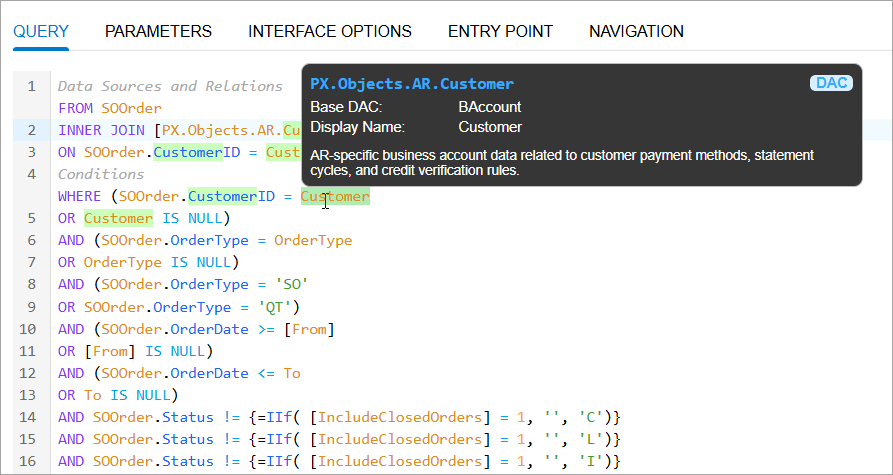
If a field comes from a formula in another generic inquiry, the GIQL Editor generates a readable name for this field and shows the full formula in the infotip, as shown below.
Figure 2. The infotip for the formula field 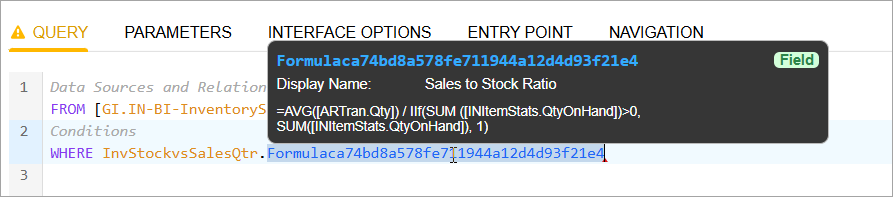
- Real-time validation: The editor checks your syntax and semantics as you type,
validates entities, and makes sure they exist. It also highlights errors, as you can see
below.
Figure 3. A semantic error in the GIQL Editor 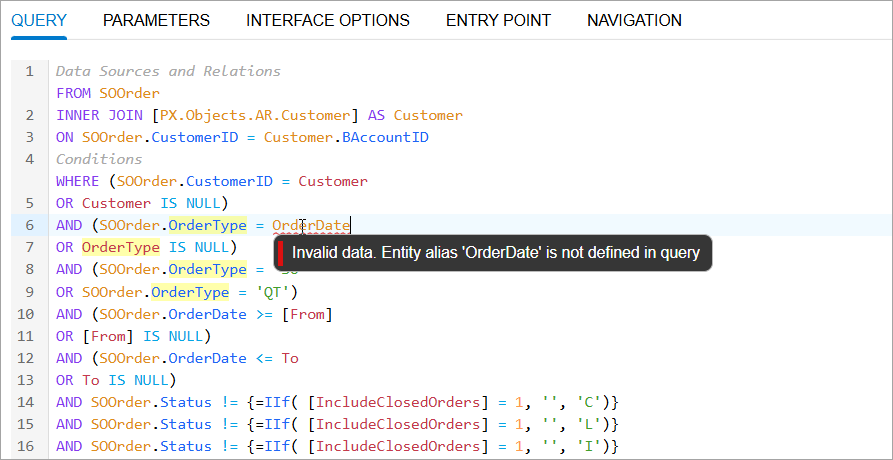
- Auto completion: The editor shows valid entities (see below) depending on the
current context and cursor position.
Figure 4. A list of suggestions 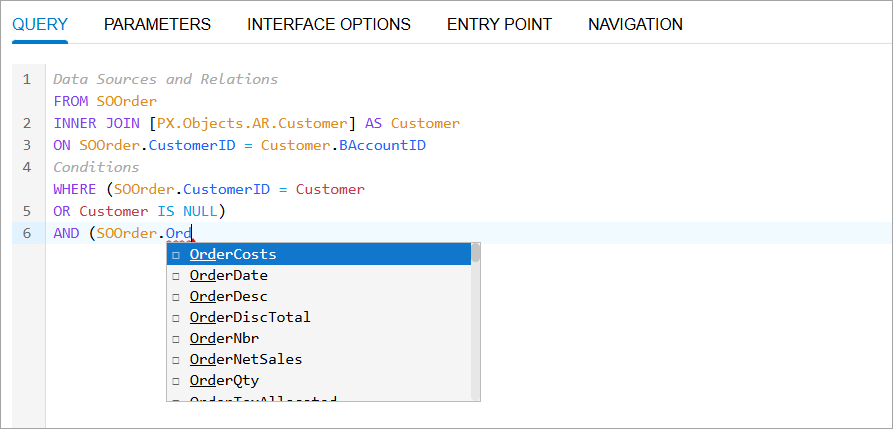
- Automatic organization: As you type your query, it automatically organizes your
code into these generic inquiry components, as shown below:
- Data sources and relations
- Conditions
- Grouping
- Sort order
- Results
Figure 5. The GIQL Editor 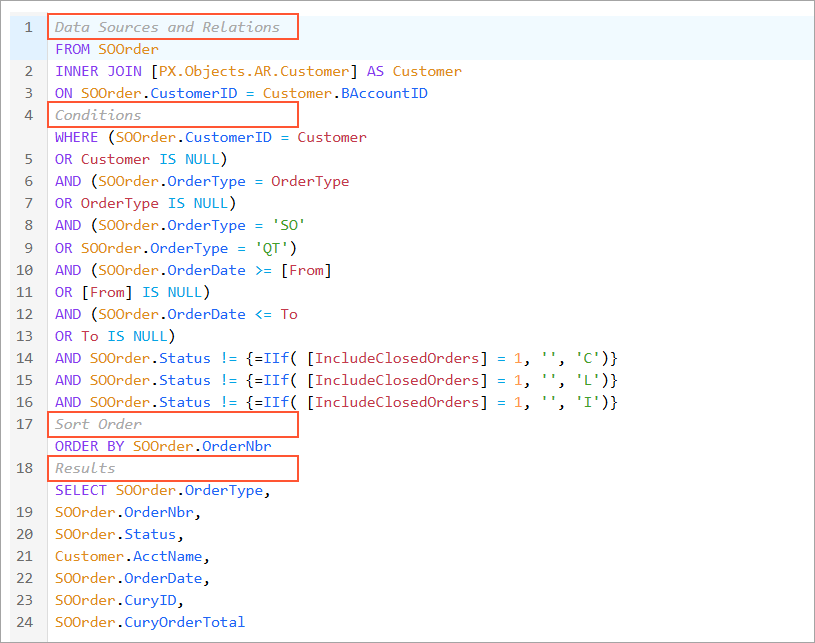
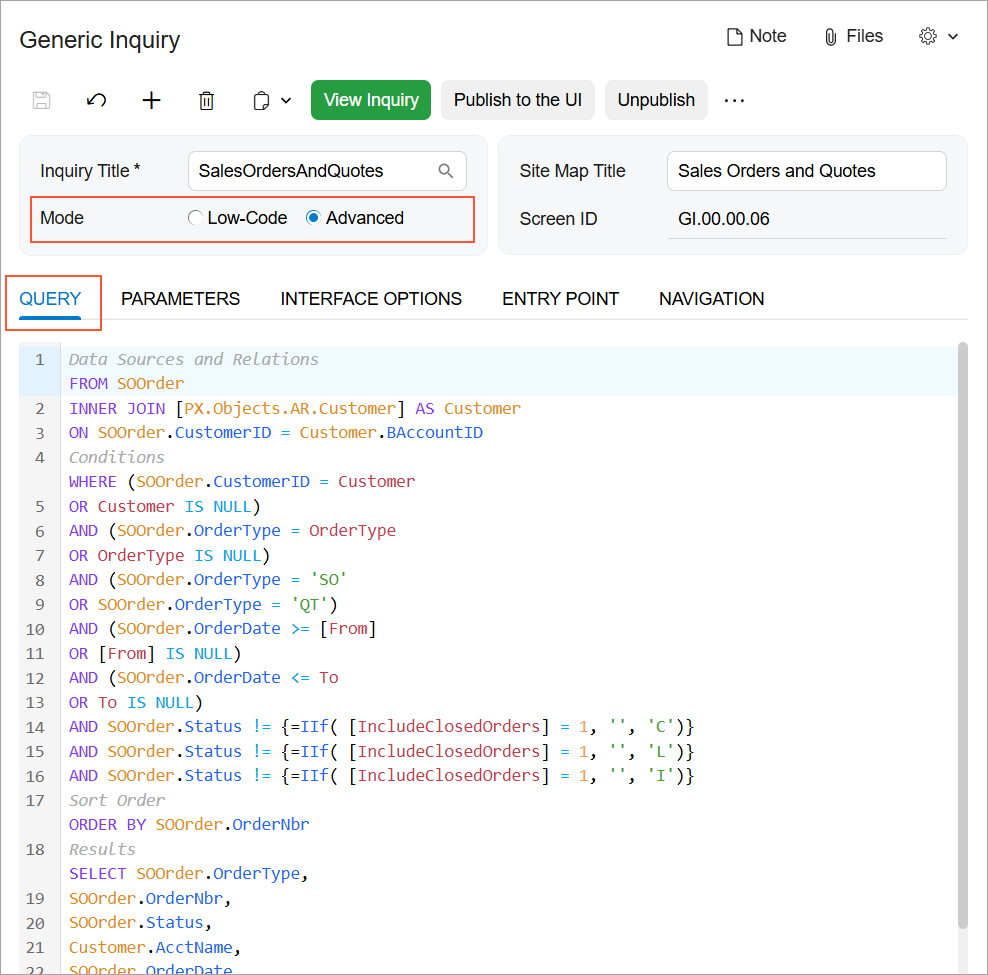
Where You Can Use GIQL
Key Takeaways
- GIQL brings SQL-like query writing to MYOB generic inquiries and dashboards.
- You can define all components of a generic inquiry by using GIQL. GIQL offers more flexibility and efficiency than traditional form-based inquiry configuration.
- The GIQL Editor provides intelligent assistance with syntax highlighting, validation, and auto-completion. You can access the GIQL Editor on the Generic Inquiry (SM208000) form and in dashboard widget configuration.