
Platform: Dashboards in the Modern UI
MYOB Acumatica 2025.2.1 introduces dashboards built specifically for the Modern UI, delivering a sleeker design, faster performance, and a more intuitive experience for both dashboard creators and users. These dashboards represent a complete redesign from the Classic UI dashboards.
Refreshed Visual Design
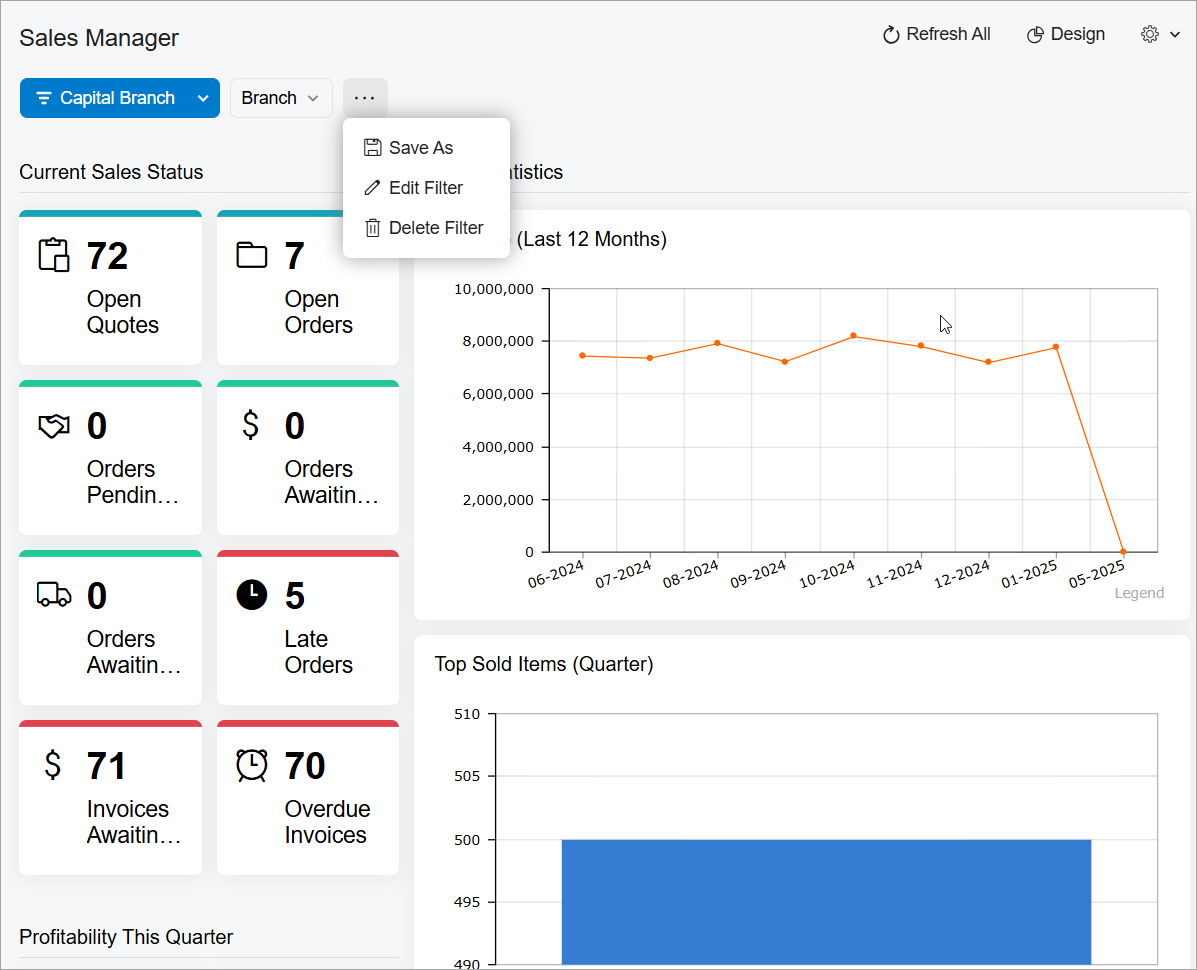
Dashboards in the Modern UI feature a cleaner, more modern look (shown below) that enhances the user experience. Widgets, which also have a contemporary design, load noticeably faster. The redesigned top toolbar with filters gives users quick access to dashboard controls.
Simplified Design Mode
Creating and modifying dashboards becomes more efficient with the reworked Design mode (shown below). It’s more responsive and visually cleaner.
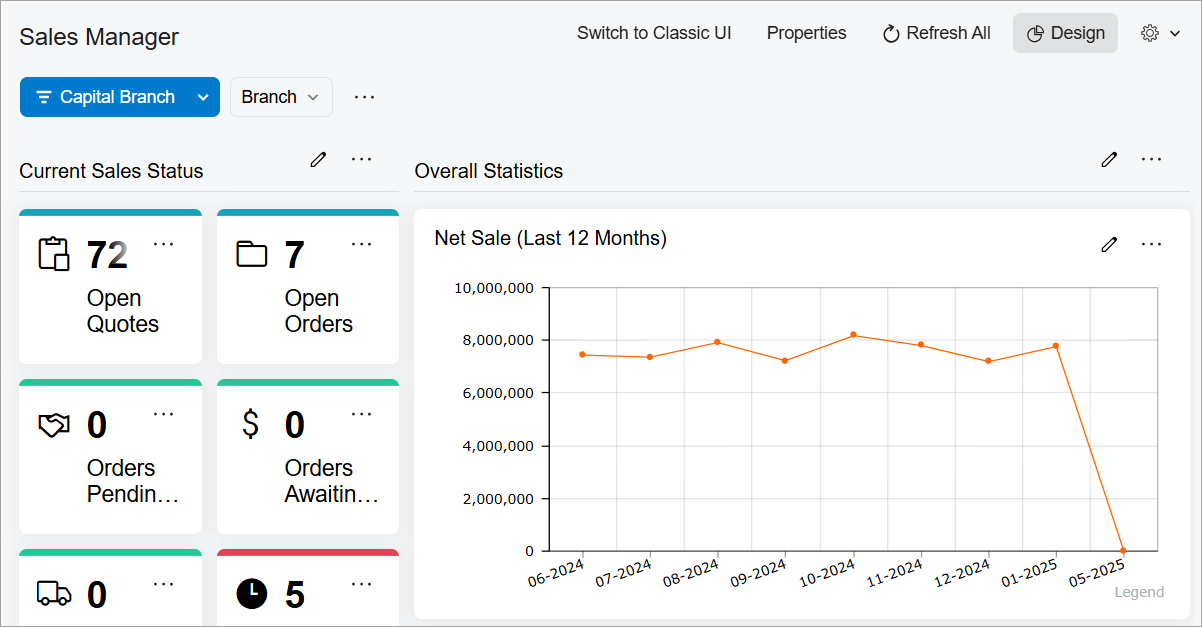
The grid used to place widgets on a dashboard has been also fully redesigned to improve layout and control. You can now move widgets effortlessly—they’ll snap into proper alignment without needing manual adjustments.
Smarter Widget Configuration
You’ll find widget configuration streamlined and more intuitive. You can define widget settings, set up filters, and adjust layout options in a single dialog box (shown below). Also, you can see filter conditions without extra clicks and find settings easily.
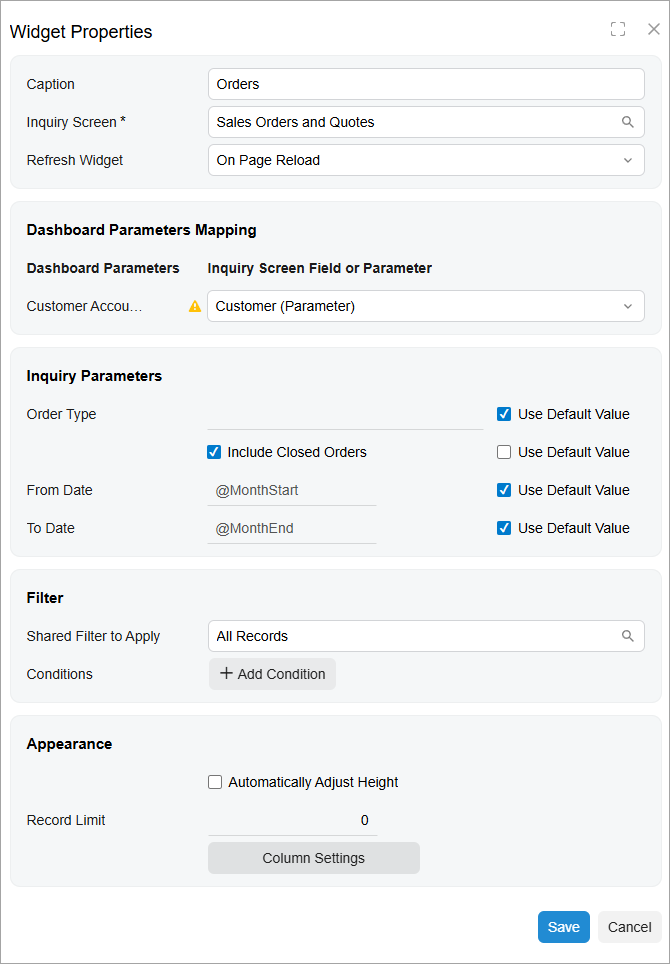
A new approach to parameter mapping gives you greater control and flexibility. You can:
- Map a widget filter directly to a field or GI parameter
- Specify conditions at the dashboard level instead of within individual widgets
- Save multiple filters for possible reuse and switch between them as needed
- Modify conditions quickly without reconfiguring widgets
New Dashboard Creation Form
The new Dashboards (SM208610) form, shown below, provides a centralized place to create or delete Modern UI dashboards and manage their properties.
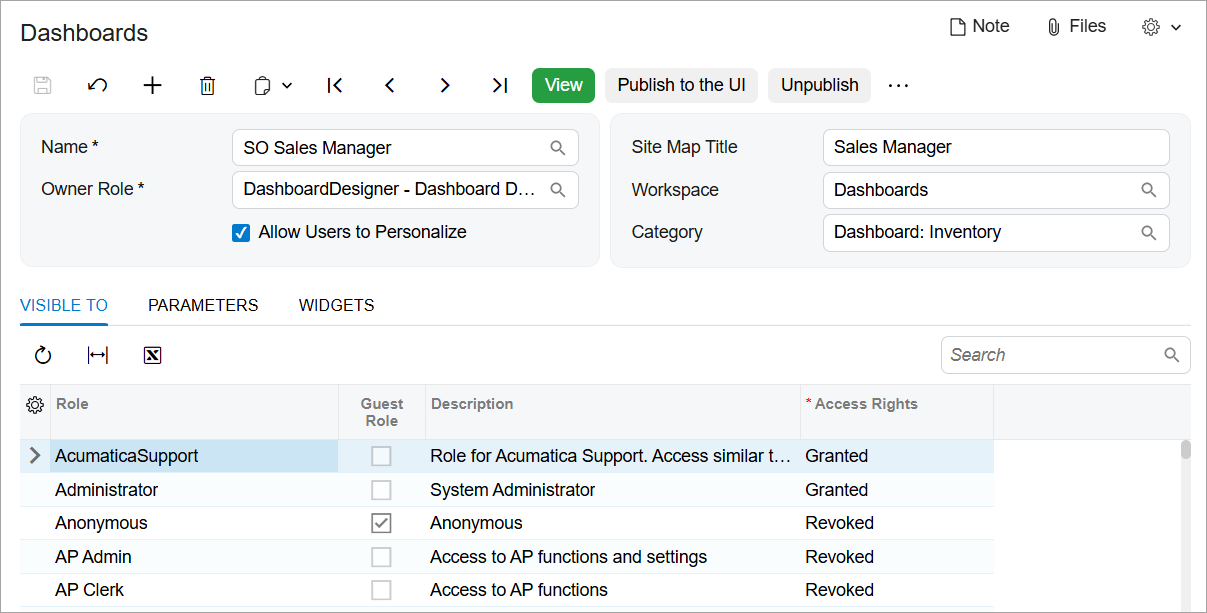
You can manage Classic UI dashboards through the renamed Classic Dashboards (SM208600) form. Design of these dashboards works as it did in previous versions of MYOB Acumatica.