
Web Services: REST API Enhancements
MYOB Acumatica 2025.2.1 includes a set of REST API enhancements that make the work of REST API-based applications more straightforward.
Workflow Actions
Some workflow actions available for an entity on the corresponding MYOB Acumatica form may not be included in the system endpoint. Now you can work with these actions through the REST API. You can retrieve the schema of workflow actions for any top-level entity and then execute these actions.
Let's look at an example.
GET /entity/Default/25.200.001/Opportunity/$adHocSchema HTTP/1.1
Host: <MYOB Acumatica host>
Accept: application/json
Content-Type: application/json
The response body of a successful request contains the _workflowActions field, which lists the workflow actions and information about their parameters, including the name and type of each. (Below you can see an example.)
"_workflowActions": [
        {
            "Open": {
                "parameters": {
                    "custom": {
                        "FilterPreview": {
                            "Reason": {
                                "type": "CustomStringField",
                                "value": null
                            },
                            "Stage": {
                                "type": "CustomStringField",
                                "value": null
                            }
                        }
                    }
                }
            }
        },
        ...
]
Once you know the name of the workflow action and its parameters, you can execute this action, as described in Execute a Custom Action.
Fields That Contain Only Dates
In MYOB Acumatica 2025.2.1, when a field contains only a date, the REST API returns the date without the time and time zone. If you submit a value of this field to the system through the REST API, the time and time zone are ignored. The value is stored in the yyyy-MM-dd format.
To support this change, a new DateOnlyValue type of fields is available in web service endpoints. You use this new type when adding date-only fields on the Web Service Endpoints (SM207060) form (see below).
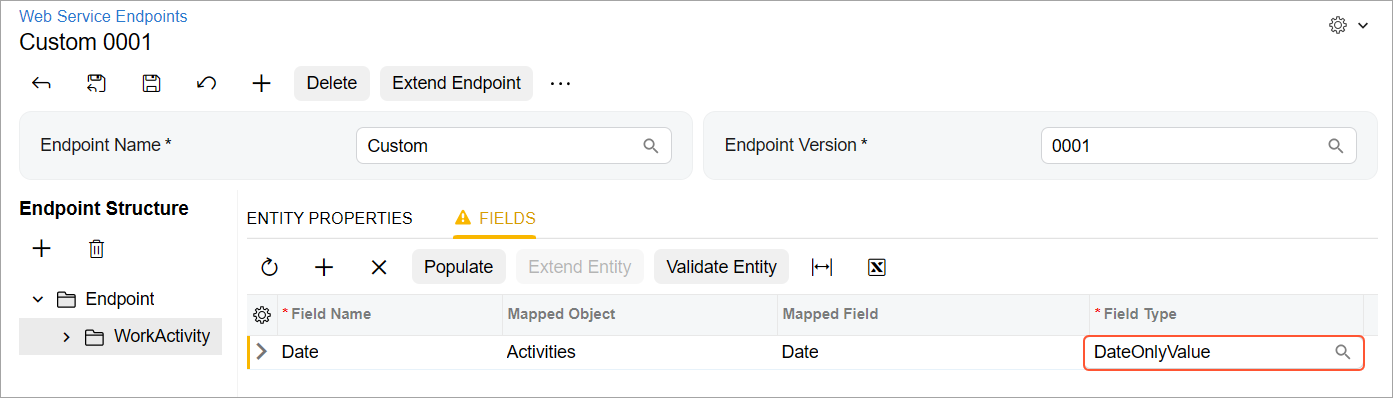
If you want to filter records by a date-only field, you use the date function in the $filter parameter. For example, if you need to obtain all records with the Date value greater than June 17, 2025, you use the following filter: $filter=Date gt date'2025-06-17'.
Error for Incorrect Strings
When a string submitted in a PUT, PATCH, or POST request doesn’t match the length or the input mask of the target field, the system now returns the 422 error code.
Imagine that you submit the 101001 value to the AccountCD field of the Account entity. But this field allows no more than five characters. You’ll receive the following error for the field: The provided value '101001' does not match the required input mask '>#####'.
Handling of Long-Running Operations
Suppose a long-running operation is executed for an MYOB Acumatica form in the current session. Now for this form in this session, only a REST API request that retrieves the status of this long-running operation can be executed successfully. Other requests to this form in this session will fail until the long-running operation completes.