
Customization: Add Access Rights for All Screens at Once
In response to customers’ feedback, we’re introducing an easier way to work with access rights in customization projects: Starting in MYOB Acumatica 2025.2.1, you can copy access rights between tenants by simply selecting a check box.
Adding Access Rights with One Click
Imagine that you’ve configured and tested specific access rights for multiple screens in a staging tenant—and now you want to apply the same access rights to a production tenant. Now you can migrate these security settings to a production environment without reconfiguring them.
Previously, you had to add the access rights for each screen to the customization project one by one—a time-consuming process. Now you just select the Included check box in the column header of the Add Access Rights for Screen dialog box (shown below).
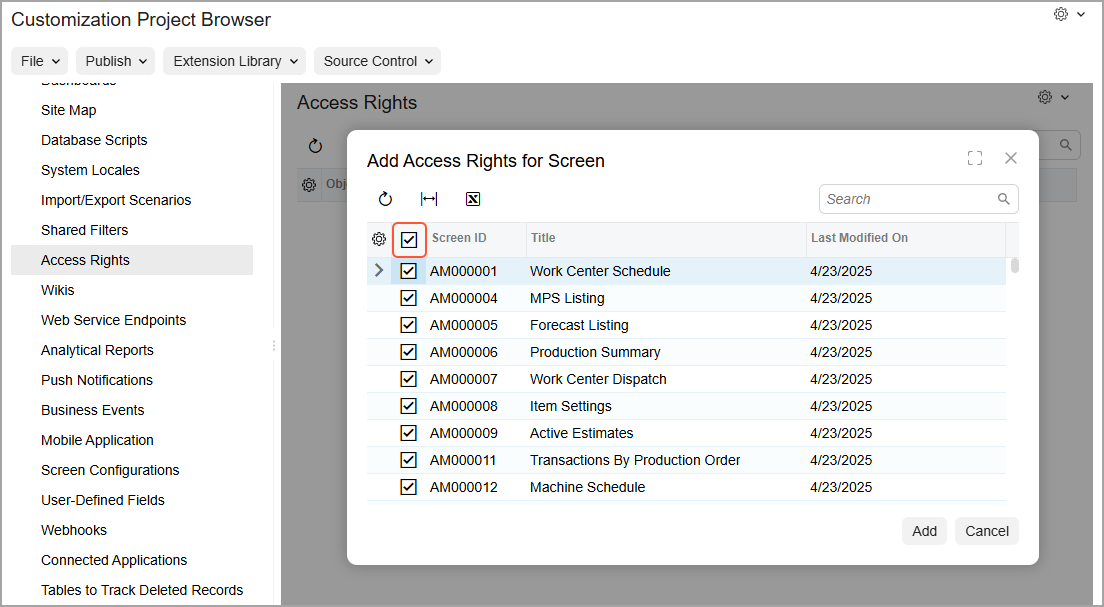
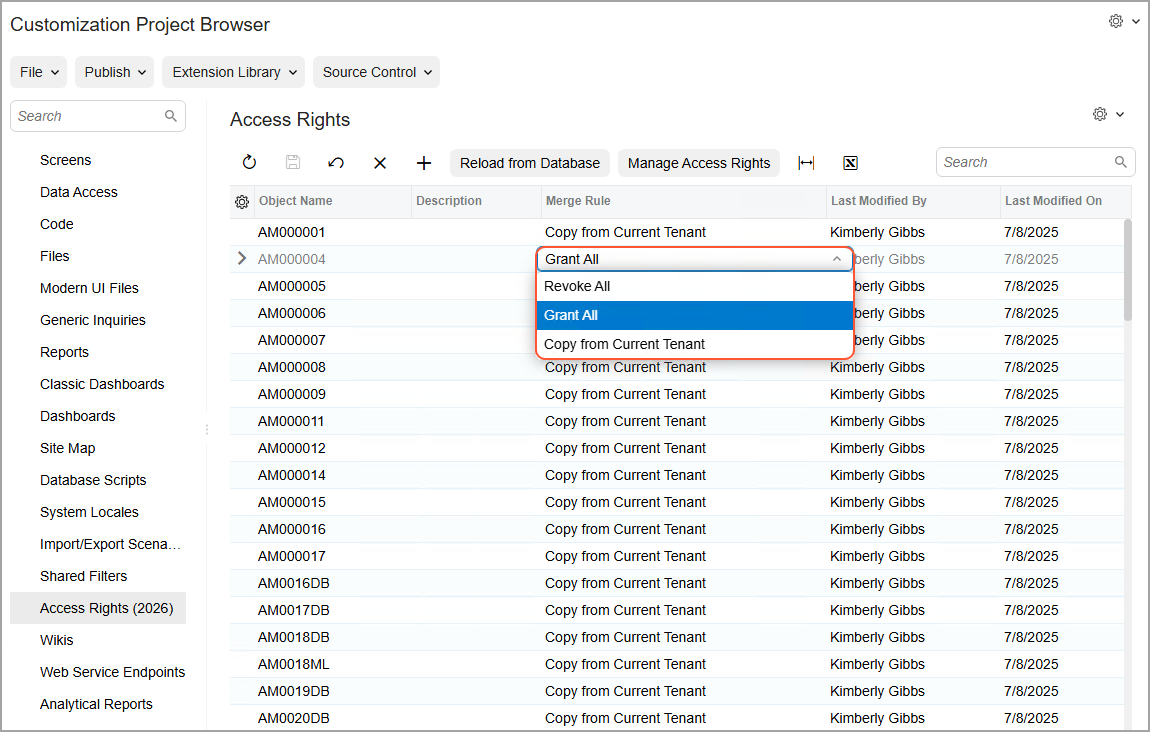
Because this functionality is used mainly for transferring the settings, the system adds all access rights to the customization project with the Copy From Current Tenant merge rule. You can change this rule to Grant All or Revoke All for specific screens on the Access Rights page (see below).
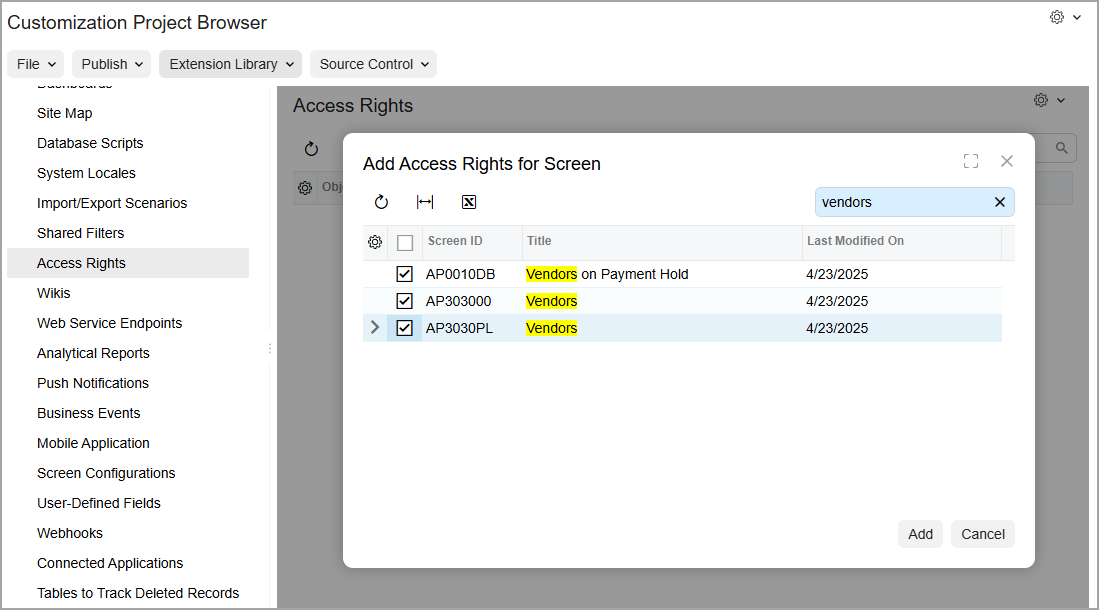
You may want to add access rights for only specific screens instead. In this case, start typing the name or ID of the screen in the Search box, and select the Included check box for the needed screens (shown below).
Learn More
For details on adding access rights to a customization project, see To Add Access Rights to a Project.