
Manufacturing: Lot and Serial Attributes for Manufacturers
In today's competitive landscape, the ability to track products throughout the supply chain is more important than ever. For manufacturers, tracking the details of individual lot- or serial-tracked items brings tangible benefits: It helps ensure consistent product quality, supports compliance with industry regulations, improves inventory accuracy, enables better customer service, and speeds up recall processes when needed.
In MYOB Acumatica 2025 R1, we added the ability to assign unit-level attributes to lot- and serial-tracked items. That release made it easier to capture and manage product details at the lot or serial level across core workflows like sales, inventory receipt, and inventory management. However, this functionality didn't include any manufacturing workflows.
With 2025.2.1, we're building on that foundation. You can now assign attribute values to individual lot- and serial-tracked items during the receipt of finished goods into inventory and issue materials with particular lot or serial attributes to production orders.
Read on to learn how to set up and work with lot and serial attributes for manufacturing in MYOB Acumatica.
Enabling the Feature
Before you get started, make sure the Lot/Serial Attributes feature is enabled on the Enable/Disable Features (CS100000) form. You can enable this feature if the Lot and Serial Tracking feature is also enabled.
Defining Attributes for Lot and Serial Classes
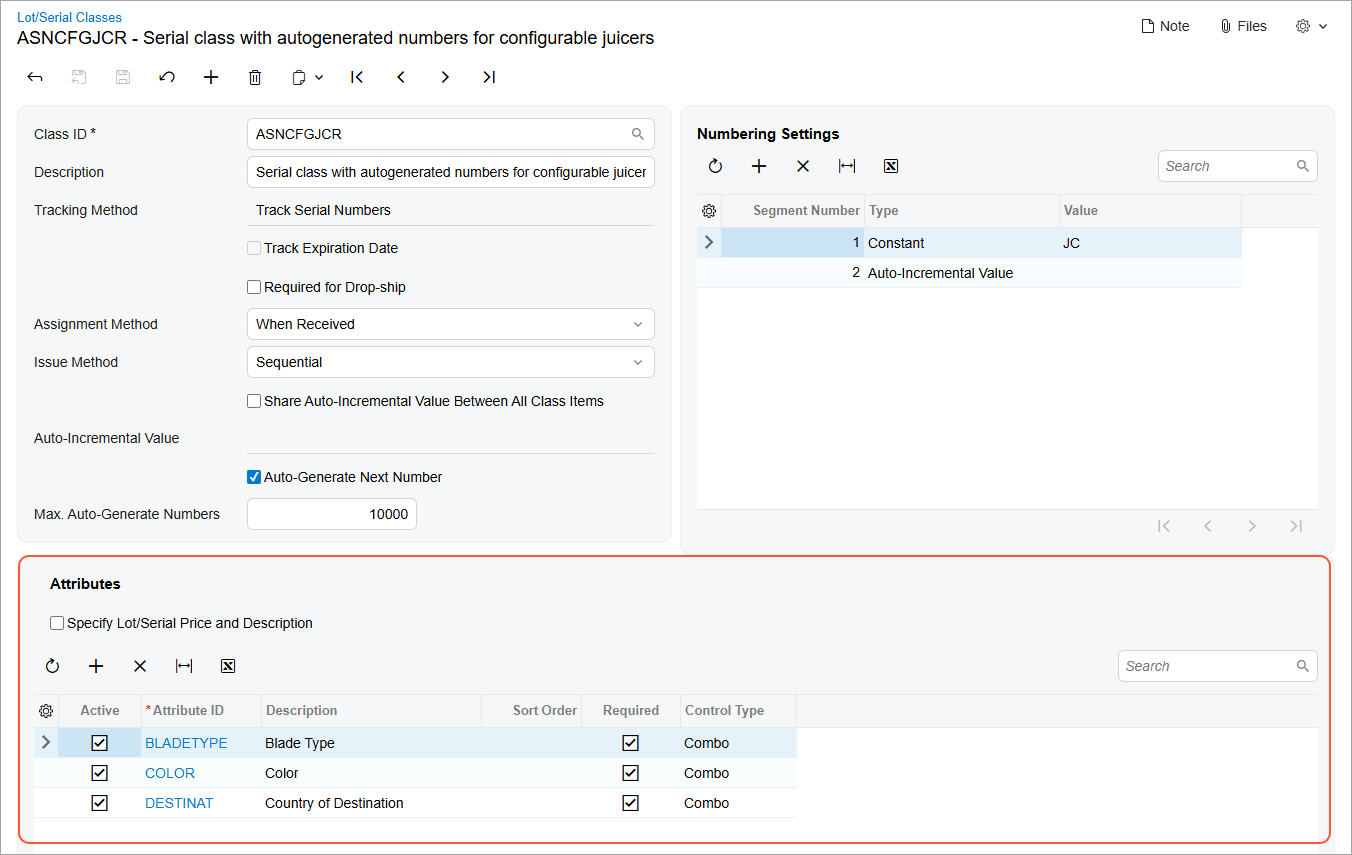
To start using attributes, first create them on the Attributes (CS205000) form—or verify that they already exist. Once that's done, add the attributes to a lot or serial class on the Lot/Serial Classes (IN207000) form. You can add or delete attributes in the Attributes section (see below) if the class has the following settings:
- Tracking Method: Track Serial Numbers or Track Lot Numbers
- Assignment Method: When Received
Viewing an Item's Lot and Serial Attributes
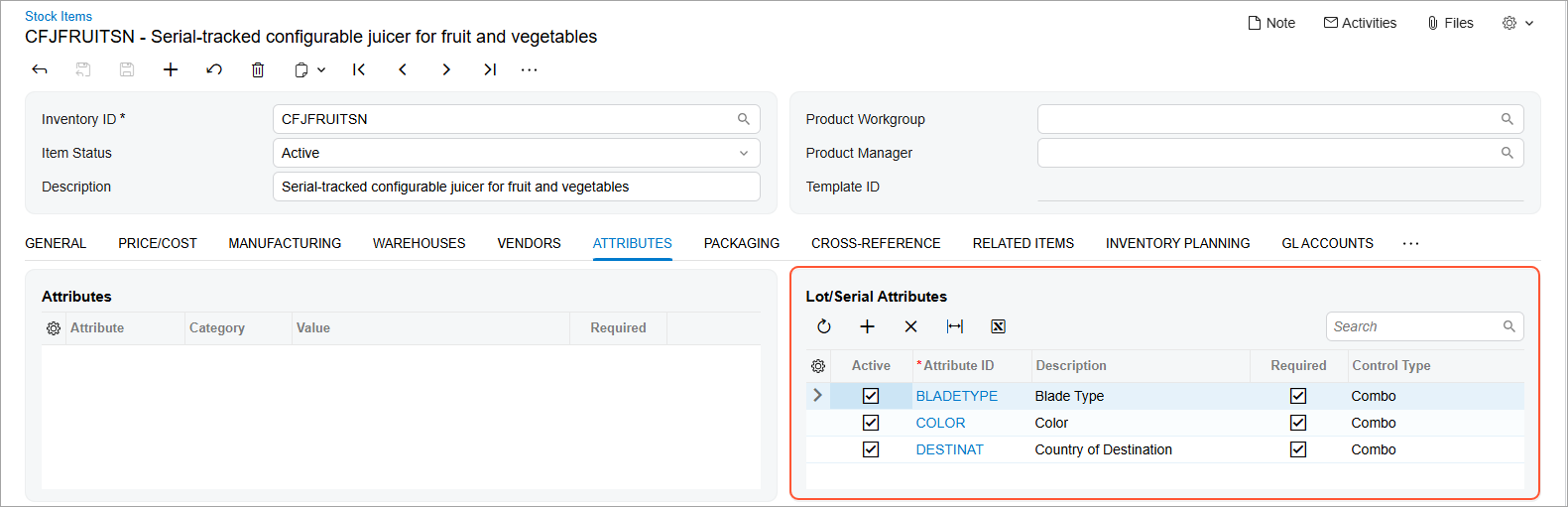
Once you assign attributes to a lot or serial class, they're automatically added to the Lot/Serial Attributes table on the Attributes tab of the Stock Items (IN202500) form. Here you can easily review and manage the assigned attributes before using the item in production.
Entering Attribute Values While Receiving Finished Goods
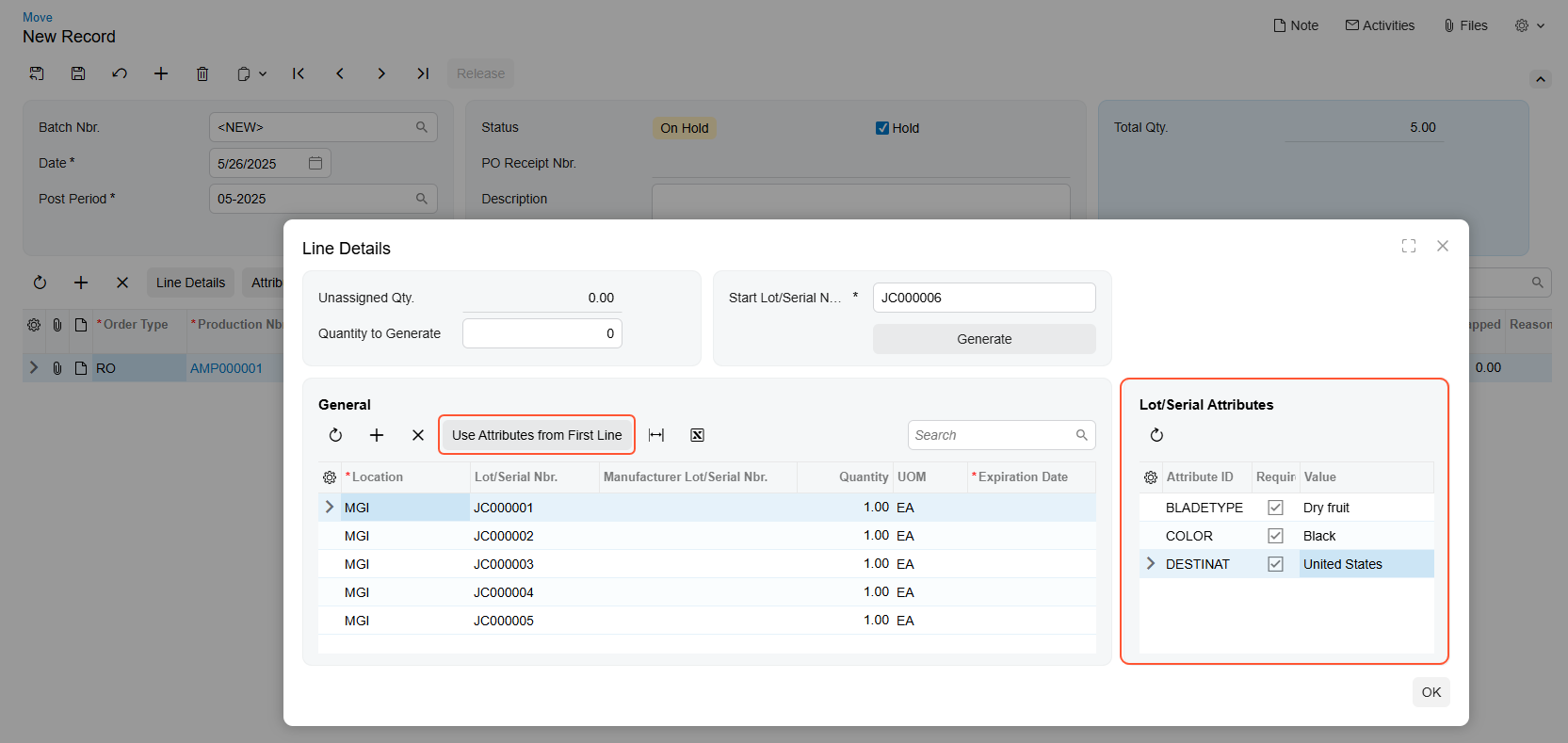
Now you can capture lot or serial attribute values as you receive units into stock from production. On the Move (AM302000) form, open the Line Details dialog box and fill the attribute values in the Lot/Serial Attributes table, which you can see below.
To save time, you can click the Use Attributes from First Line button to apply the same values across multiple rows.
Managing Details of a Lot- or Serial-Tracked Unit
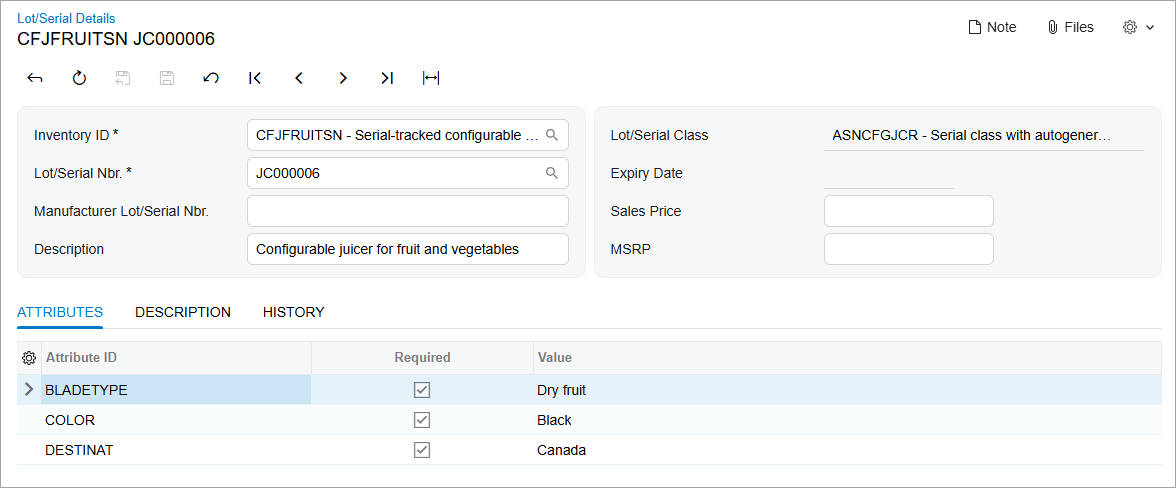
The Lot/Serial Details (IN209600) form gives you a complete view of the attributes for each unit of a stock item tracked by lot or serial number. You can access this form only from the Lot/Serial Details (IN2096PL) list of records.
The Summary area of the Lot/Serial Details form shows the unit's expiration date, its brief description, and the manufacturer's lot or serial number for it.
The form includes these tabs:
- Attributes: View and update attribute values and attach an image of the unit.
- Description: Manage or revise the extended unit description.
- History: View the documents related to the selected unit.
Issuing Lot- or Serial-Tracked Materials with Attributes
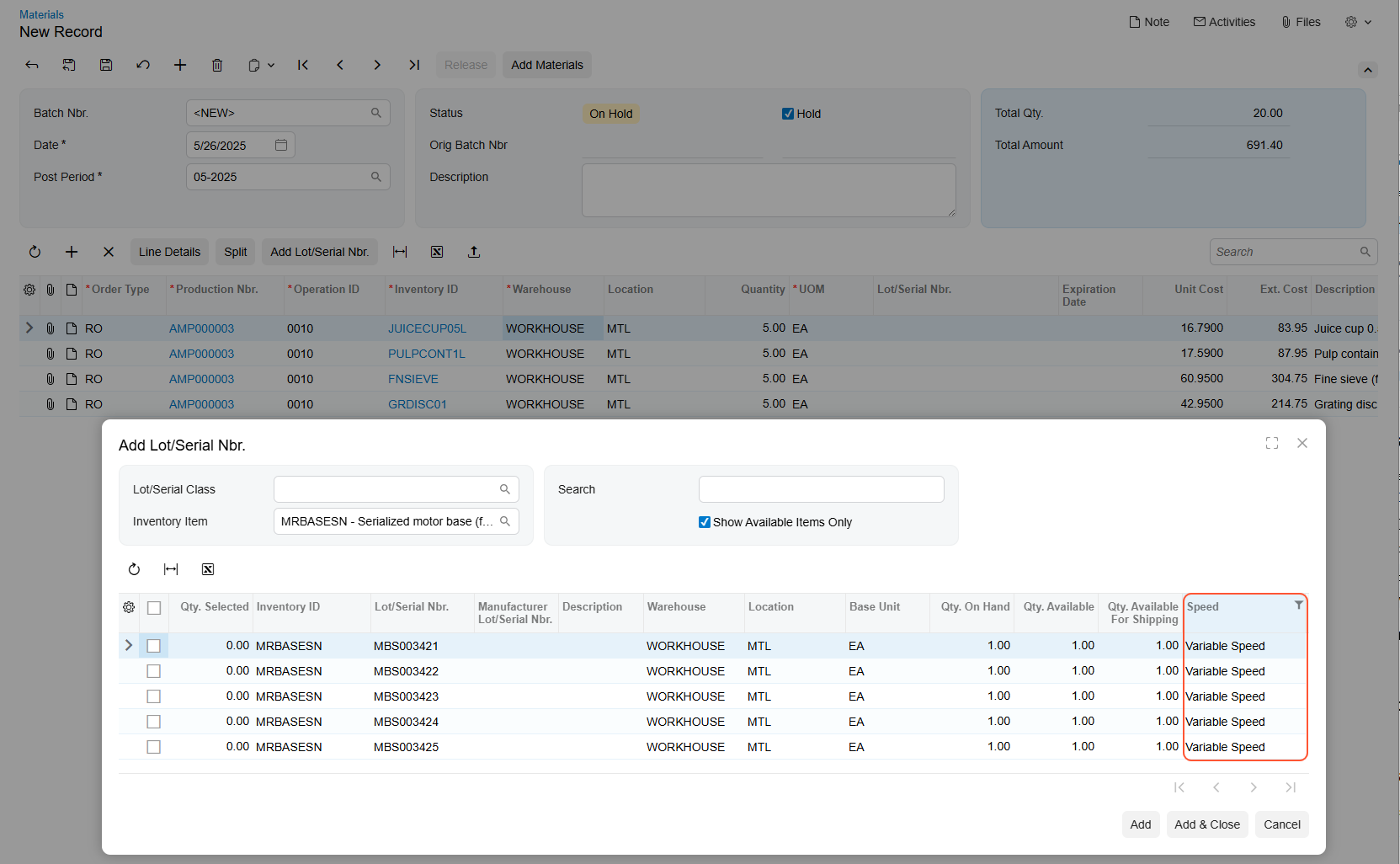
Now you can select specific stock item units with attributes when issuing materials to a production order on the Materials (AM300000) form.
On the Details tab, click Add Lot/Serial Nbr. to open the dialog box (see below). In the dialog box, you can view the available units with a particular lot or serial number.
The table also shows attribute values for each lot or serial number. You can search for specific units and filter units by attribute values to quickly find what you need. Below you can see the list of units with a filter applied to an attribute column.
Learn More
Need more details? See Items with Lot and Serial Numbers: Lot and Serial Attributes.