MYOB IMS Payroll 6.81 release notes
Introduction
What’s new in this release?
The 6.81 release update helps you comply with government changes to entitlements for Registered Seasonal Employer (RSE) workers. It also includes enhancements to several reports and workflows, as well as resolving issues identified in previous releases.
We’ve also made a change to Xero Online GL integration for MYOB IMS Cloud.
Installing your upgrade
Before installing the desktop upgrade, you must close all Open payroll periods in your payroll companies
To install the desktop upgrade
Before you install the desktop version:
-
Close all Open payroll periods in your payroll companies.
-
Back up each of your payroll companies via the Tools menu.
-
Close all IMS applications on your PC.
Uninstalling an earlier version of IMS Payroll prior to installing this version is not recommended or required, as you’ll need to reinstall any custom payroll software or modules.
If you’re downloading the installer:
-
Double-click the executable file (.exe) that you downloaded.
-
Install the new version on every computer that has MYOB IMS Payroll installed.
To install the IMS Payroll Cloud upgrade
-
Log in to IMS Payroll Cloud.
-
At the bottom left, click the gold Upgrade button.
The Upgrade button only appears after you click on a company with the Closed status.
-
Repeat steps 1–2 for each payroll company you manage.
New Features
New sick leave entitlement for RSE workers
The New Zealand government has introduced .
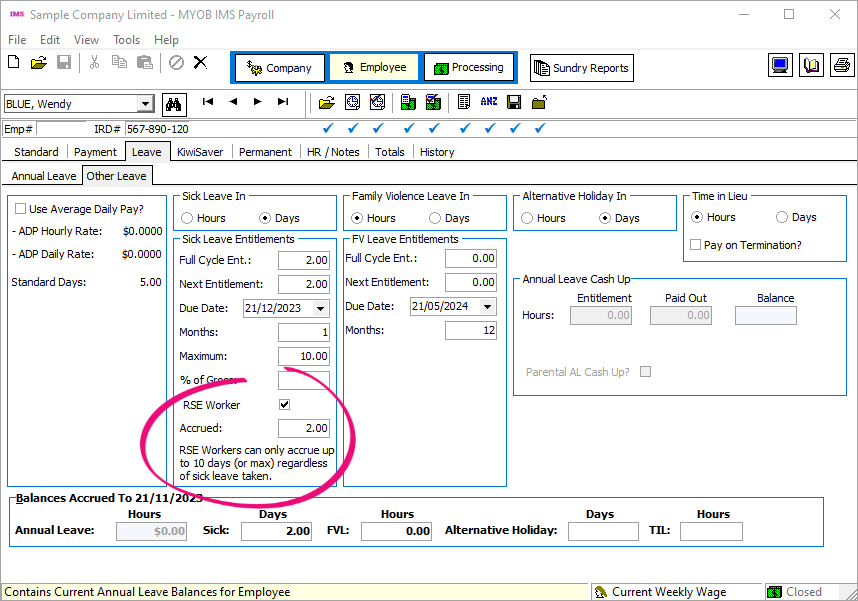
To help you comply with the new requirements, you can now set an employee as an RSE worker for sick leave purposes. On the Leave > Other Leave tab of the Employee screen, select the RSE Worker checkbox.
New RSE workers
For RSE workers hired after upgrading to version 6.81, select the RSE Worker checkbox. Their sick leave automatically accrues after you select the checkbox.
Existing RSE workers
For RSE workers hired before upgrading to version 6.81:
-
Select the RSE Worker checkbox.
-
Manually calculate how many sick days they’ve accrued since their start date.
-
Enter their accrued sick days in the Accrued field on the Leave > Other Leave tab of the Employee screen.
Exclude any sick leave they’ve already taken from the amount you enter in the Accrued field.
New total leave report page for each employee
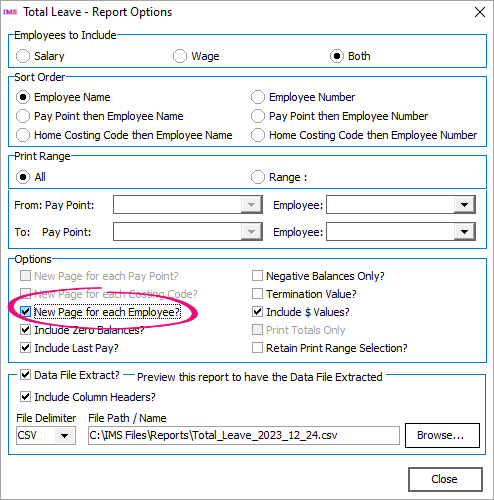
When running the Total Leave report, you can now separate each employee’s information onto its own report page. This lets you provide your employee’s a copy of their leave report without any risk of them seeing their coworkers’ information.
On the Total Leave – Report Options window, select the New Page for Each Employee? checkbox.
You can only select New Page for Each Employee? if the Sort Order is set to Employee Name or Employee Number.
Make notes about company changes
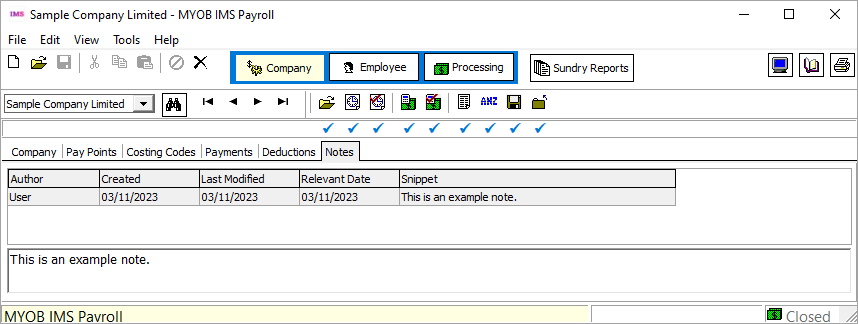
On the Company screen, we’ve added a Notes tab where you can record why changes were made to the company setup.
To add a note, right-click anywhere in the tab and choose Add Note from the menu.
Exclude payments or deductions from timesheets
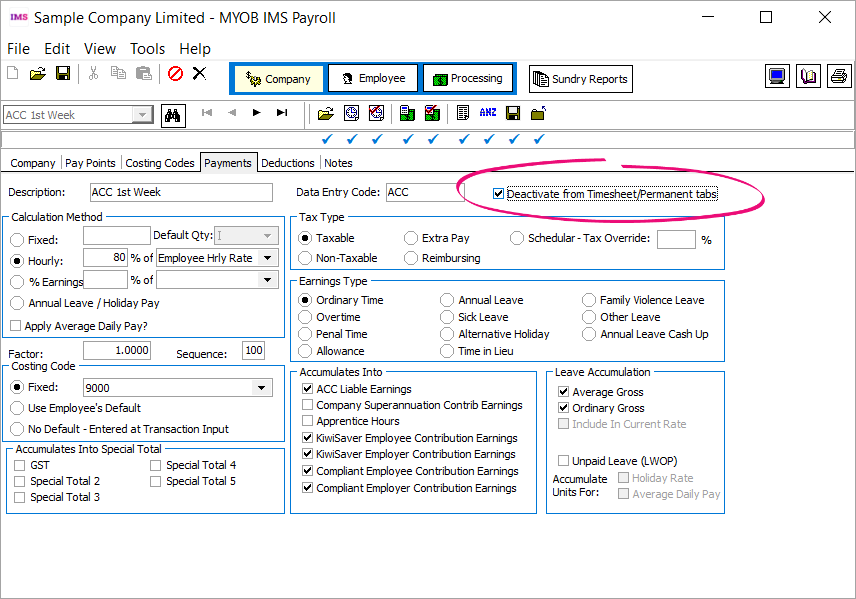
You can now deactivate payments and deductions, so they don’t appear when you’re entering timesheets.
On the Payments or Deductions tab of the Company screen, select the Deactivate from Timesheet/Permanent tabs.
Other improvements
-
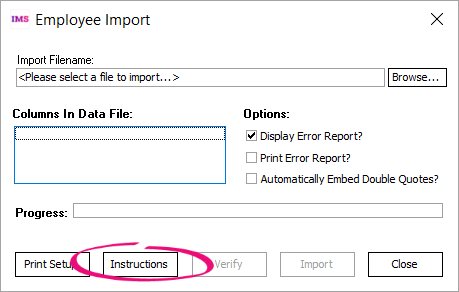
To easily access instructions when using the Employee Import tool, click the new Instructions button.
-
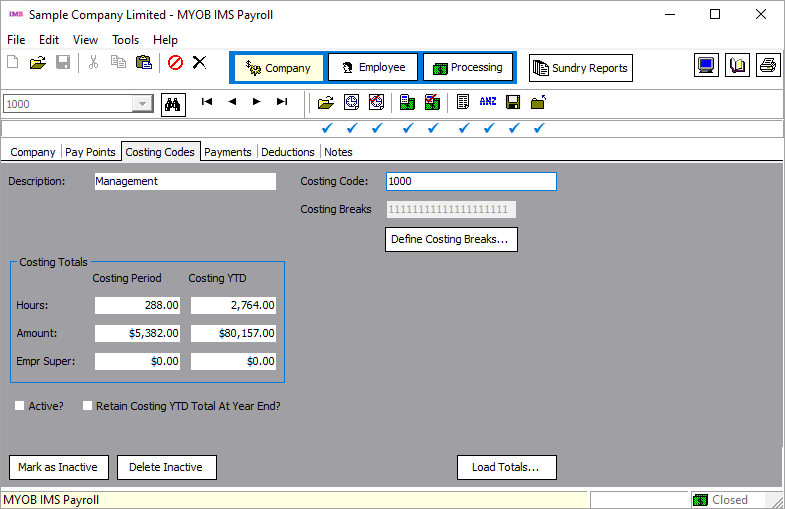
If a costing code is inactive, the Costing Codes tab of the Company screen is now grey instead of white, making it easier to know at a glance that it’s inactive.
-
The Purge History field now has a clearer description, which appears at the bottom of the screen when you hover over the field: “Indicates History to purge on period close. For Total Earnings, Timesheet, Super and Payslip Histories.”
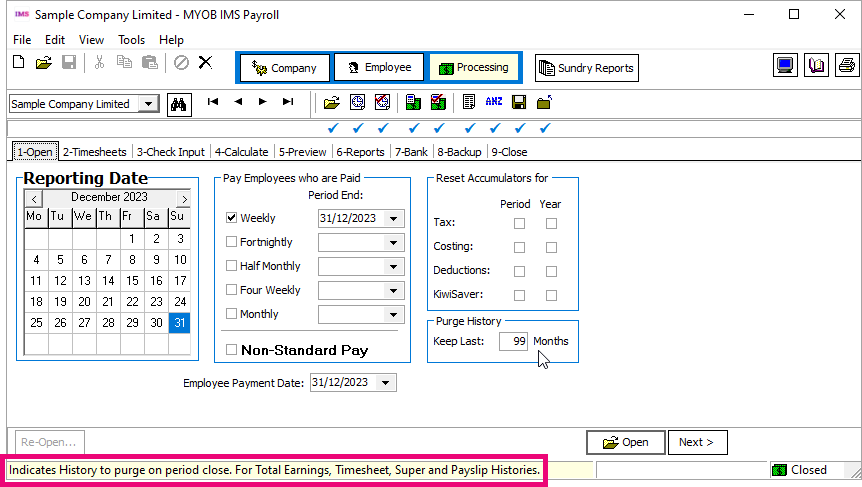
The description only appears if you enable StatusBar from the View menu.
-
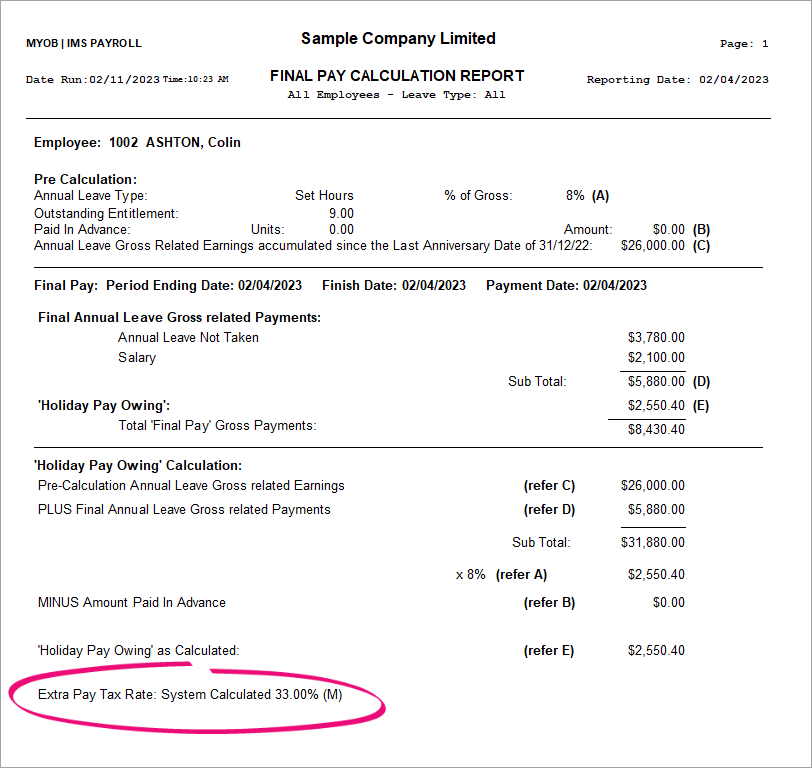
The Final Pay Calculation Report now shows the Extra Pay Tax Rate, so all the information you need is on one report. Previously, the Extra Pay Tax Rate was only shown on the Pay Period Exceptions report.
-
The Company Audit report now shows the database version change after an upgrade.

-
IMS Cloud only – If syncing fails when you send a log in TimeFiler, you’ll now see a warning message with better wording: “SSL is not available on this server.”
-
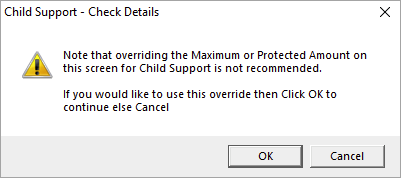
If you enter a maximum or protected amount when adding a child support payment, you now get a warning that maximum and protected amounts aren’t recommended. To add them anyway, click OK in the warning window.
-
If an employee was terminated while on parental leave, it’s now easier to make sure you deactivate their parental leave when reinstating them. We’ve added parental leave reminder on the Employee Reinstatement window.
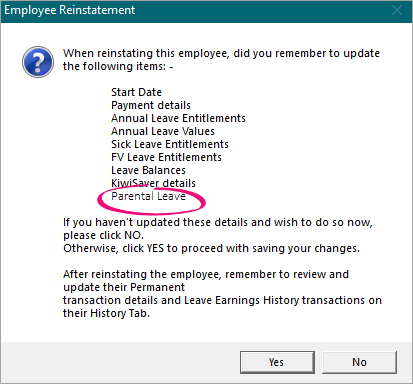
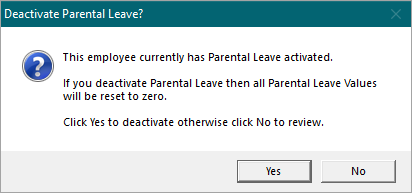
If you click Yes on the Employee Reinstatement leave window, a Deactivate Parental Leave? window opens. To deselect the Parental Leave checkbox on the Leave tab of the Employee screen, click Yes.
-
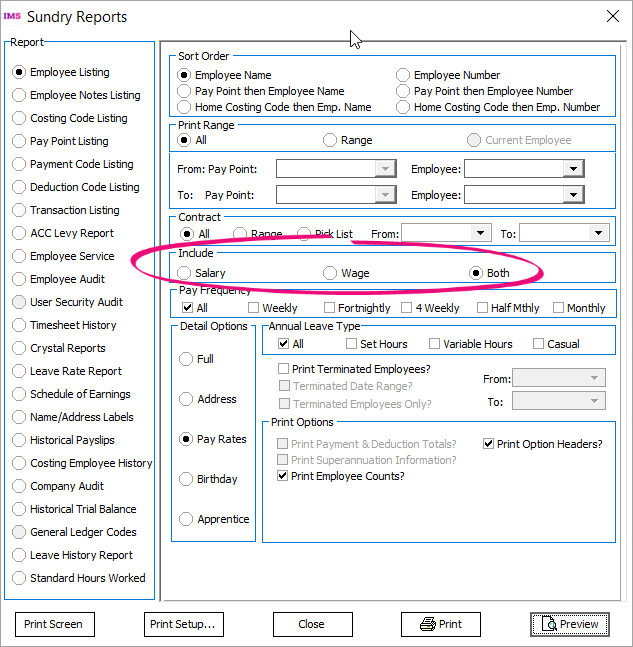
When running the Employee Listing report, you can now choose whether to filter by their Salary, Wage or Both.
Resolved Issues
MYOB IMS Payroll and IMS Cloud
|
Issue description |
Resolution |
|
Leave without pay (LWOP) hours were incorrectly being added to total hours in timesheets. |
This has been resolved. |
|
If you only selected one pay point when running the Certificate of Earning report, then the report only listed one employee. |
This has been resolved. |
|
Casual holiday pay was excluded from ADP gross earnings. |
Casual holiday pay is now included in ADP gross earnings. |
|
Salary wasn’t being imported correctly when using the Employee Import tool. |
This has been resolved. |
|
During GL integrations, an issue could prevent you from connecting to Xero Online. |
This has been resolved. This has only been fixed for MYOB IMS Payroll. If you use MYOB IMS Cloud, see . |
|
In the Backpay module, an issue prevented you from saving the calculation report. |
This has been resolved. |
Integration Changes
Xero Online GL integration no longer available with MYOB IMS Cloud
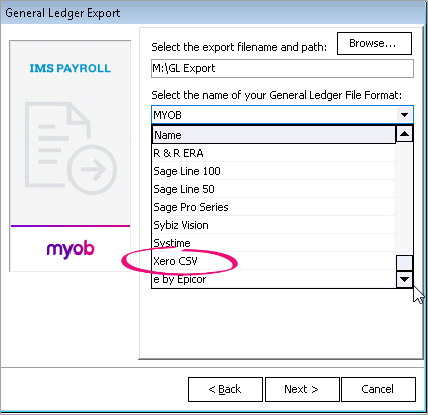
Due to compatibility issues between Go Global and the Xero Online login screen, we’ve removed the Xero Online option from the General Ledger Export screen in MYOB IMS Cloud.
Instead, you can still use the Xero CSV option.