
MYOB IMS Payroll 6.60 release notes
Introduction
What’s New in this Release?
The release addresses the legislative changes that take effect from 1 April, and introduces minor updates to the IMS Payroll system.
(This release can be installed prior to 1 April 2021; the changes are not activated in the product until the relevant date.)
Installing Your Upgrade
Desktop Installation
Before you install this version:
-
Close all “Open” payroll periods in your payroll companies.
-
Back up each of your payroll companies, via the Tools menu, after closing the last payroll period processed in each company.
-
Close all IMS applications on your PC.
Uninstalling an earlier version of IMS Payroll prior to installing this version is not recommended or required as any custom payroll software and modules will need to be reinstalled.
If you’re downloading the installer:
-
Double-click the executable file that you download (.exe as contained in the link).
-
You need to install the new version on every computer that has MYOB IMS Payroll installed.
IMS Payroll Cloud Installation
-
Log in to IMS Payroll Cloud.
-
Click the gold Upgrade button that appears at the bottom left of your screen. The Upgrade button will only appear when you click on a company with the “Closed” status.
-
Repeat for each payroll company you manage.
After installing, log in to a payroll company, go to Help > About IMS Payroll Partner and check that the version is Version .
If you have any issues, please call us on 0800 600 110.
New Features
Tax Updates
Updates to Tax Codes
From April 2021, new tax rates apply to the M and ME tax codes, and two new tax codes for secondary income become available. The tax code changes are as follows:
-
M, ME, M SL and ME SL – Annual income greater than 180,000 is now taxed at a rate of 39%
-
SA – New tax code for secondary income greater than 180,000
-
SA SL – New tax code for secondary income greater than 180,000 with student loan
The new SA and SA SL tax codes have been added to the Tax Code dropdown on the Payment tab of the Employee Information screen.
The new tax codes apply from 1 April 2021—you will not be able to process a pay that includes employees with these codes prior to this date.
ACC Updates
The ACC Earner Levy rates and threshold have not been changed for the 2021–20182022 financial year; however, the earner levy calculated on secondary earnings is now capped at the existing annual threshold of $130,911, where previously the earner levy was paid on every dollar of secondary income.
Student Loan Thresholds
This release updates the student loan thresholds for the 2021–20182022 financial year. The new thresholds are:
|
Period |
Value |
|
Annual |
$20,280 |
|
Monthly |
$1,690 |
|
4-weekly |
$1,560 |
|
Fortnightly |
$780 |
|
Weekly |
$390 |
ESCT Thresholds
This release updates the ESCT thresholds for the 20182021–2022 financial year. The new thresholds are:
|
Threshold amount |
Tax rate |
|
$1 - $16,800 |
0.105 |
|
$16,801 - $57,600 |
0.175 |
|
$57,601 - $84,000 |
0.300 |
|
$84,001 - $216,000 |
0.330 |
|
$216,001 upwards |
0.390 |
Minimum Wage Rate Increase
From 1 April 2021, the following Minimum Wage Rate increases apply:
|
Rate |
Current rate |
New rate |
|
Adult |
$18.90 |
$20.00 |
|
Start Out and Training |
$15.12 |
$16.00 |
To apply the new rates, use the Hourly Rate Update utility (Tools menu > Hourly Rate Update).
ACC Levy
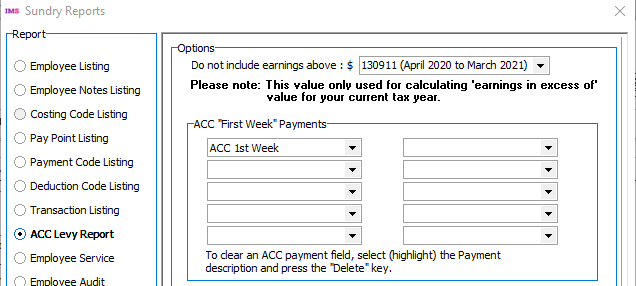
The ACC levy rates and thresholds have not changed from the 2020 – 2021 financial year. The Do not include earnings above dropdown on the ACC Levy Report has been modified to make it clearer which year is selected:
Update to Employee Gender Options
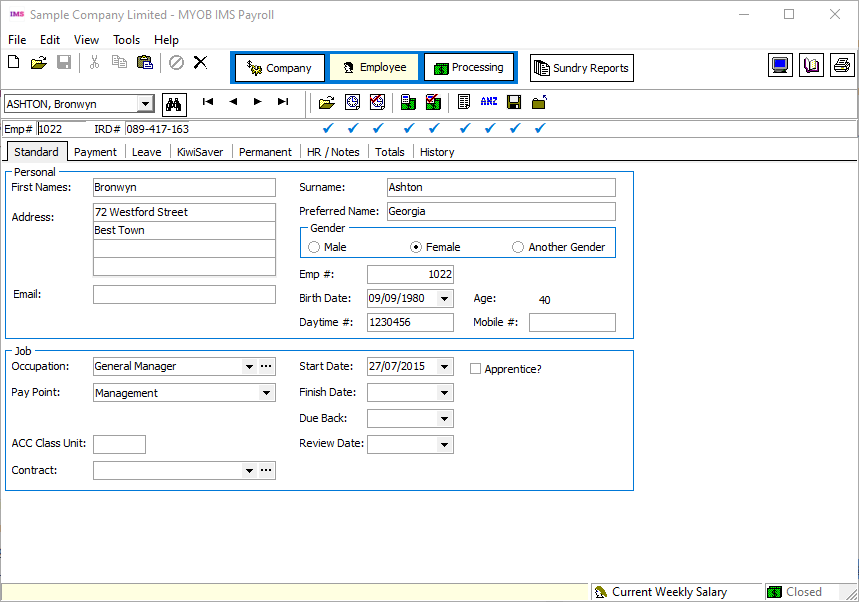
A new gender option has been added to the Standard tab of the Employee Information screen:
Department of Statistics Report
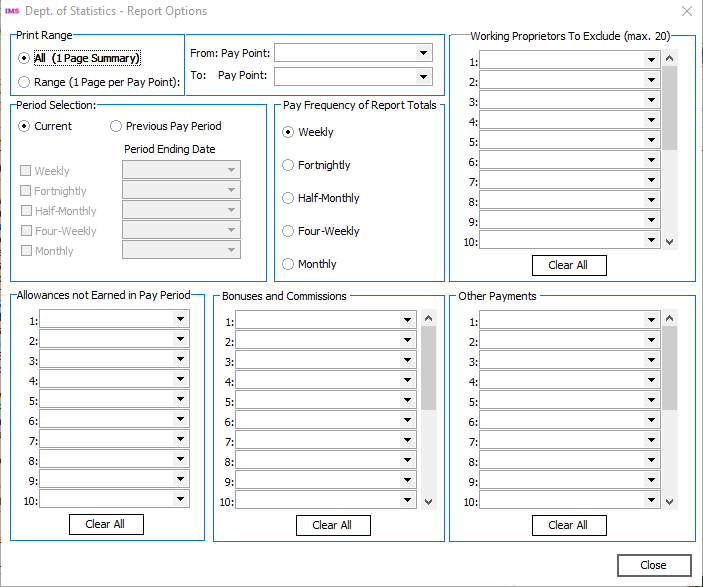
The Department of Statistics report now displays an “Another Gender” column for the new employee gender option (see above). It also now displays values for “Bonuses and Commissions” and “Other Payments”—options for these are now available on the Report Options window for the Department of Statistics report:
General Ledger Export Update
The General Ledger Export utility has been updated to support the latest version of Xero Online. As well as avoiding “this browser is no longer supported” messages on the Xero login screen and increases security of the login in several ways:
-
The Xero Online login screen is now opened in a window on the IMS Cloud server, which has made it possible to disable all unnecessary links in the login window, eliminating any potential security issues in-browser dialogs may introduce. The only controls that are functional on the login screen are the Email address and Password fields, and the Login button
-
On the “IMS Payroll Partner would like to access your data” window, only the Allow access for 30 mins button is functional. (The Cancel and go back link simply refreshes the following page.)
-
The server side browser login window means that Mac OSX IMS Cloud users can now use the Xero Online integration option.
-
The new login window supports 2-factor authentication (2FA) logins, for users that have 2FA set up on their Xero account.
Updates to Other Modules
People Inc
The People Inc Integration module now supports the new tax codes (see page 2) and new gender option (see page 4) introduced in this release.
Contact Business Toolbox Ltd at for help with setting up the new tax codes and gender option in People Inc.
Multi-Company Management Module
The Multi-Company Management Module (MCM) has been updated with the changes to tax codes introduced in this release (see page 2). The new SA and SA SL codes have been added to the PAYE Intermediaries EAS form.
The new tax codes apply from 1 April 2021—do not include employees with these codes in any pays or reporting prior to this date.
The MCM has been updated to produce files for payday filing in the new v2021 format. This includes the EI Return file and the Employment Details (ED) file. (See the for more information on the updates to payday filing.)
Fringe Benefit Tax Calculator
Fringe Benefit Tax (FBT) rates and thresholds for the 2021–20182022 financial year are as follows:
|
Fringe benefit amount |
FBT rate |
|
$1 to $12,530 |
11.73% |
|
$12,531 to $40,580 |
21.21% |
|
$40,581 to $55,980 |
42.86% |
|
$55,981 to $129,680 |
49.25% |
|
$129,681 upwards |
63.93% |
The FBT Calculator has been updated with these rates.
The tax rates on the Non-Attributable Benefits tab have also been updated. The new rates apply from 1 April 2021.
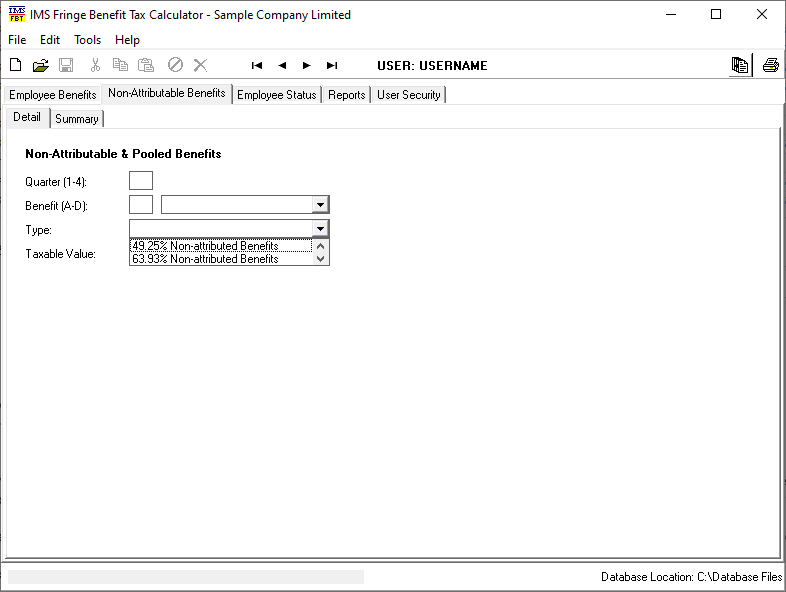
In addition, the user interface of the FBT Calculator has been updated: the main window is now larger and has a consistent look-and-feel with the other IMS modules.
Resolved Issues
The following table details the issues that are addressed by this release.
MYOB IMS Payroll
|
Problem ID |
Description |
|
- |
When viewing historical A4 payslips for a Non-Standard Pay, the “Non-Standard” label was not shown on the payslips. This has been resolved. |
|
- |
When Annual Leave in Weeks was enabled for a company, the Additional Entitlement field on the Service Leave tab was disabled for Variable Hours employees, which made it impossible to update their Additional Annual Leave. This has been resolved. |
|
In some cases, the Total Leave report could report incorrect accruals for variable hour employees who were paid Annual Leave in days. |