
MYOB IMS Payroll 6.42 release notes
Introduction
What’s New in this Release?
The release introduces a range of feature updates and fixes across the MYOB IMS Payroll system, including updates to documentation and the registration process.
Installing Your Upgrade
Desktop Installation
Before you install this version:
-
Close all “Open” payroll periods in your payroll companies.
-
Back up each of your payroll companies, via the Tools menu, after closing the last payroll period processed in each company.
-
Close all applications on your PC.
Uninstalling an earlier version of IMS Payroll prior to installing this version is not recommended or required as any custom payroll software and modules will need to be reinstalled.
If you’re downloading the installer:
-
Double-click the executable file that you download (.exe as contained in the link).
-
You need to install the new version on every computer that has MYOB IMS Payroll installed.
IMS Payroll Cloud Installation
-
Log in to IMS Payroll Cloud.
-
Click the gold Upgrade button that appears at the bottom left of your screen. The Upgrade button will only appear when you click on a company with the “Closed” status.
-
Repeat for each payroll company you manage.
After installing, log in to a payroll company, go to Help > About IMS Payroll Partner and check that the version is Version November 2019.
If you have any issues, please call us on 0800 600 110.
New Features
Important: Windows OS End of Life
As of 14 January 2020, Microsoft will no longer be supporting Windows 7 and Windows Server 2008 R2. Therefore, as of this release, these operating systems are no longer supported as MYOB IMS Payroll operating systems.
Your MYOB IMS Payroll software will continue to work on Windows 7 or Windows Server 2008 R2, but there will be no updates for any defects or security vulnerabilities found in these operating systems after this date.
Updates to Registration
This release includes updates to the registration process to make it quicker and easier to complete.
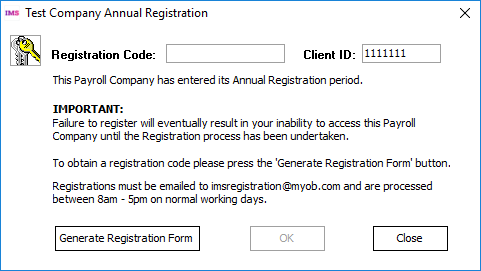
When a user clicks Generate Registration Form on the Registration window, the window that opens is now much simpler:
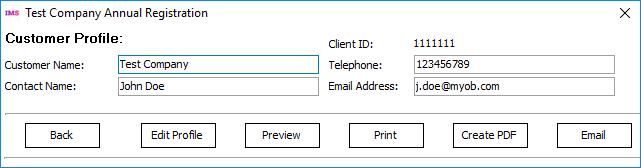
This new window requests only those company details that are required for the registration process, and if those details already exist in the company database, they will be filled in automatically. (You can edit the details manually if necessary.)
You can click Edit Profile to expand the window to show all of the fields that were available in previous version, if you’d like to update any of your customer details with us.
Documentation Updates
MYOB IMS Payroll Education Centre
Documentation for MYOB IMS Payroll is now available online at the MYOB IMS Payroll Education Centre website:
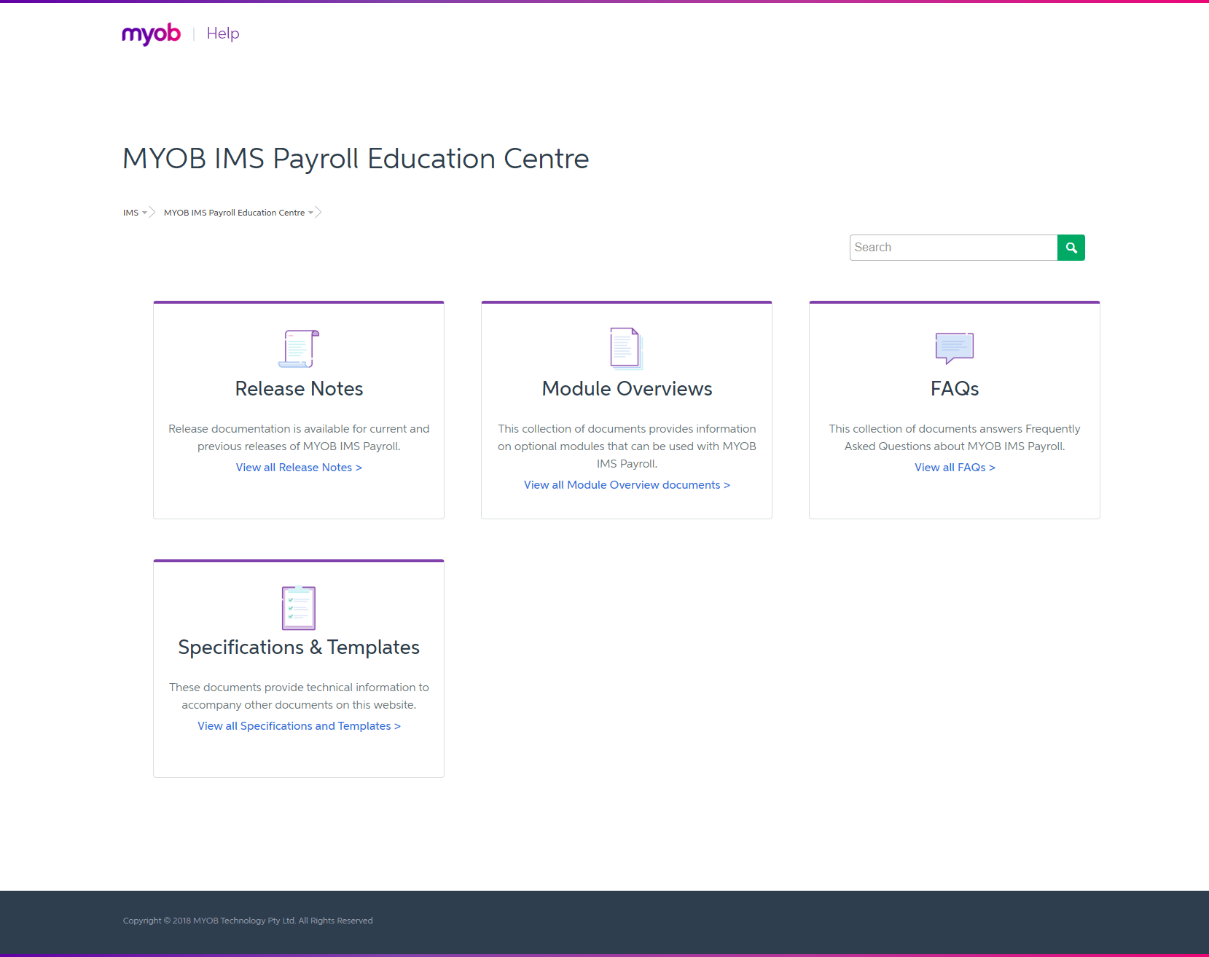
Access the Education Centre website at
You can open the Education Centre in MYOB IMS Payroll by selecting Online Support from the Help menu, or by selecting MYOB IMS Payroll Online Documentation from the Windows Start Menu under IMS Payroll Partner.
PDF documents are no longer installed locally with MYOB IMS Payroll, and any documentation links in the product now open a web browser window showing the relevant PDF on the Education Centre website.
Help Updates
The MYOB IMS Payroll Help file has been updated with a new look and feel.
 The Active Help now toggles off after it is selected, i.e. when a user clicks the Active Help button ( ), the Help file will appear showing information relevant to the current screen, but it will not continue to update as the user navigates to different screens.
Report Updates
Reports Retaining Pay Point Selections
A new Retain Print Range Selection option has been added to the following reports:
-
Employee Payroll Summary
-
Company Payroll Summary
-
Total Leave Report
-
Payslip
-
Deduction Schedule
When this option is ticked, the From: and To: selections for Pay Points and/or Employees will be remembered and recalled the next time the report is opened.
Historical Payslip Date Range Options
New options have been added to the Historical Payslips report, allowing you to print payslips for all pay runs that fall within a range of pay period end dates:
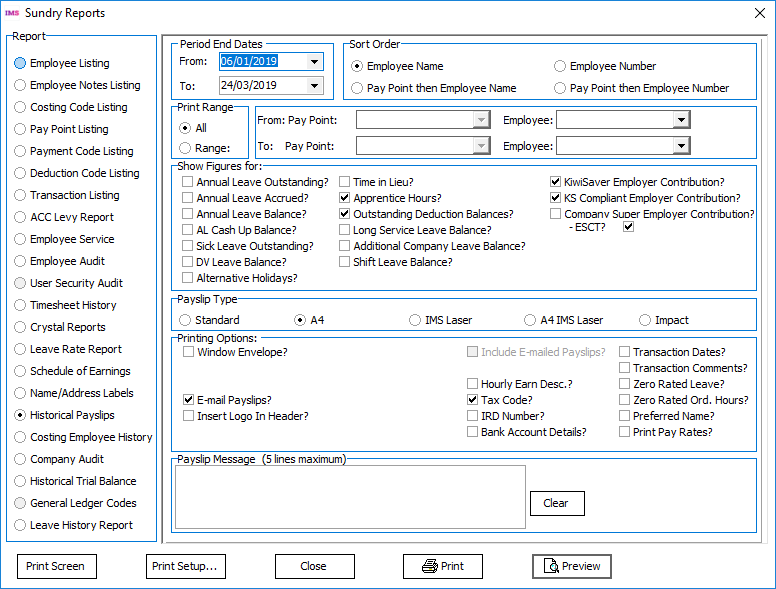
Email payslips cannot be created when a range of period end dates is selected.
Other Changes
This release includes the following additional updates to MYOB IMS Payroll:
-
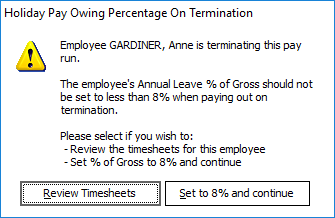
On the 3-Check Input screen in Payroll Processing, when the system checks terminated employees for a minimum Annual Leave 8% of Gross, an option to set the percentage to 8% immediately is now available:
-
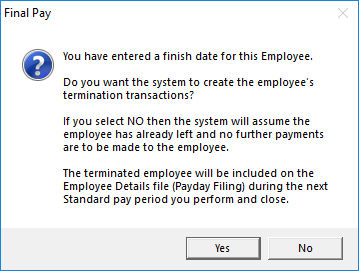
If a Finish Date is entered for an employee, a message appears asking the user if they want to create the employee’s termination transactions. This message has been updated to make it clear that the employee will not be included in a New and Departing Employees file for payday filing until a standard pay is closed:
-
When adding or editing notes on the Employees > HR / Notes tab, the list of note categories is now sorted in alphabetical order, making it easier to find categories at a glance.
Resolved Issues
The following table details the issues that are addressed by this release.
MYOB IMS Payroll
|
Problem ID |
Description |
|
152444100206 |
Payslips in the A4 format would show incorrect Apprentice Hours on terminated employees. This has been resolved. |
|
- |
The Costing Employee Detail report always showed all Costing Codes, ignoring the range of codes that was selected from the dropdown lists on the Report Options window. This has been resolved; the report is now filtered by the selected Costing Codes. |
|
- |
The ESCT portion for KiwiSaver Employer contributions was not calculated correctly when processing Extra Pay earnings for an employee whose Total Remuneration option was set to Net. This has been resolved; ESCT is now calculated correctly in these cases. |
|
- |
The Employee Payroll Summary report would show the PAYE amount inclusive of Payroll Giving tax credits when printed before closing the pay run, but would not include the tax credits when printed after closing the pay run. This has been resolved; the Employee Payroll Summary report now always includes tax credits in the PAYE amount. |
|
- |
The PAYE amount displayed on the Employee Payroll Summary report could be partly obscured if it or the “(includes Tax Credit of…)” line were too long. This has been resolved. |
|
- |
When adding a new payment, selecting Other Leave for the Earnings Type would cause settings to be changed or disabled as though the Annual Leave Cash Up option had been selected. This has been resolved. |
|
- |
Updating a permanent transaction while a pay was open did not update the timesheets in any pays that used that transaction. This has been resolved. |
|
- |
Payments whose Factor was .5 or less were not included when the Historical Trial Balance report was run. This has been resolved. |