Acumatica Add-In for Outlook: Project Management
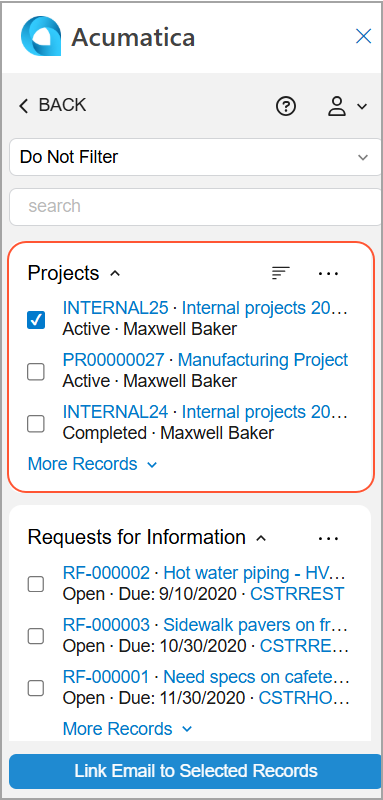
If you receive an email related to a project in your Outlook mailbox, you may want to save the email in MYOB Acumatica so that it’s displayed on the Activities tab of the Projects (PM301000) form for this project. With the Acumatica add-in for Outlook, you can easily find the related project on the Related Records form of the Acumatica add-in if the Projects feature is enabled on the Enable/Disable Features (CS100000) form.
When you open an email with the Acumatica add-in running, it tries to find related projects on the Projects form. That is, it searches for projects with an email address matching the one selected in the filter box on the Related Records form of the Acumatica add-in.
If matching projects are found, they appear in the Projects section of the Related Records form. You can click a project’s name (which is a link) to review it. The record opens on the Projects form of your MYOB Acumatica instance.
If no matching projects are found, select Do Not Filter in the Filter box, search for the project, and link the email to it (see below). For details, see Acumatica Add-In for Outlook: Email Activity Management.