
MYOB Acumatica Integration with Gmail: Opportunity Management
When you communicate with a potential or existing customer in Gmail and identify that an email could lead to a new deal, you can use the Acumatica for Gmail add-on to create an opportunity in MYOB Acumatica.
You can create an opportunity if all the following conditions are met:
- A contact exists for the email address specified in the Contact Email box.
- A business account is assigned to this contact.
Creating an Opportunity
To create an opportunity, do the following:
- On the Actions page, click Create
Opportunity.
Figure 1. The Create Opportunity button 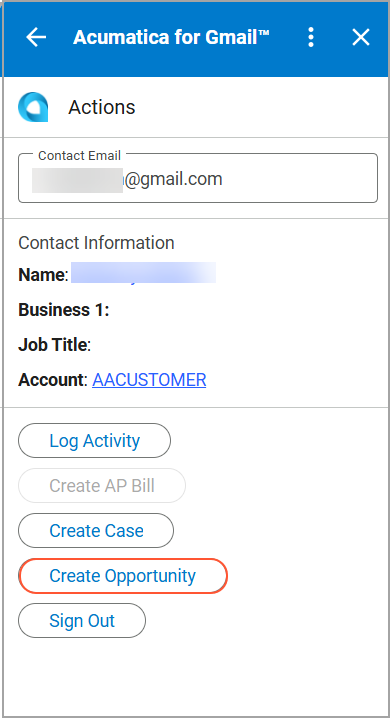
- On the Create Opportunity page, specify the opportunity
details.
Figure 2. The opportunity settings 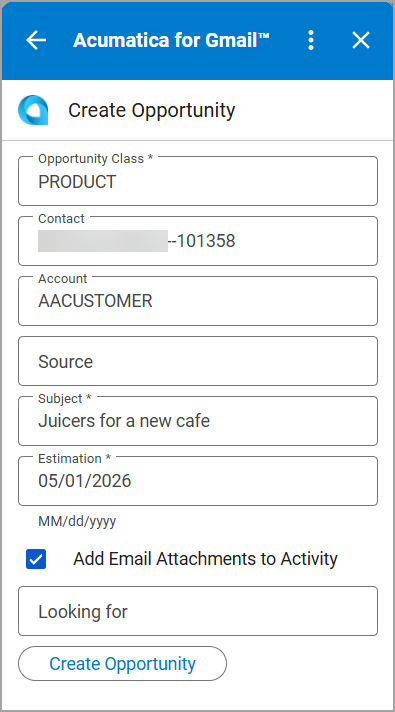
- Click Create Opportunity.
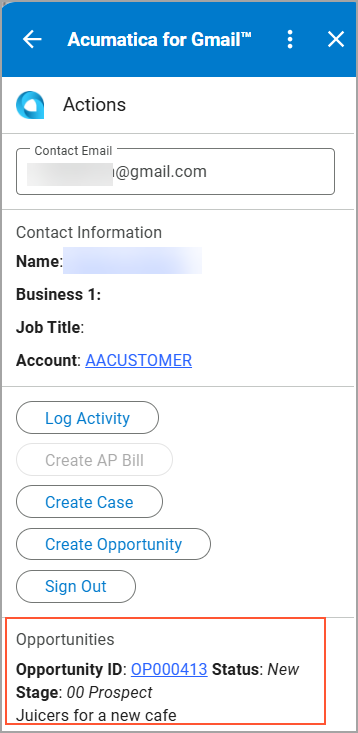
The opportunity is created and you are returned to the Actions page. You can view the opportunity in the Opportunities section of the page.
If you select the Add Email Attachments to Activity check box on the Create Opportunity page, the system adds the email attachments to the opportunity on the Opportunities (CR304000) form, so you can access them later from the activity record.