
Adding a KiwiSaver Minimum Rate Reduction
If an employee wants to contribute less than the minimum KiwiSaver amount when they get paid, they can request a rate reduction from Inland Revenue (IR).
IR will let you know if an employee's rate reduction is approved. You'll then need to
update the employee's standard pay.
Note:
When a reduced rate expires in the middle
of a pay period, the reduced rate applies to the entire pay period.
Updating an employee's standard pay
- Go to Pay Details (MPPP2310).
- Select an employee in the Employee ID field.
- On the Standard Pay tab, select the employee super pay item.
- Select the KiwiSaver Rate Reduction checkbox.
- Enter the employee's KiwiSaver Rate Reduction End Date.
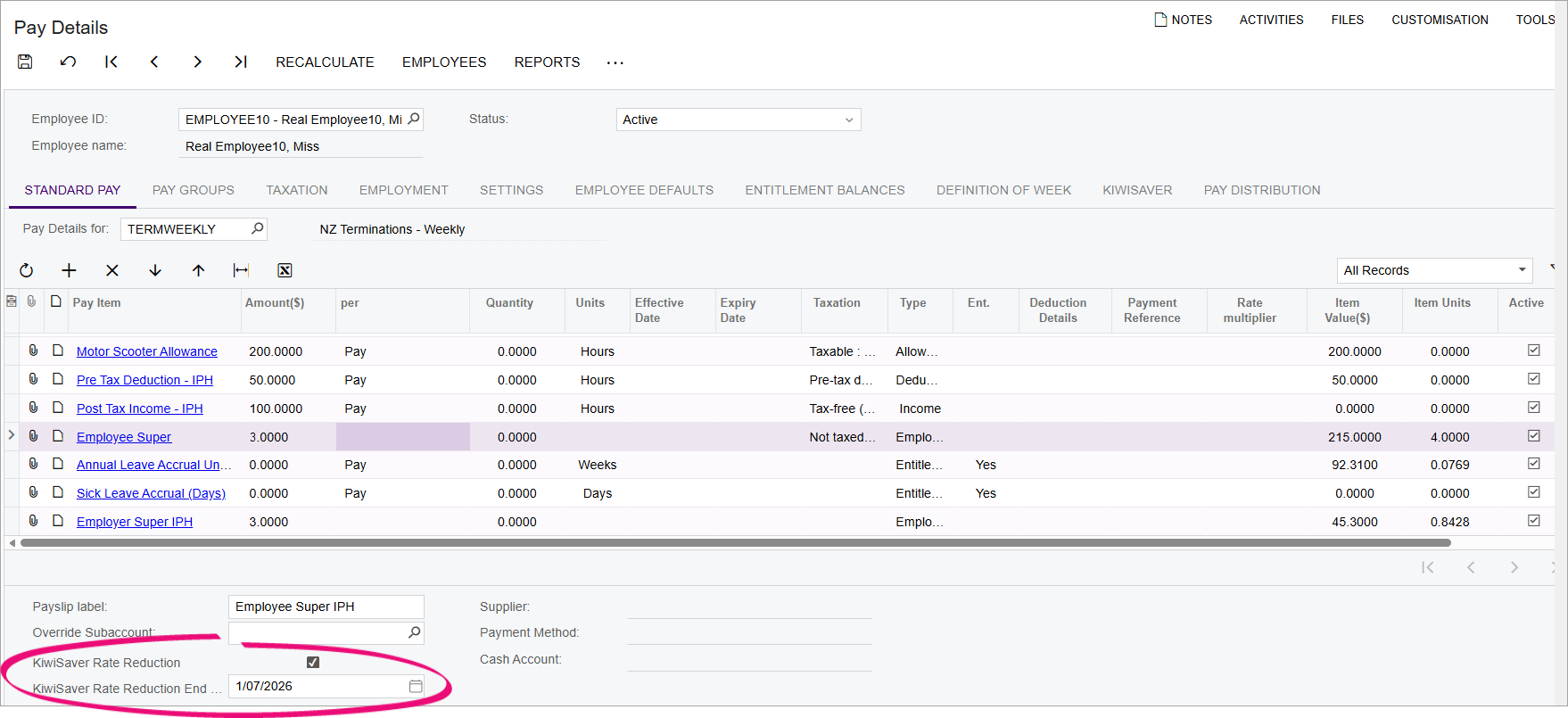
- Save your changes.
Reducing employer contributions to match an employee's rate
If an employee's rate reduction is approved by IR and you've added the reduction to
the employee's standard pay, your company can reduce its employer contributions to
match the reduced rate.
- Go to Pay Details (MPPP2310).
- Select an employee in the Employee ID field.
- On the Standard Pay tab, select the employer super pay item.
- Select the KiwiSaver Rate Reduction checkbox.
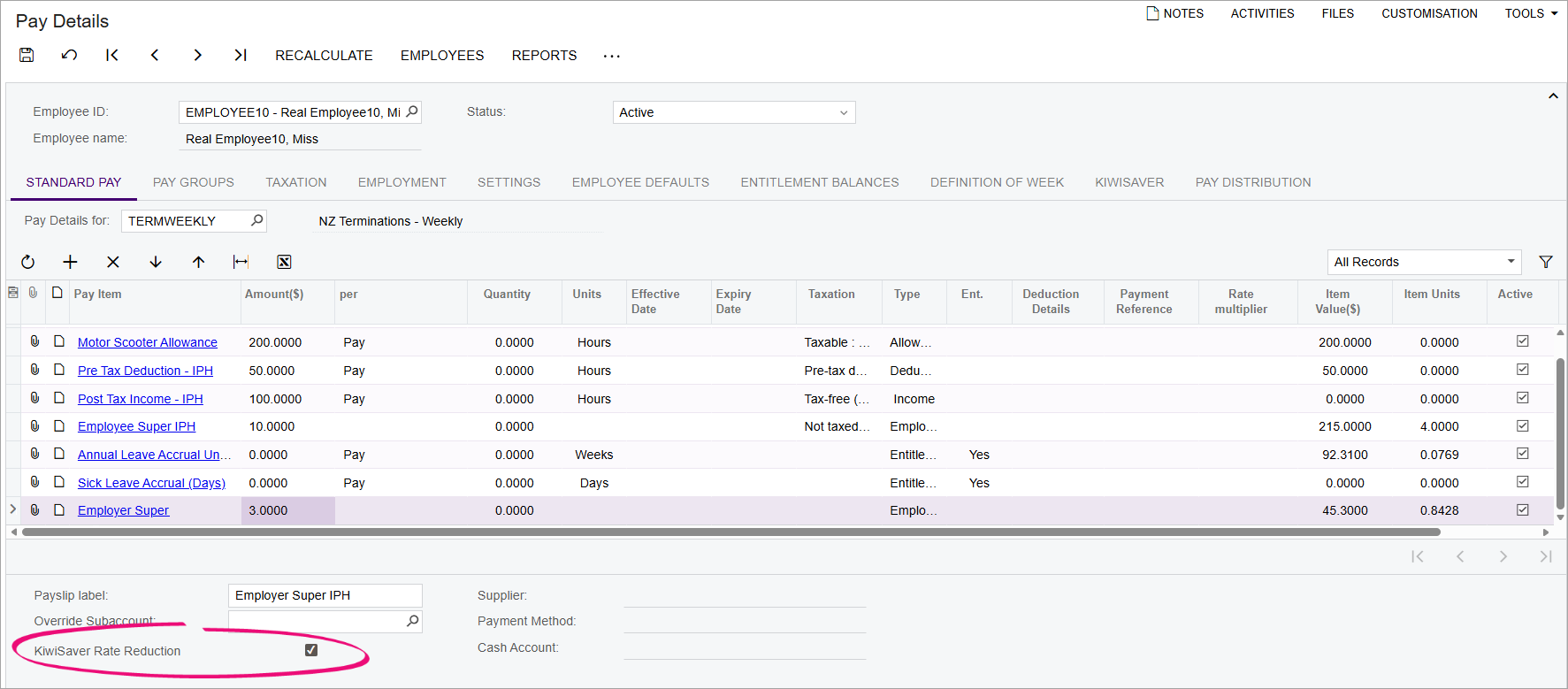
- Save your changes.
Checking who has reduced rates and when they expire
You can use the Standard Pay Data (MPPP4082) and Employee Detail Data (MPPP4073) reports to see when an employee's reduced rate exemption is going to expire. Check the KiwiSaver Rate Reduction and KiwiSaver Rate Reduction End Date columns.
You can choose to remind the employee about the expiry date, as they might want to reapply for an exemption with IR.