
Adding a Superannuation Fund (AU)
- Go to the Superannuation Funds screen (MPPP2152).
- Select which Fund Type you're adding: an APRA fund or a self-managed fund.
- On the screen toolbar, click the plus icon (+) to Add New Super Fund.
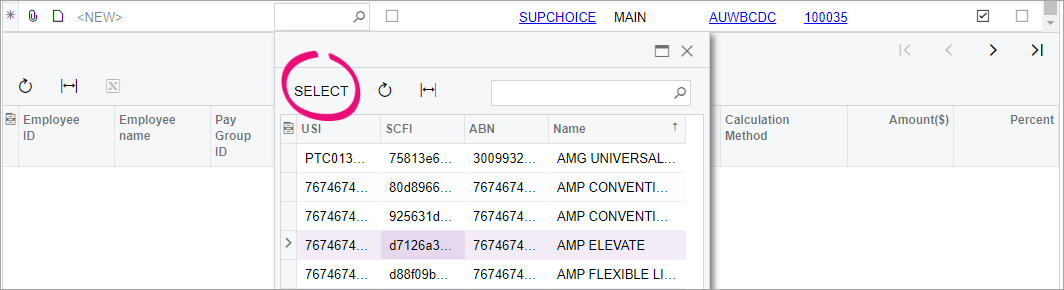
- In the new row, click the magnifying glass icon in the Fund Name field. A window with a list of super funds opens.
-
Choose the superannuation fund you want to add and click Select. This automatically adds the fund's details to the screen.
- On the screen toolbar, click the Save icon. The fund has been added and you can set it as an employee's super fund.