Consolidating Multiple IMS Databases
Manager set-up
Managers can be assigned to a pay point in IMS Payroll, however with multiple IMS databases, they will not synch across to IMS Online. Therefore, Managers need to also be maintained on the Work
Area table within IMS Online
-
Note, the only way managers can be handled within IMS payroll alone, is if all managers are in the same database as all the employees they manage, which isn’t usually the case.
Another example, where management structure would be maintained within IMS Online would be:
-
For example, an organisation doesn’t want to change pay point reporting structure in IMS payroll, but needs to implement a different management structure for approval purposes in IMS Online.
Normally Work Areas (IMS pay points) will be assigned to employees within IMS payroll, but in some cases, may need to be managed within IMS Online
-
For example, the ‘team’ is in Database 1, but the ‘team’s manager’ is in Database 2.
Employee password resets
Normally employee password resets are done via the IMS synchronisation tool. However, with multiple IMS databases, any password resets must be done directly within IMS Online on the Masterfiles / Employees / TimeFiler login tab.
If the employees’ password is attempted to be reset via the synchronisation tool, a sync error will occur.
Order customisation
Please complete the IMS Online Customisation order form to have your multiple payroll databases consolidated into a single Online database.
Standard costs will usually apply, but this may vary depending on any additional complexities required.
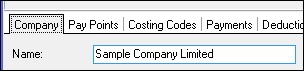
Your full Company names need to be supplied. These are sourced from the Company tab in the IMS Payroll database.