
Prepayment Invoices: Processing Workflow
This topic outlines the workflow for creating, paying, and applying prepayment invoices.
Processing Purchase Orders with Prepayment Invoices
When the prepayment invoice is released, it appears with the Pending Payment status on the Prepayments of the Purchase Orders (PO301000) form.
Prepayment for the Full Purchase Order Total Amount
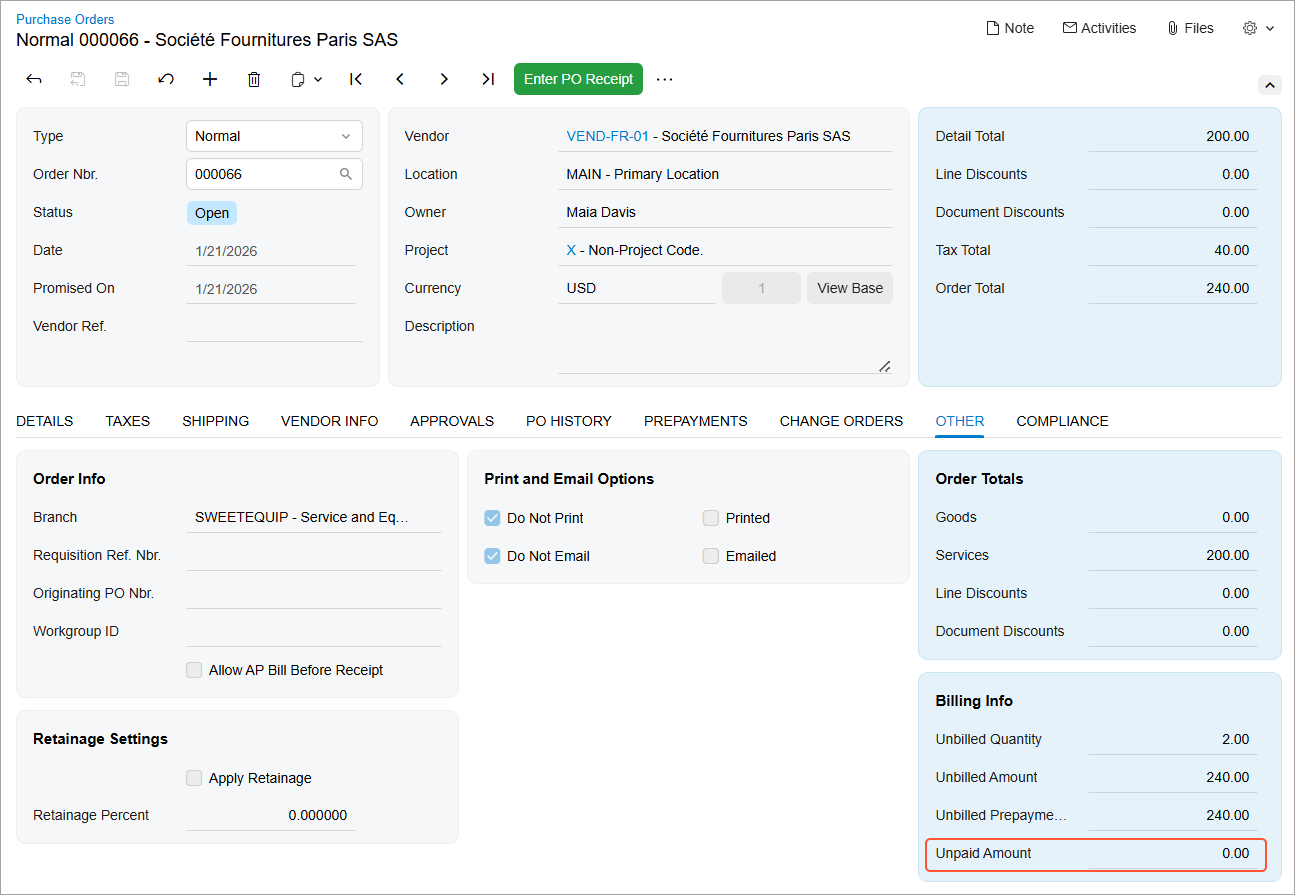
If a prepayment invoice is created for the total purchase order amount and released, the Unpaid Amount on the Other tab of the purchase order is set to 0 (see below).
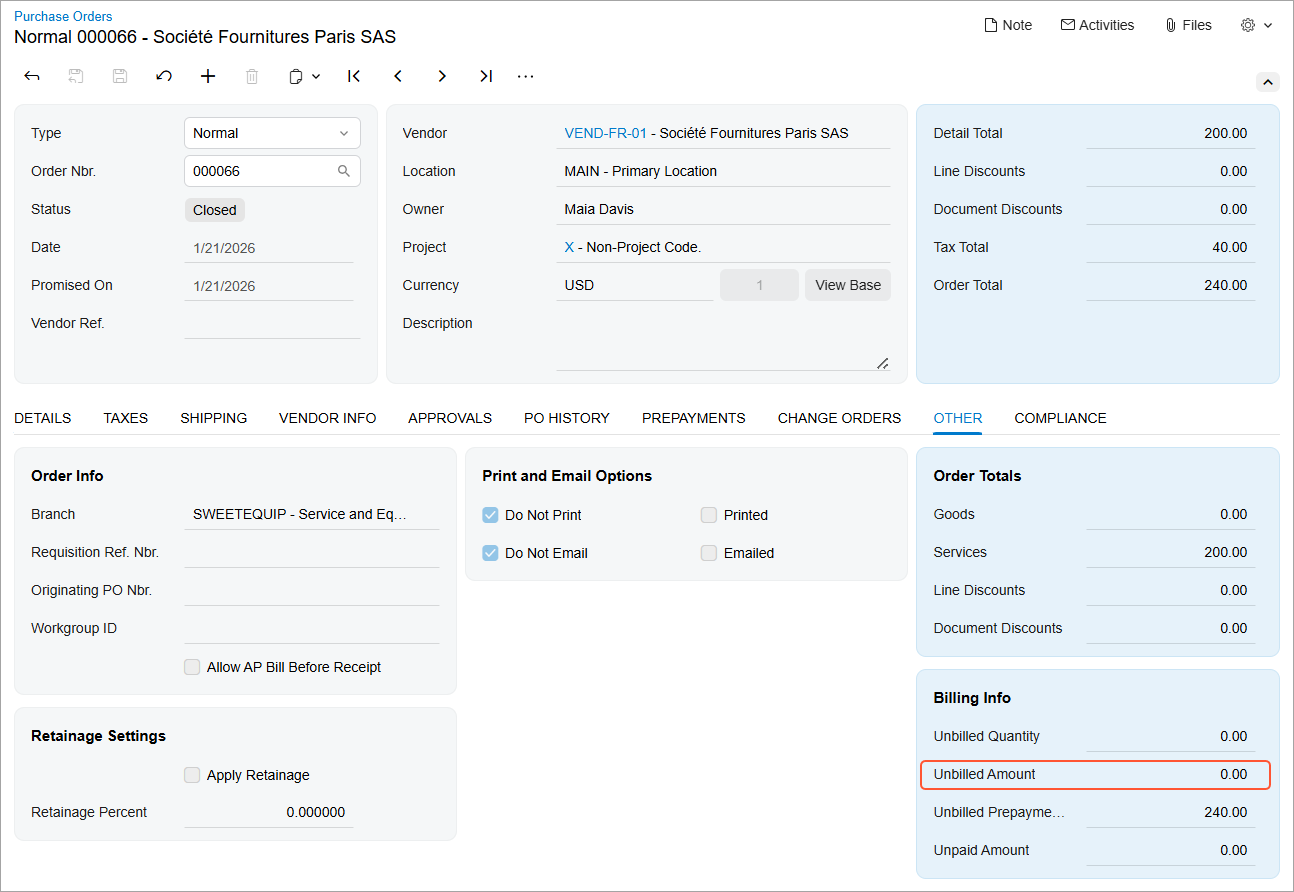
When the AP bill for the purchase order is created and released, the linked released prepayment invoice is automatically associated with the AP bill and added to the Applications tab of the Bills and Adjustments (AP301000) form. The purchase order is assigned the Closed status, and its unbilled balance is set to 0 (see below).
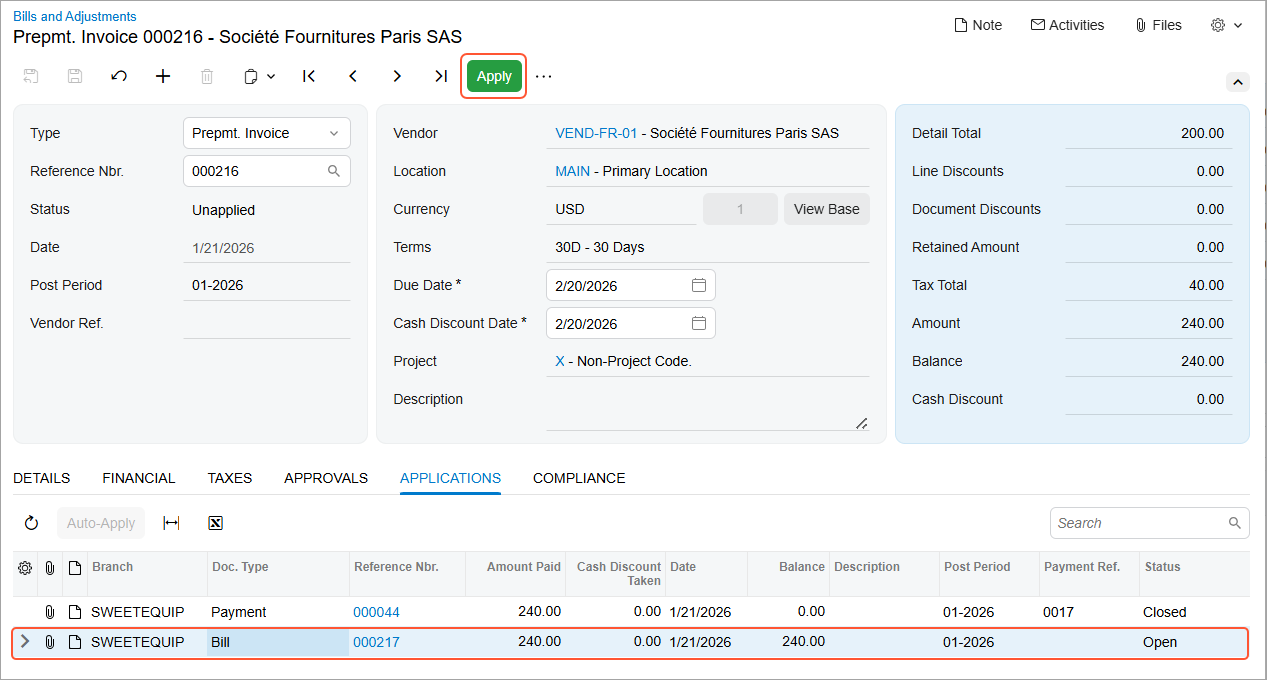
If the prepayment invoice is paid after the AP bill has been created, you apply it to the linked AP bill. To do this, while viewing the prepayment invoice on the Bills and Adjustments form, select the bill on the Applications tab (see below).
You can also open the prepayment invoice on the Checks and Payments (AP302000) form. On the Documents to Apply tab, the associated AP bill is listed. To apply the prepayment invoice to the AP bill, click Release on the form toolbar.
After the application is released, both the prepayment invoice and the bill are closed.
This behavior applies only when the prepayment invoice and the AP bill are created for the full purchase order amount.
Prepayment for a Partial Purchase Order Amount
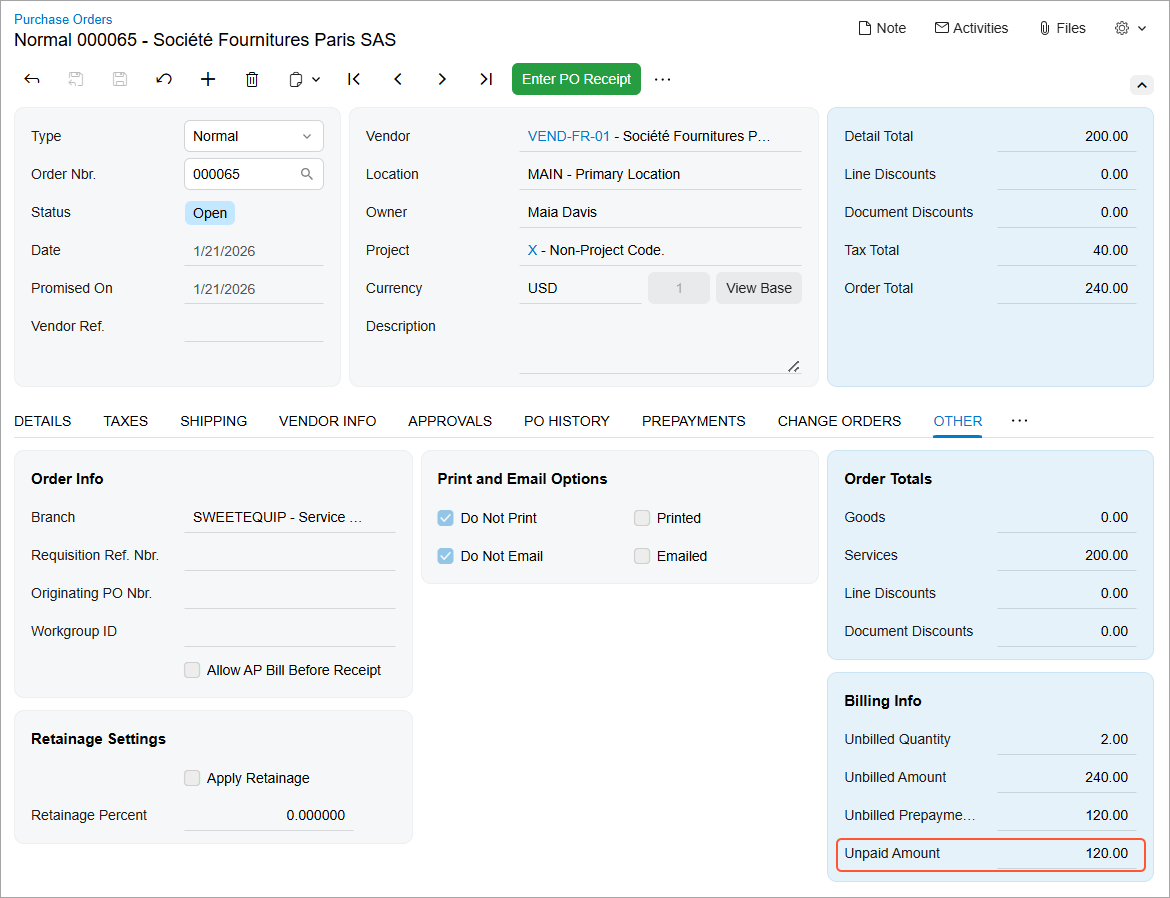
If a prepayment invoice is created for a partial purchase order amount and released, the Unpaid Amount on the Other tab of the purchase order is reduced by the prepayment amount (see below). Below you can see a purchase order with a 50% prepayment applied.
When a subsequent prepayment invoice is created for the remaining purchase order amount and released, the Unpaid Amount is set to 0. The Unbilled Prepayment Total is set to the full purchase order amount until an AP bill is created.
When the AP bill is created for the full purchase order amount and released, all linked released prepayment invoices are automatically associated with the AP bill and appear on the Applications tab of the Bills and Adjustments form. The purchase order is assigned the Closed status, and its unbilled balance is set to 0.
Once the prepayment invoice is paid, you can apply it to the AP bill. Because the prepayment invoice covers only part of the purchase order amount, the Amount Paid column shows the prepayment amount. The Balance column shows the total balance of the AP bill.
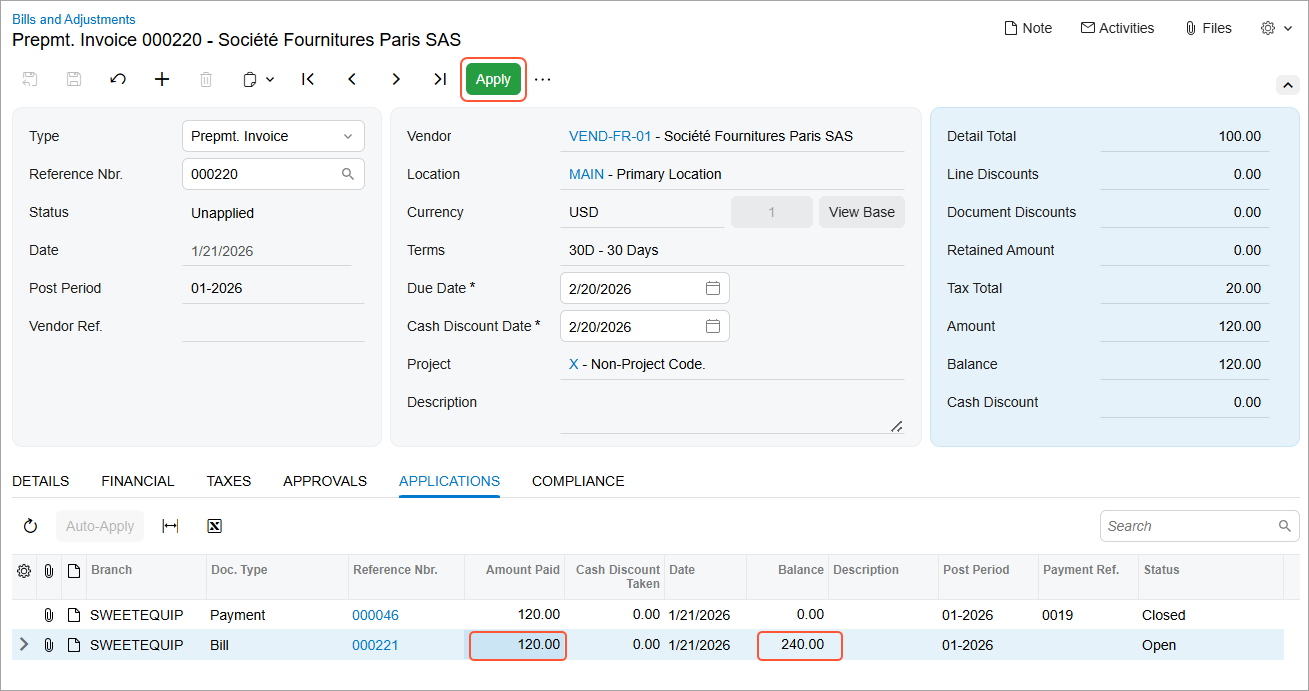
When the application is released, the prepayment invoice is closed. The purchase order is also closed because the AP bill has already been created. The AP bill remains open until the remaining balance is paid
You can create any number of prepayment invoices for a purchase order until an AP bill is created for the purchase order.