Payroll: Improved Reducing Balances
The 2026.1.3 release strengthens reducing balance deductions – where you recover an amount from an employee over multiple pays. For example, a staff loan, salary advance or repayment for tools or other benefits.
Outstanding balances are more reliable across pays and reports, deduction stops when the amount is fully repaid and it's easier to update or clear what is still owed without tracking it outside of MYOB Acumatica.
Simple Way to Add and Top Up the Amount to Recover
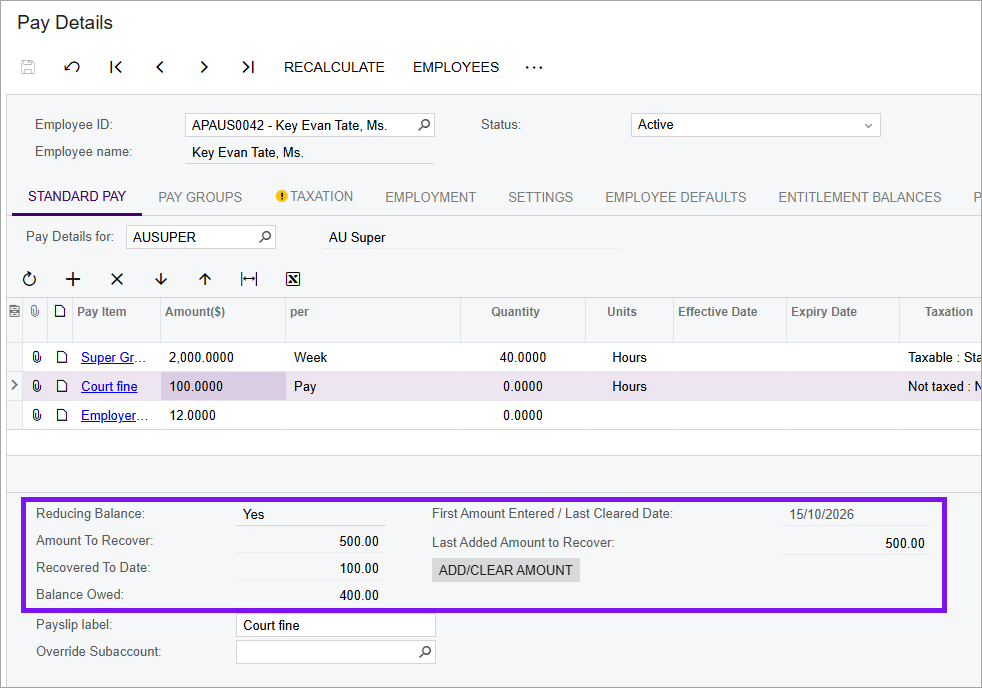
On the Pay Details form (MPPP2310), the Amount to Recover field is now read-only. Instead, you can use the new Add/Clear Amount button on the Standard Pay tab.
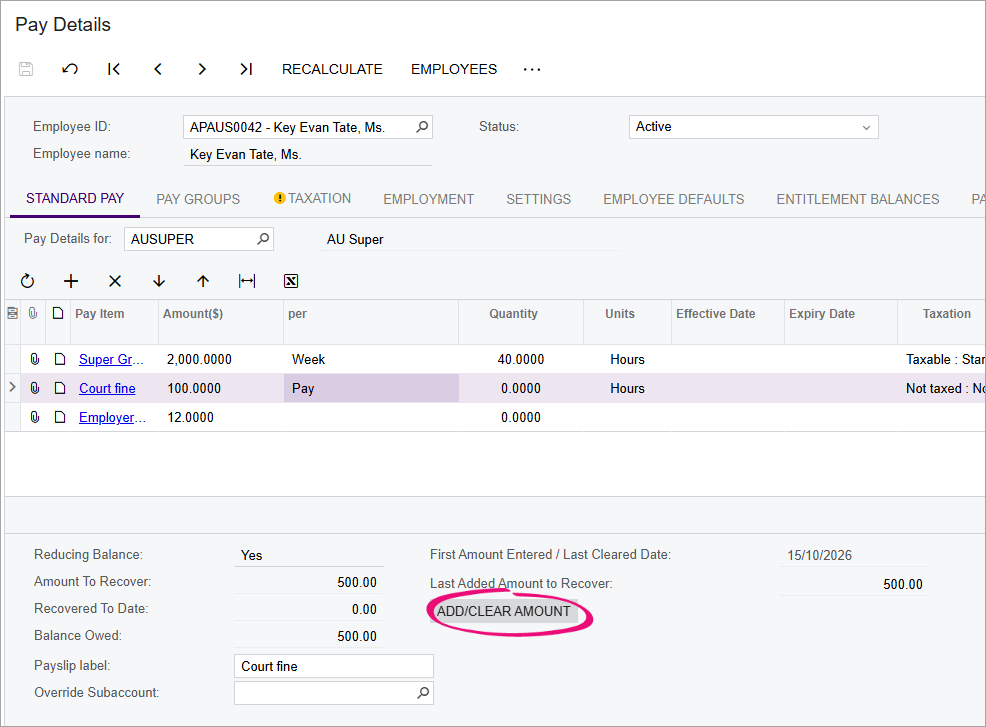
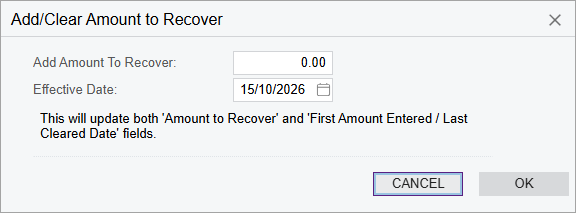
This lets you:
- Set the initial amount to recover. You can choose the date when deductions
should start applying to the employee's pay.
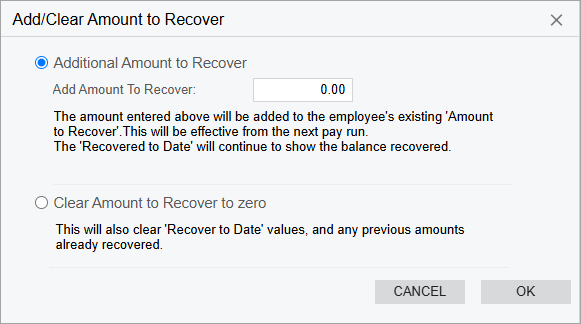
- Top up an existing balance while keeping repayment history, or clear a balance
if an employee no longer needs to pay back the amount.
Clearer Balance Information
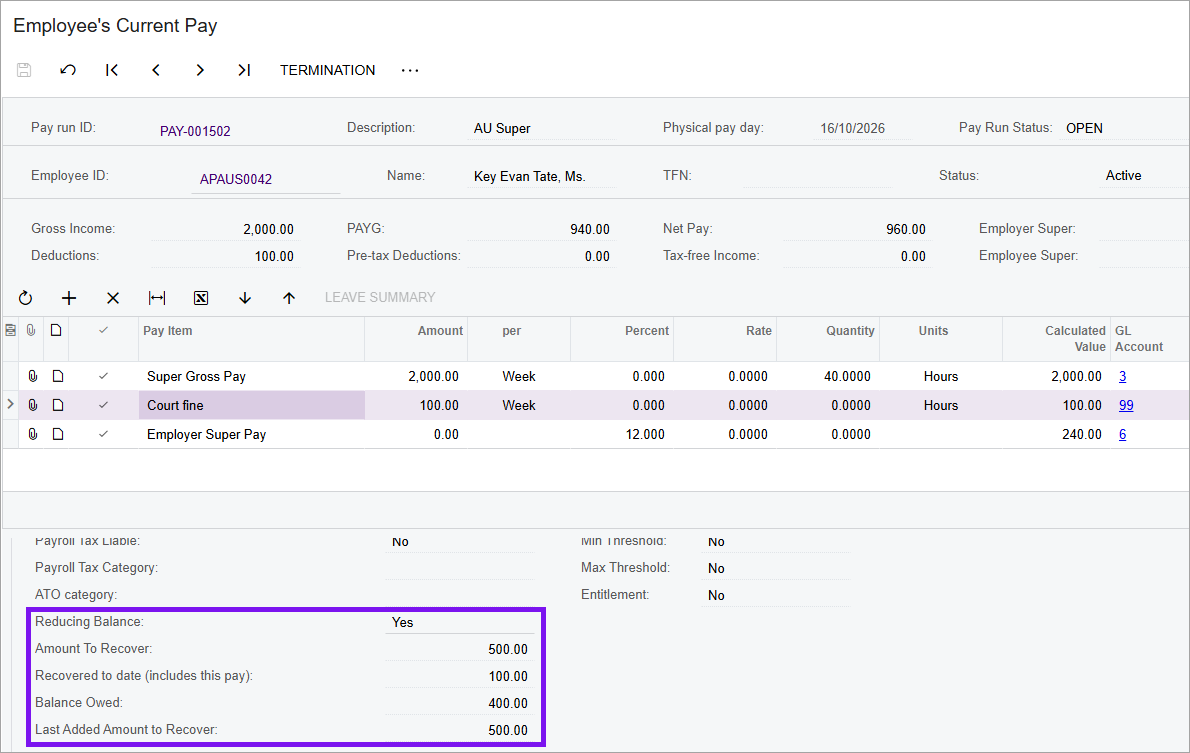
We've updated how reducing balance information is presented on the Pay Details (MPPP2310) and Employee's Current Pay form (MPPP3130) forms, alongside the existing Amount to Recover (now read-only) and Recovered to Date fields, we've added:
- Balance Owed – The employee's outstanding balance, Amount to Recover minus Recovered to Date.
- Last Added Amount to Recover – The most recently topped-up amount.
- First Amount Entered / Last Cleared Date – The date when a reducing balance was first entered or last cleared. This field only appears on Pay Details, not Employee's Current Pay.
Completed pays update the recovered amount immediately, including future-dated pays and pays outside the regular schedule. That means the employee's outstanding balance stays correct in their pay details, current pay and reports – so you are less likely to over-deduct.
Better Reporting
You can now review reducing balance amounts on these inquiries:
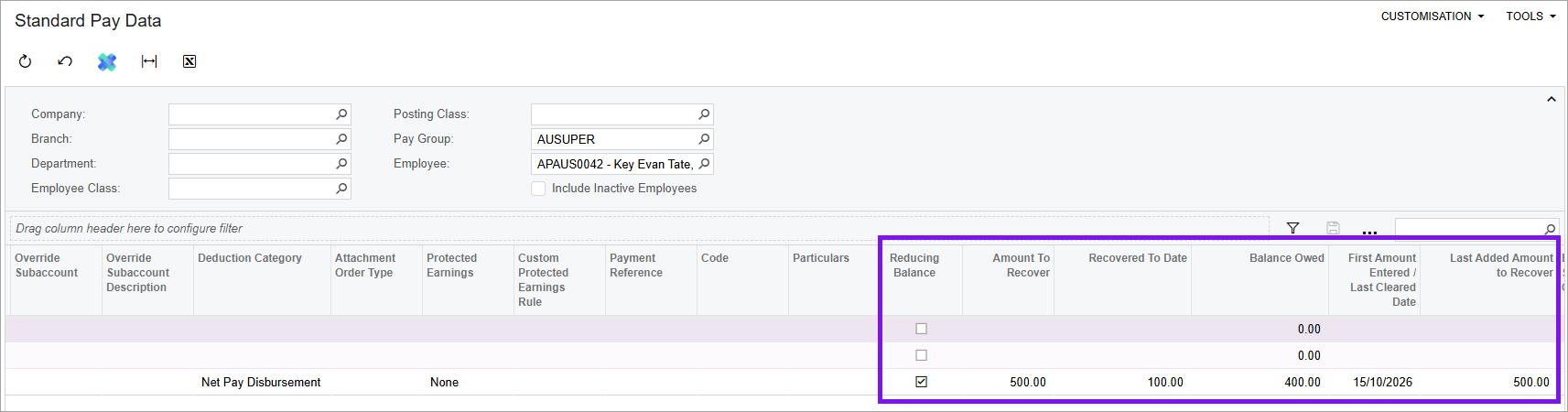
- Standard Pay Data (MPPP4082 NZ / MPPP4083 AU) shows the current balances
that match the amounts on the Pay Details
(MPPP2310) form.
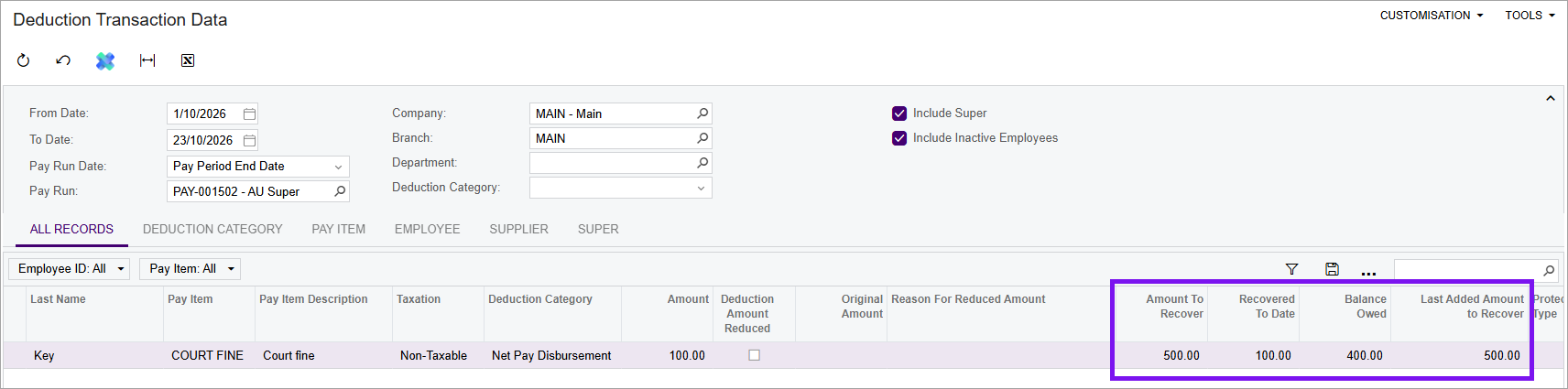
- Deduction Transaction Data (MPPP4069 NZ / MPPP4070 AU) shows the
historical balance as at each pay run, not the current totals.