
Payroll: Payday Super Improvements
The 2026.1.2 release makes it easier to check and update your historical pay runs to make sure they comply with Payday Super rules. Learn more about Payday Super in our online knowledge base.
Correcting Reported Qualifying Earnings (QE)
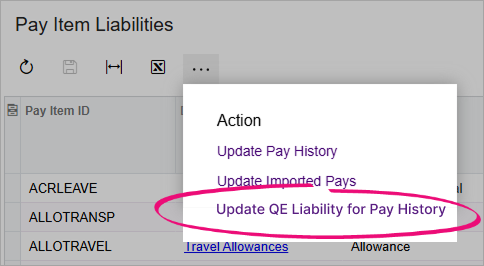
If you have completed pay runs where incorrect qualifying earnings (QE) have been reported to STP, you can fix them using the new Update QE Liability for Pay History action on the Pay Item Liabilities form (MPPP1025). For more details, see Correcting Reported Qualifying Earnings.
SG and QE Liabilities Included in STP Transaction Data Report
The STP Transaction Data report (MPPP4063) now includes two new columns on the All Records tab: Liable for Superannuation (SG) and Liable for Qualifying Earnings (QE).
These columns make it easy to check if a pay item was flagged as liable at the time of the pay run. To see if a pay item is currently flagged as liable, check the Pay Item Liabilities form (MPPP1025) as usual.