Parental Leave
Parental Leave
The Parental Leave and Employment Protection Act 1987 allows employees to take time off the care for their newborn children. For eligibility criteria, see the Employment New Zealand website:
Placing an Employee on Parental Leave
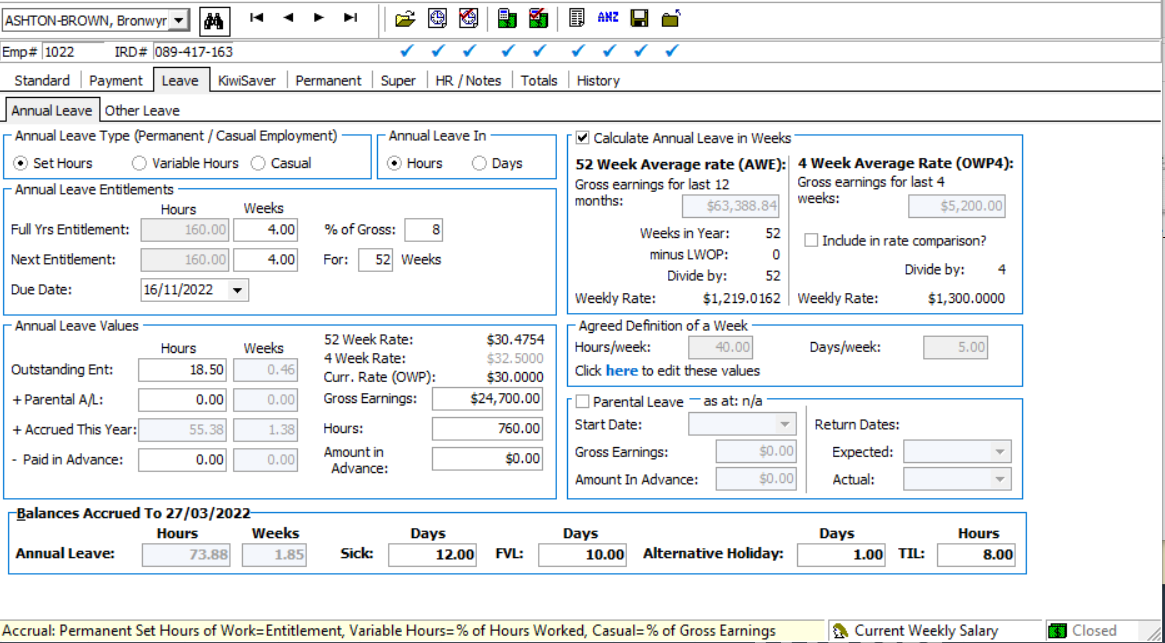
Once the employee has had their last payment made to them prior to going on Parental Leave and the pay period has been closed, go to the Leave tab for the employee. Tick Parental Leave, enter the start date of the Parental Leave and the Expected Return Date.
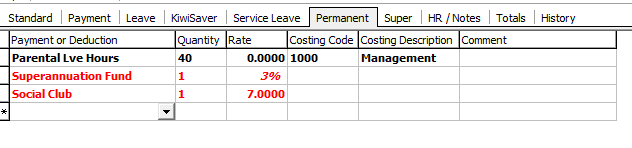
Go to the employee’s Permanent tab and enter the payment “Parental Lve Hours”. The quantity should be their normal rostered hours for the pay period. It is not necessary to delete any of the other payments or deductions off the Permanent tab
Employees with Variable Hours Leave Type
An employee with an Annual Leave Type of “Variable Hours” is still entitled to accrue leave while on Parental Leave. The question is what is this to be based on, as while the employee is away there are no hours being recorded to base the accrual on.
Section 17 of the Holidays Act 2003, states that “an employer and employee may agree on what four weeks annual holiday means in their circumstances.”
A possible solution would be that prior to going on Parental Leave, the employer and employee agree on how the accrual will be calculated. For example it may be agreed that the average hours worked per week in the last year can be used for the accrual.
It is essential that clients do seek their own independent advice before proceeding
Transition
During the first pay period going on Parental Leave there may be a need to have both Ordinary Time/Salary payments and Parental Leave hours. You will have to manually calculate how many Parental Leave hours and how many Ordinary Hours/Salary hours were worked and adjust.
Overall the quantity should not exceed their standard week. In the example below, the employee has worked for three days then proceeded on Parental Leave.
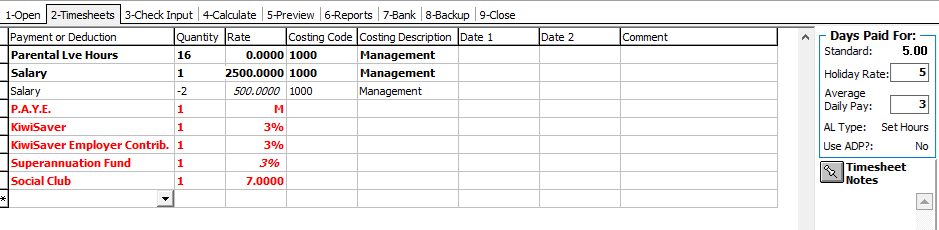
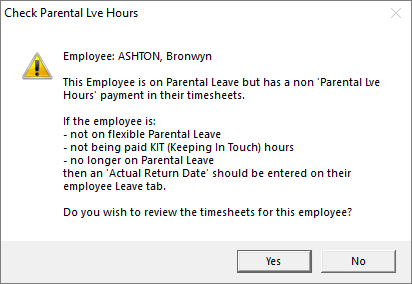
In this situation you will receive a warning at Step 3-Check Input. If you are happy you have entered all information correctly, click No.
Pay Run Processing
On opening the pay, the “Parental Lve Hours” line will automatically update.
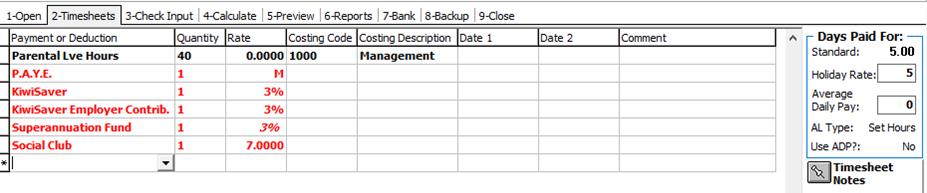
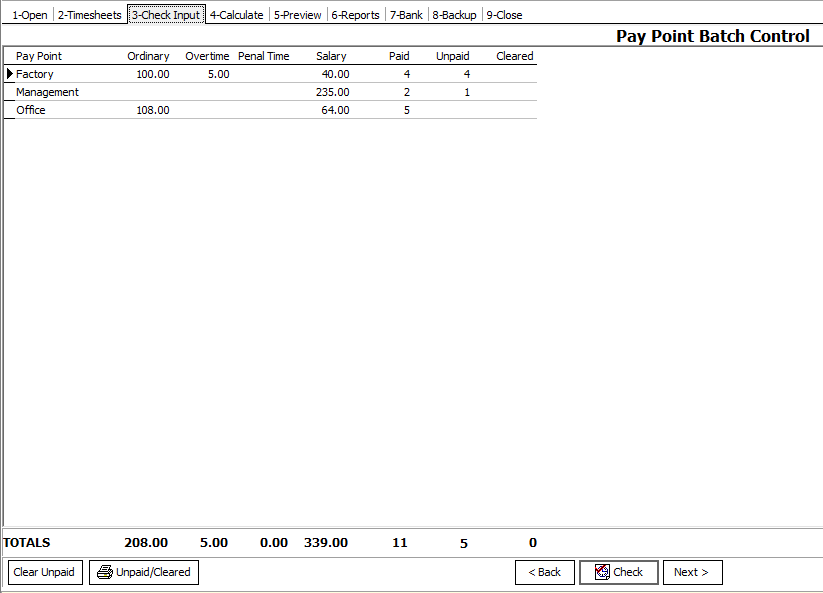
If you click the Clear Unpaid button at Step 3-Check Input, make sure you do not clear the Parental Lve Hours payment.
To do this click the Clear Unpaid button:
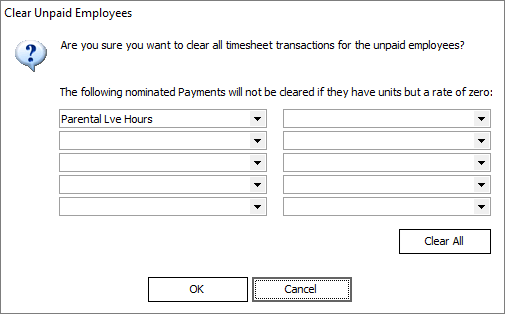
Select “Parental Lve Hours” from one of the drop down boxes:
As you process the pays each week, a line will be added to the employee’s Leave Earnings screen. You will find that the employee’s average rate will continue to decrease until the employee returns to work.
Keeping in Touch
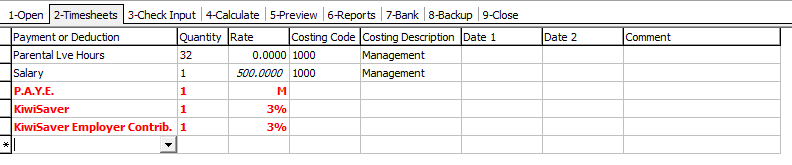
While on Parental Leave the employee may come into work from time to time to keep in touch. To pay the employee enter their hours worked on their time sheet and reduce the parental leave hours by corresponding number of hours.
In the example below the employee came in for a day so eight hours “Parental Lve Hours” have been deducted.
Resignation while on Parental Leave
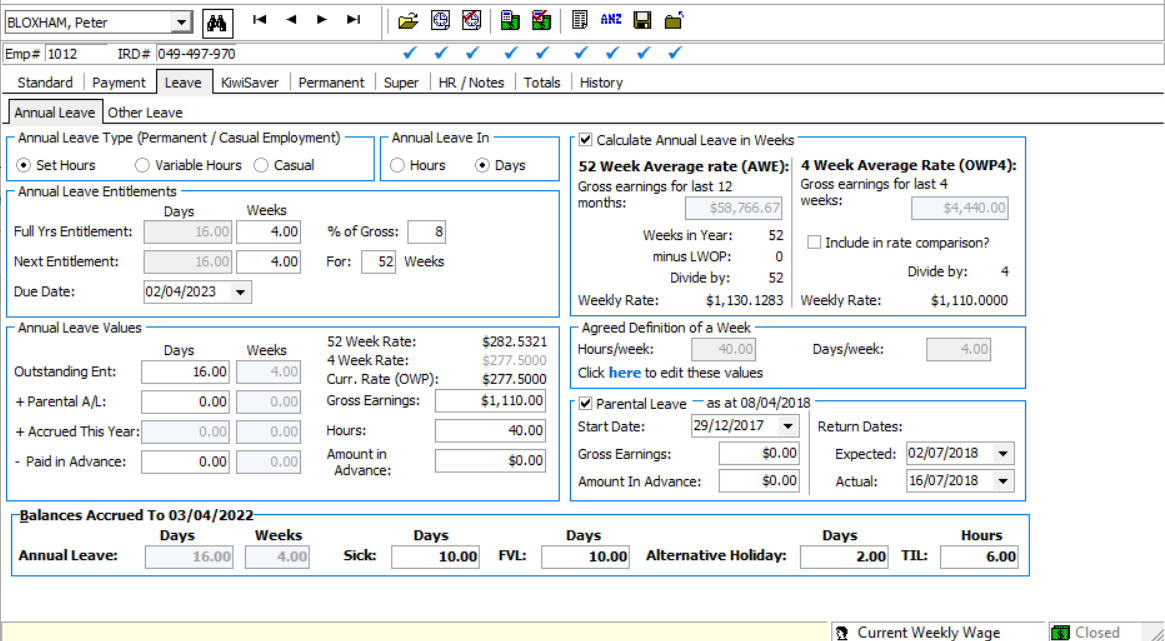
If an employee resigns while on Parental Leave their last day of work is deemed to be the day they went on Parental Leave. To ensure correct payments are made IMS keeps a record of their leave balances and gross earnings as at that point in time.
You will see some of this information displayed on the employee’s leave screen after their leave anniversary date rolls over:
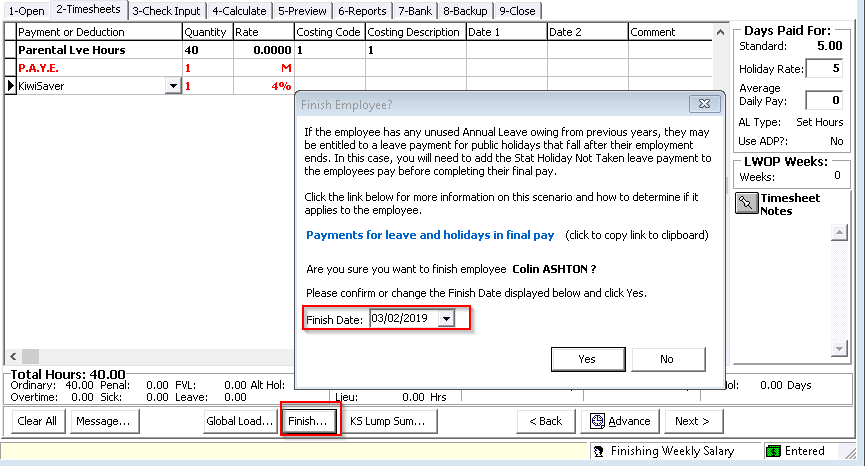
As with a standard termination, click the Finish button. In this instance the finish date will default to the day the employee commenced Parental Leave. From here IMS Payroll will automatically calculate the Annual Leave Rate, correctly based on the Leave Earnings History as at the time of going on Parental Leave.
Returning to Work
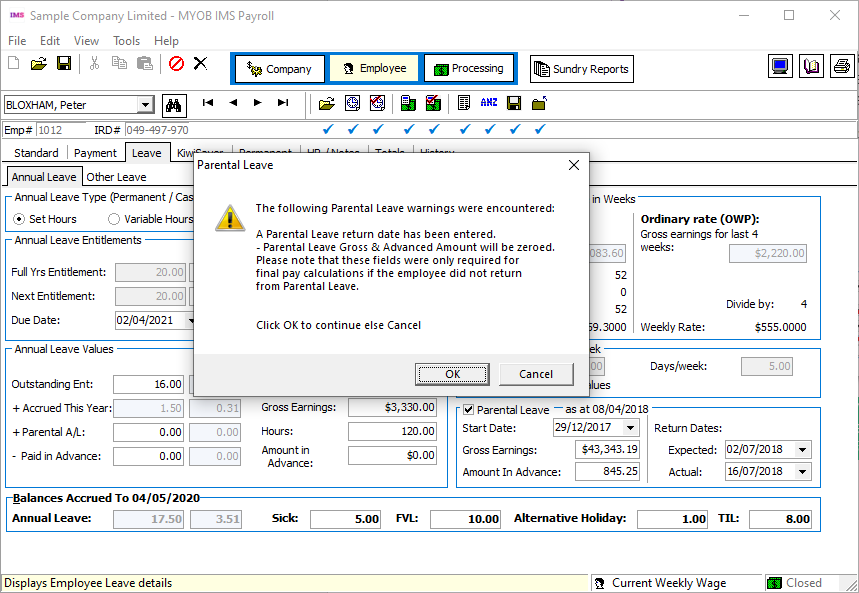
When an employee returns to work after taking Parental Leave, go to the Leave tab for the employee and enter the Actual Return Date. When you save this, a warning will appear; this is reminding you that figures retained to calculate final pays if the employee had not returned to work will be removed. Click OK to this warning.
When the employee returns to work, you may have a pay period when there will be some parental leave hours and some salary/ordinary time. Refer to the “Transition” section on page 2 for guidance on how to process this.
Taking Annual Leave
Any Annual Leave the employee becomes entitled to either while on Parental Leave or within the following 12 months will be regarded as Parental Annual Leave and will be stored in the Parental A/L field. This entitlement will automatically be paid at the Average Weekly Earnings rate.
To pay the leave, add the “Parental A/L Taken” payment:
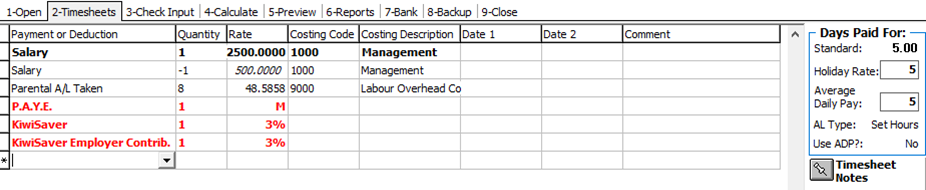
If your employee had an outstanding leave balance prior to going on Parental Leave this must be used first.
Annual Leave Cash Up
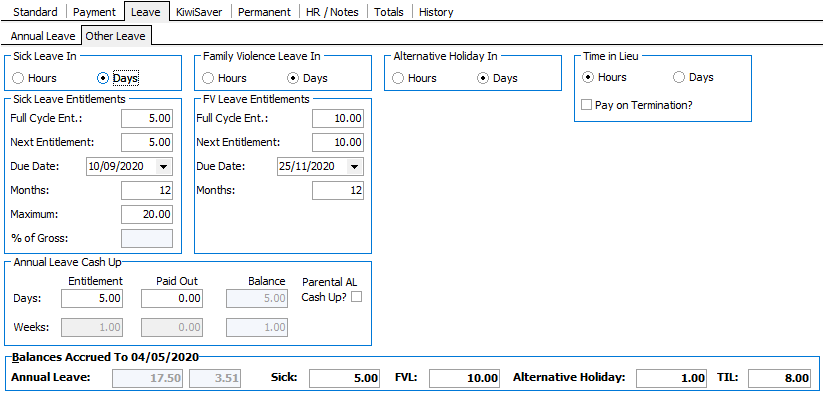
One week of Parental Annual Leave may be cashed up after the employee has returned to work. The Annual Leave Cash Up section on the Leave > Other Leave tab shows how much leave is available to cash up.
If the cash up relates to Parental Annual Leave, the Parental A/L Cash Up? box should be ticked. If this is the case, the payment called “Parental A/L Cash Up” should be used. The Cash Up will be paid at Average Rate automatically.