
Family Violence Leave
The Domestic Violence-Victims' Protection Bill, which came into effect on 1 April 2019, entitles employees affected by family violence (or domestic violence) to up to ten days of paid family violence leave (FVL) per year, to deal with the effects of family violence. FVL doesn't accumulate, i.e. each year, the employee's FVL balance is reset to ten days.
MYOB IMS Payroll has a flexible method of calculating family violence leave entitlements, based on cycles.
To set up FVL entitlements, enter the amount of FVL an employee receives in the Full Cycle Entitlement field, and how long until the entitlement is given is entered into the Months field.
For example, an employee receiving ten days FVL per annum would have a Full Cycle Entitlement of 10 days, and a Full Cycle of 12 months. This is the default configuration.
When FVL is taken (i.e. entered onto the timesheet and paid), the employee's FVL balance is automatically reduced.
Setting up Family Violence Leave
A “Family Special Leave” payment is added automatically when the 6.41 release is installed:
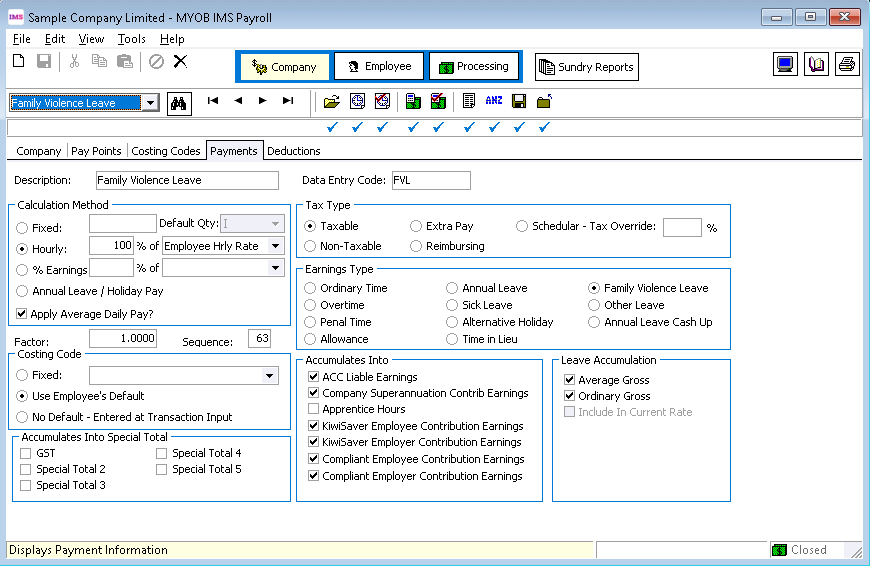
The Tax Type and Earnings Type sections cannot be edited for this payment, but all other details can. In particular, you may want to change the Description and Data Entry Code to preserve employees’ privacy when FVL appears on payslips.
An FV Leave in Advance? option is available on the Company Information screen:
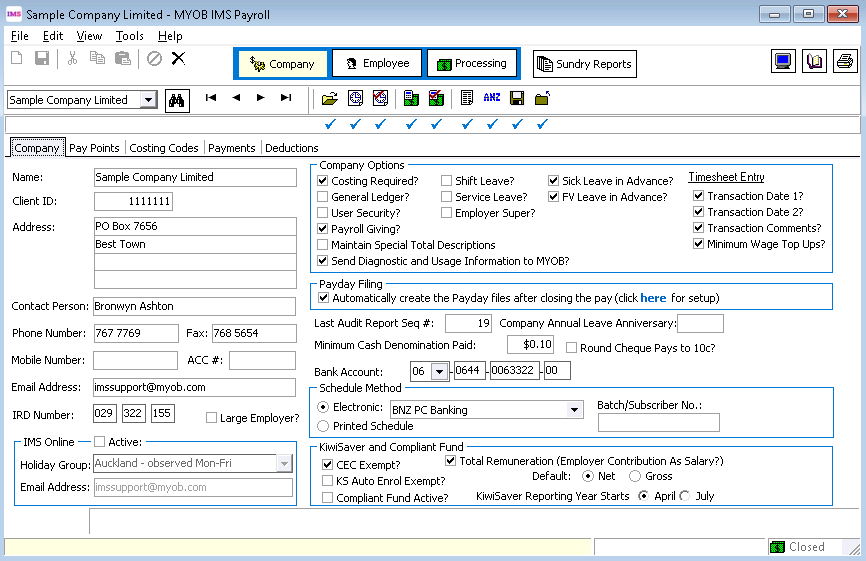
When this option is ticked, FVL can be paid in advance to employees whose FVL balance is not sufficient to cover the leave they are taking. Leave paid in advance will be deducted from the employee’s balance when their Next Entitlement Due Date rolls over.
Employees’ FVL settings, entitlements and balances are displayed on the Leave tab of the Employee screen:
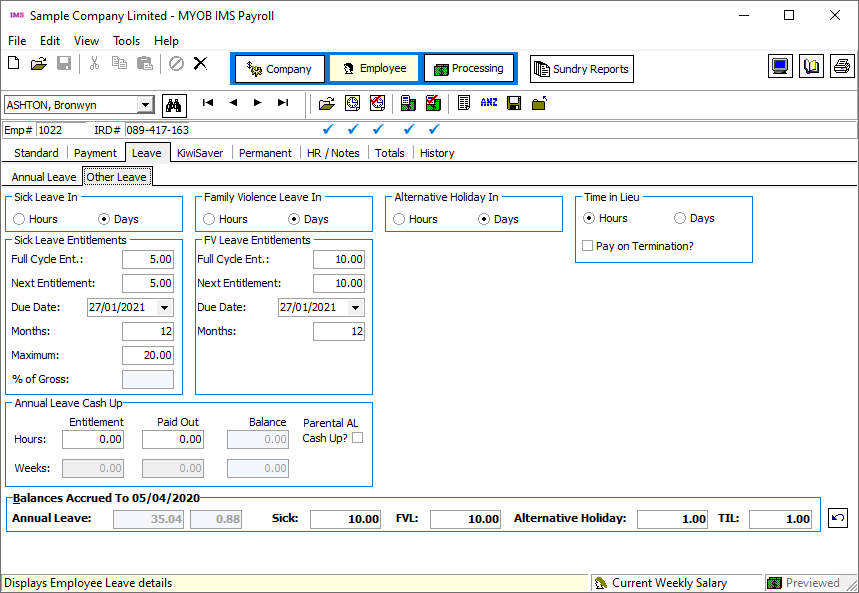
As with sick leave, FVL can be calculated and displayed in Hours or Days.
Processing Family Violence Leave
Family violence leave is processed in the same way as sick leave. To pay an employee FVL, add a payment with the Family Special Leave type:
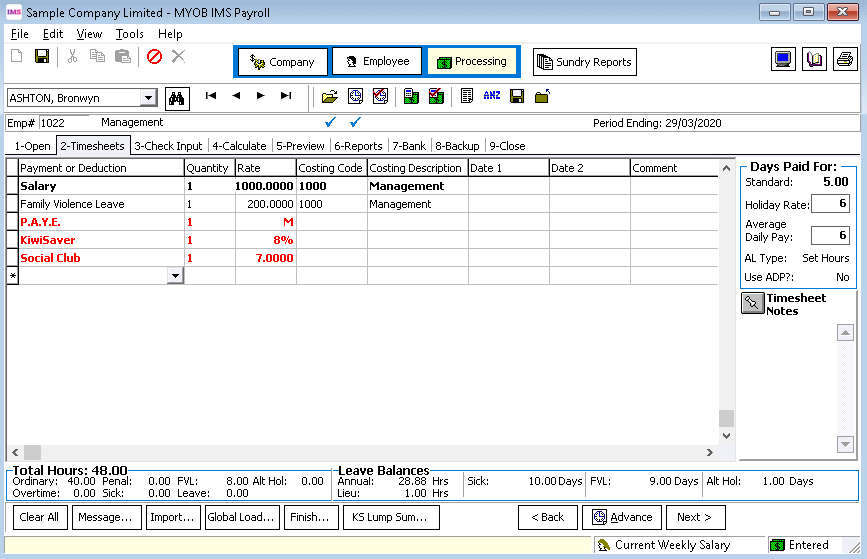
The rate can be overridden, as with other payments.
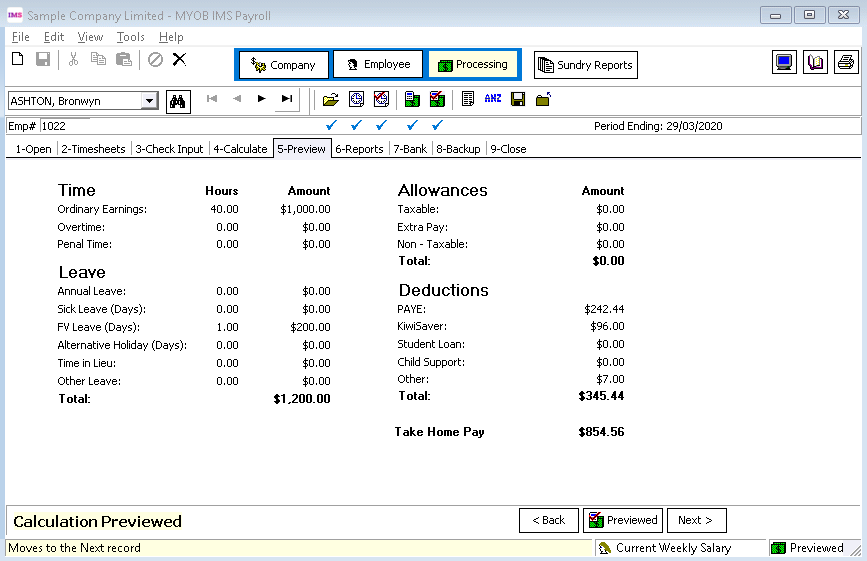
FVL amounts are displayed on the 5-Preview tab:
Reporting on Family Violence Leave
Family violence leave payments are displayed on employee payslips, and Payslip report options include a check box for displaying the FVL balance on payslips.
FVL amounts appear next to other leave amounts anywhere that taxable income is reported. The Leave Analysis options for the Pay Period Exceptions report now include FVL as well as sick leave, and fields relating to FVL can be reported on using the Employee Audit report.
 You can report on employees’ FVL
entitlements, balances, etc. by clicking the Find button on the Employees screen ( ) and
exporting the data to a spreadsheet.