Using Average Daily Pay
Overview
The primary remedy for the payment of Bereavement Leave, Alternative Days, Public Holiday, Sick Leave and Family Violence leave is Relevant Daily Pay (these leave types are commonly called FBAPS Leave). If this is not known, Average Daily Pay (ADP) can be used.
This document goes over how Average Daily Pay can be set up and used in MYOB IMS Payroll.
Payments
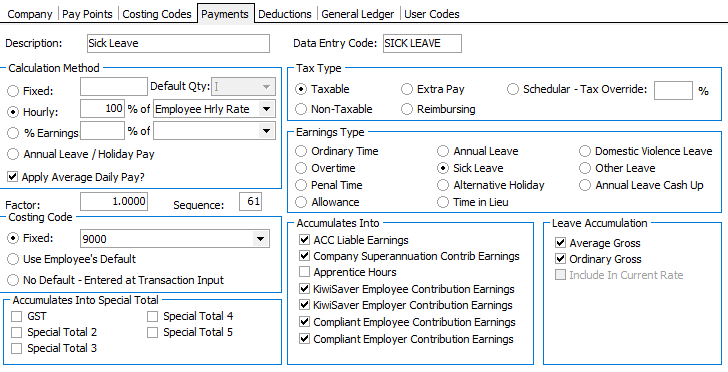
The screenshot below shows the standard setup for Sick Leave. While the name of the payment and the Earnings Type will be different for all BAPS Leave, the other settings should be the same.
The Apply Average Daily Pay? box (highlighted below) should be ticked automatically but please check your payments under the Company Tab to make sure this is the case for all BAPS Leave types.
Turning on Average Daily Pay
Once you have decided that ADP should be used for your employee, go to the employee’s Payment Tab and tick Use Average Daily Pay?
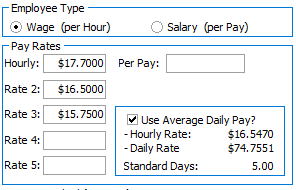
When this box is ticked, MYOB IMS Payroll will use the information on the employee’s Leave Earnings Tab to calculate ADP. This means that it is important to record the days actually paid for (i.e. worked or paid leave) by the employee each pay period.
Processing BAPS Leave
The days the employee was actually paid for should be recorded each pay period when you are processing the pay. This is recorded under Step 2 – Timesheets.
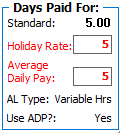
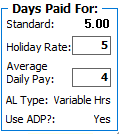
In the example below, the employee works 20 hours a week over 5 days but worked another full day on Saturday. The ADP should be 6. IMS Payroll has automatically calculated this by dividing the 24 hours worked by the employee’s standard hours per day (4).

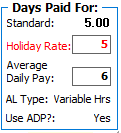
However, IMS Payroll doesn’t know when these hours were worked. If they were worked during the employee’s standard week, the ADP field will need to be manually adjusted back to 5.

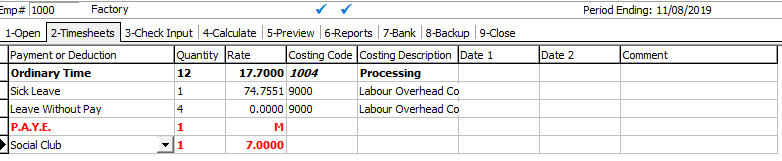
In this further example the employee has taken Sick Leave and Leave Without Pay. The ADP has counted the Ordinary Time and Sick Leave but not the Leave Without Pay as the employee was not paid for that time.
Correcting Leave Earnings
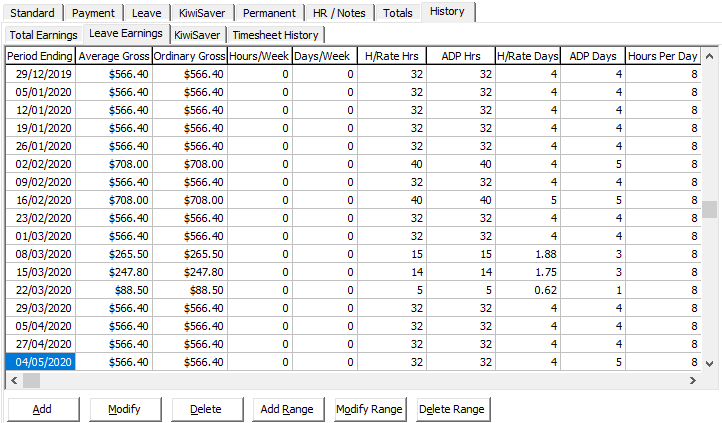
IMS Payroll uses the tab called Leave Earnings to calculate Holiday Pay and ADP. As the calculation of ADP is based on days worked and gross earnings for the last 52 weeks, it is important that the information on this screen is correct.
ADP uses the Average Gross column and the ADP Days column to calculate the ADP Rate:
Entering the right information each week will ensure this is correct. However if you need to make corrections, IMS Payroll provides the ability to edit information on the Leave Earnings tab (found under the History tab).
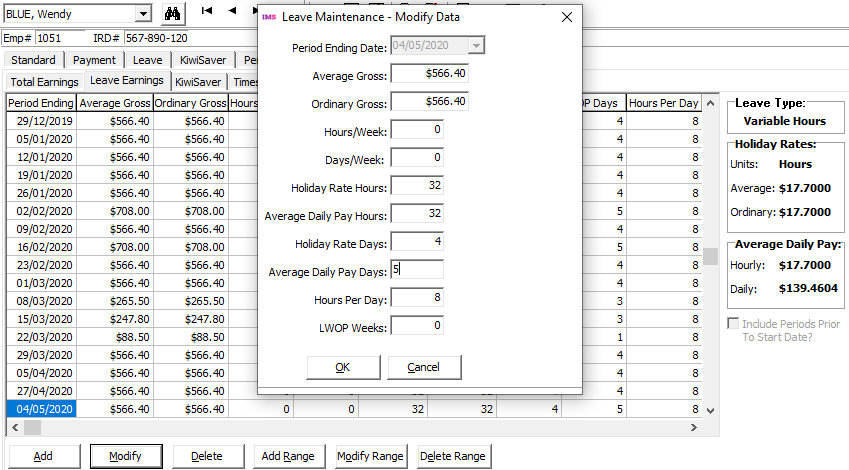
In the screenshot below, we have identified that the ADP days should have been 5. Highlight the line you wish to change and click the Modify button. You can then change the ADP Days to 5. Click OK and the information will be updated.
The Add button will add a line and the Delete button will delete the line you have highlighted.
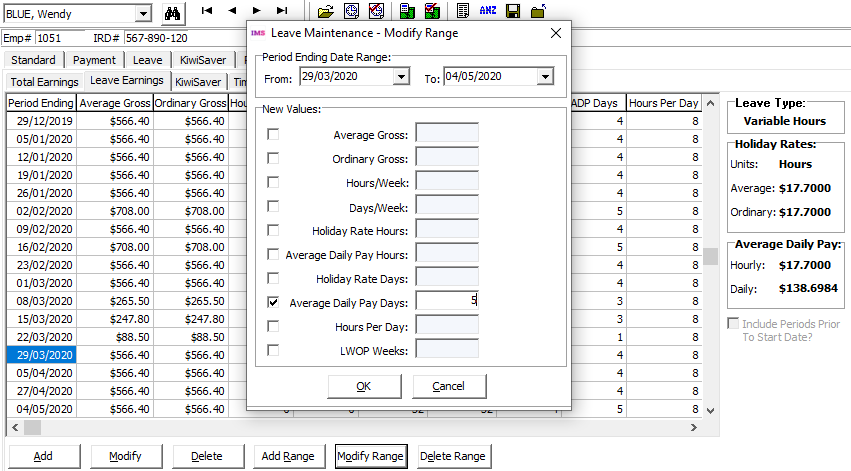
To modify a range of transactions, click the Modify Range button. In the example below the ADP Days from 29/03/2020 to 04/05/2020 have been changed to 5.
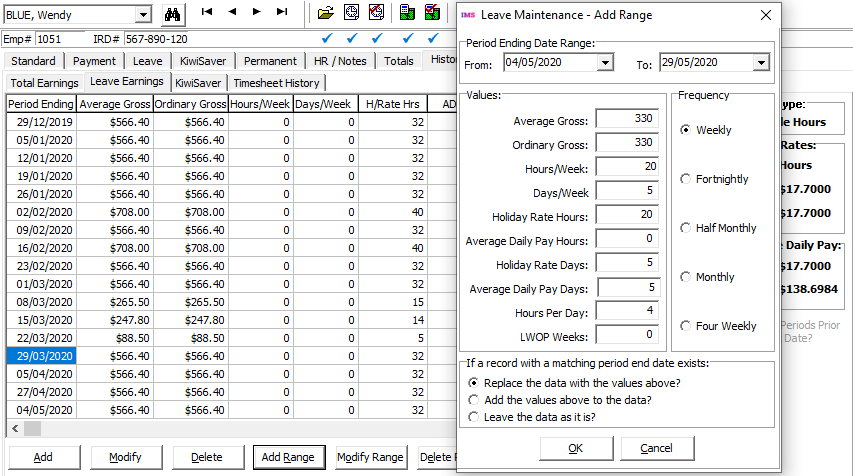
You can also add a range. In the example below we have added pays from 04/05/2020 through to the end of May.
Before making major changes to the Leave Earnings tab, make sure you take a backup. You can do this by going to the Tools menu.
ADP less than Standard Rate
There may be times when the ADP rate is less than the employee’s base rate, e.g. if they have had a recent pay increase.
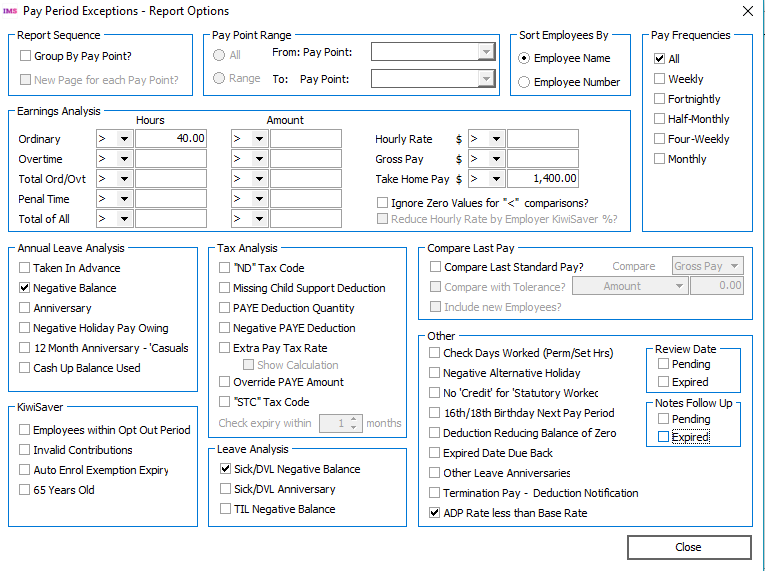
You can check this by using the Pay Period Exceptions Report. This is available under Processing in Step 6 – Reports. By ticking the option below this will show any employee’s in that situation. You can then over-write the rate in the timesheet if you want.