
Modern Customer Portal: Creation of Payment Methods
In the Modern Customer Portal, you can create, view, and update your company's payment methods.
In this topic, you’ll learn how to create payment methods.
Who does this: An authorized portal user in your company, typically with the Customer Portal Manager or Customer Portal Company Manager role.
Creating a Payment Method
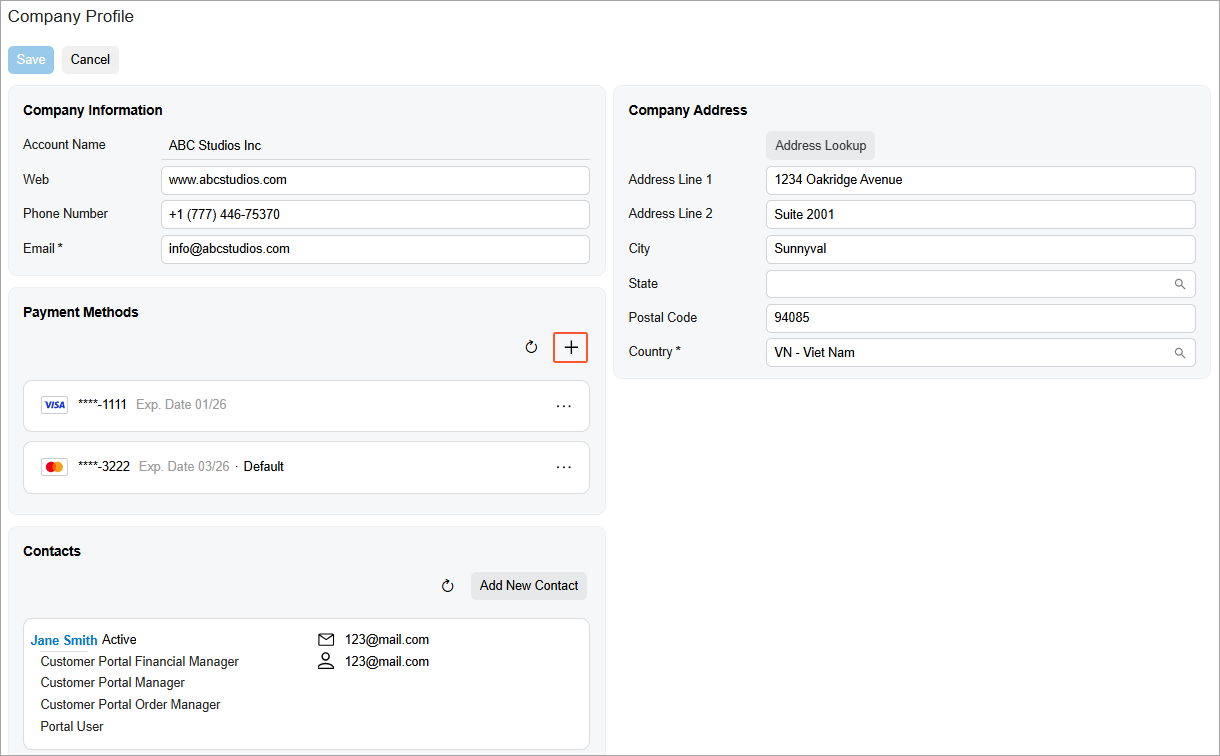
You create a payment method on the Company Profile (SP201000) form of the Modern Customer Portal.
In the Payment Methods section, click Add New Record (see below).
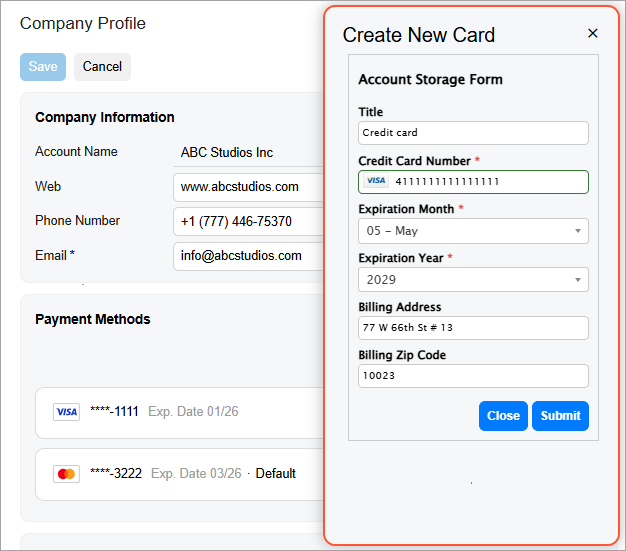
In the Create New Card dialog box, enter the card’s settings and click Submit.
The new payment method appears in the Payment Methods section of the form, where you can set a payment method as the default or delete it.
What's Next?
You and other portal users can now place orders and make payments in the Modern Customer Portal.
For more information, see Modern Customer Portal: Placing and Reviewing Orders and Modern Customer Portal: Paying Sales Orders and Invoices.