
Modern Customer Portal: Contact Creation
You may need to give more employees in your company access to the Modern Customer Portal. To do this, you create contacts—records for your employees who will use the portal. After roles are assigned to these contacts, they can use the portal.
In this topic, you’ll learn how to create these contacts in the Modern Customer Portal.
Who does this: An authorized portal user in your company with the Customer Portal Manager or Customer Portal Contact Manager role.
Adding a Contact
To create a contact who will use the portal:
- Open the Company Profile (SP201000) form in the Modern Customer Portal.
- In the Contacts section, click Add New
Contact.
Figure 1. The button to create a contact 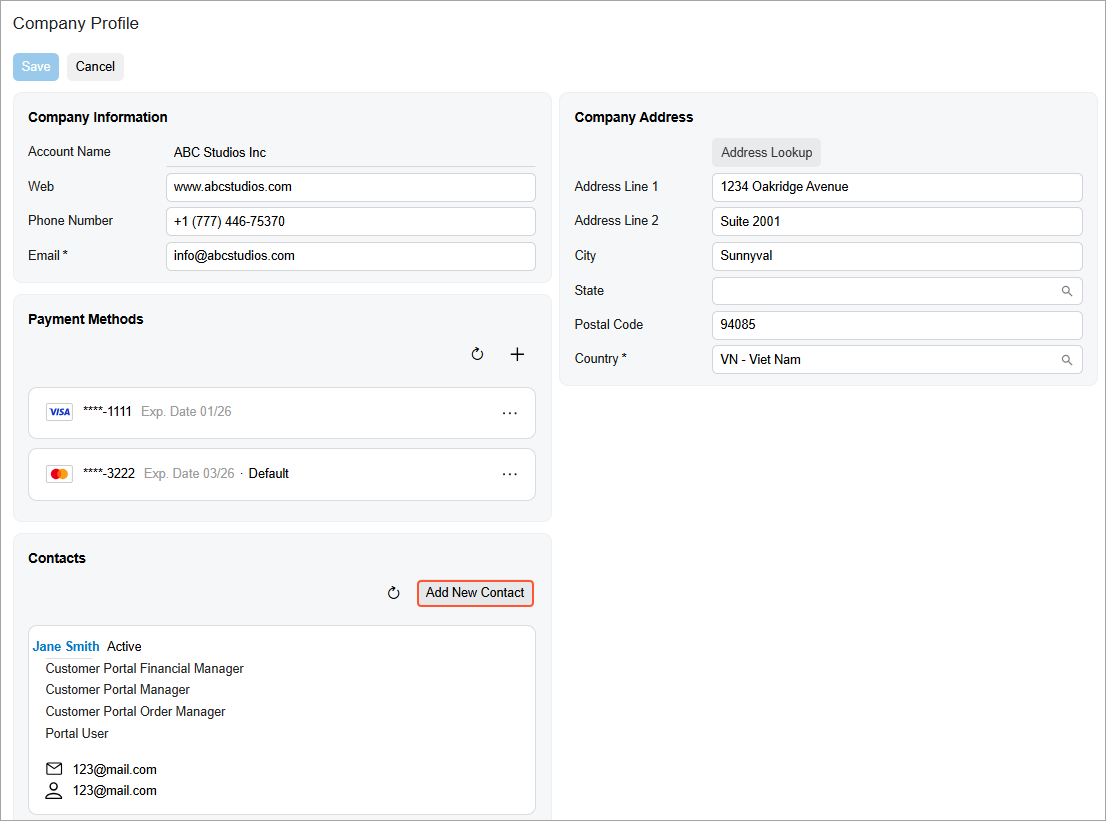
This section may show contacts that have been entered for your company by the portal owner.
- On the Company Contact (SP201020) form, which opens, enter the contact’s basic
information—the portal user's first and last name, email address, and
phone number—and save your changes (Items 1–2 below). If needed,
enter address settings (Item 3); these are used when this contact places orders
and the items are shipped.
Figure 2. The contact’s basic information 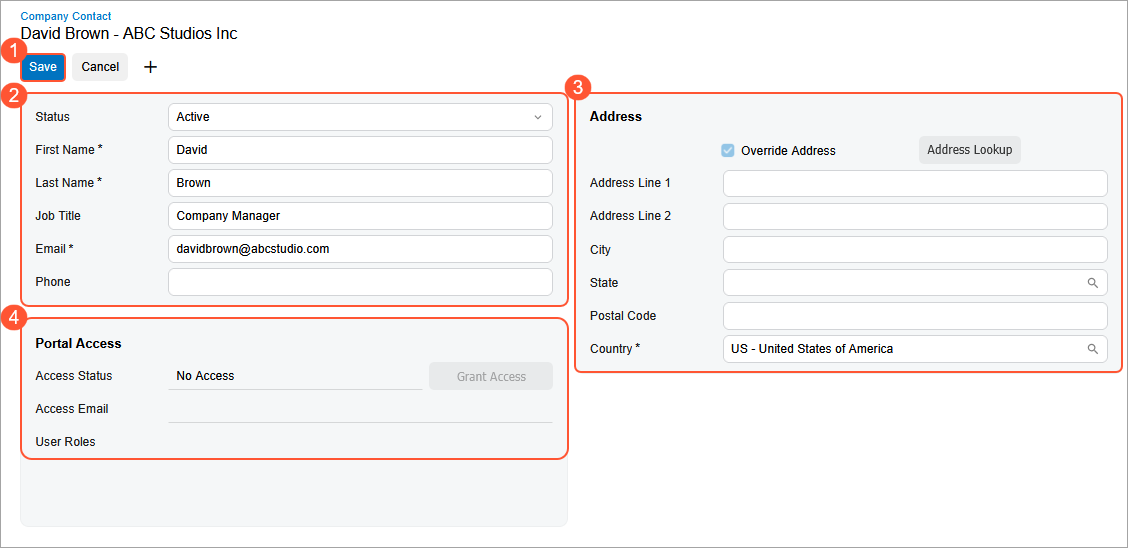
When you save the contact:
- The system creates the contact in MYOB Acumatica and makes it available in both MYOB Acumatica and the Modern Customer Portal.
- The Portal Access section becomes available (Item
4). You can use it to assign roles to the contact or request the role
assignment from the MYOB Acumatica administrator.Tip:You can assign roles to contacts only if you have the Customer Portal Manager or Customer Portal Contact Manager access rights.
What's Next?
Now that you’ve created a contact for the portal user, you can assign one or more portal roles to them directly in the Modern Customer Portal. For more information, see Modern Customer Portal: Role Assignment in the Portal.
Alternatively, you can submit a case to the MYOB Acumatica administrator and request the role assignment (see Modern Customer Portal: Requesting Role Assignment).
For more information about portal roles, see Modern Customer Portal: Access Rights Through Predefined Roles.