
The MYOB Acumatica UI: Working Area
In the following sections, you’ll find information about the working area in MYOB Acumatica and its parts.
Working Area
The working area is the main area of the MYOB Acumatica screen. Depending on what you’re doing in the system, the working area may display any of the following:
- A form: MYOB Acumatica has forms of multiple types. For details, see Record Entry: Basics of Acumatica ERP Forms and Forms.
- A report: A report is a type of a form with data organized in a ready-to-print format. For details, see Record Entry: Basics of Acumatica ERP Forms and Reports.
- A dashboard: A dashboard is a collection of widgets, displayed on a single page, that provide at-a-glance information on your business-specific processes. For details, see Designing Dashboard Contents.
- A Help topic. For details, see The MYOB Acumatica UI: The Help System
Side Panel
A side panel is a panel on the right side of the form that you can use to see details about any record you select from a list of records. Some data entry forms also provide a side panel that you can use to view additional information about the selected record.
A side panel may have only one tab with a form related to the selected record, or it may have multiple tabs, each showing a different type of information related to the record. You can view a tab in the side panel by clicking its icon. The set of icons on the side panel of a list of records can be different from the set of icons shown on the data entry form (see the screenshots below). Thus, you can view additional information related to a record at various points in your work with the record.
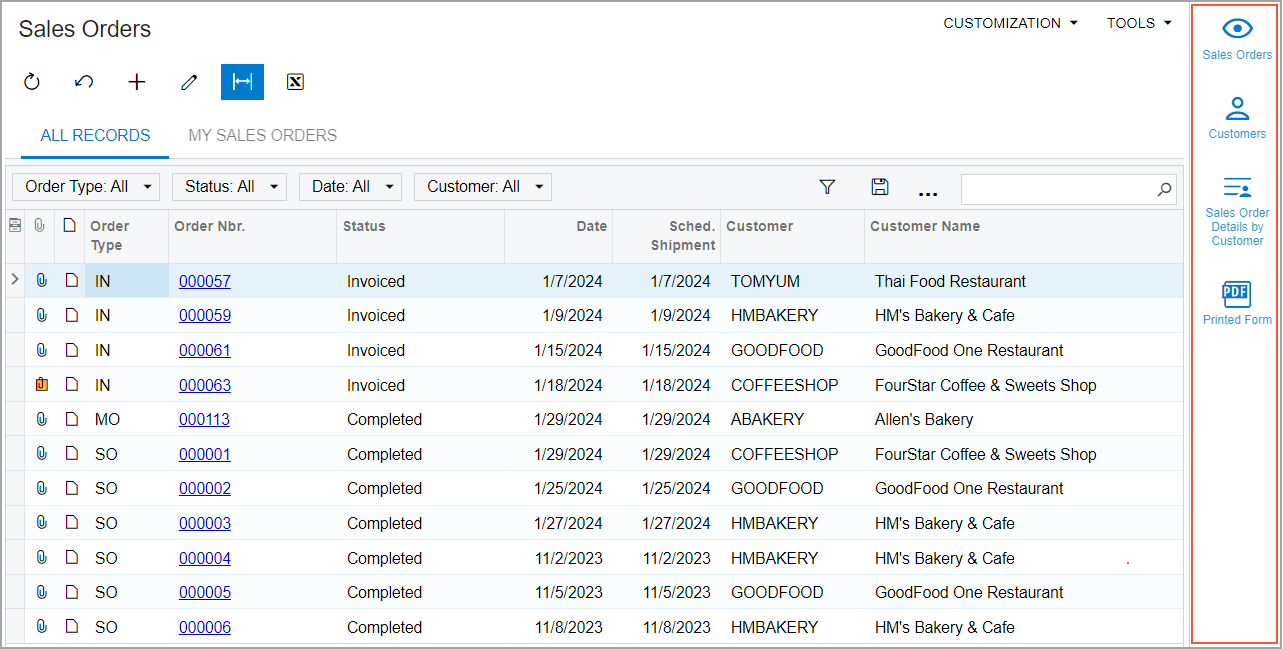
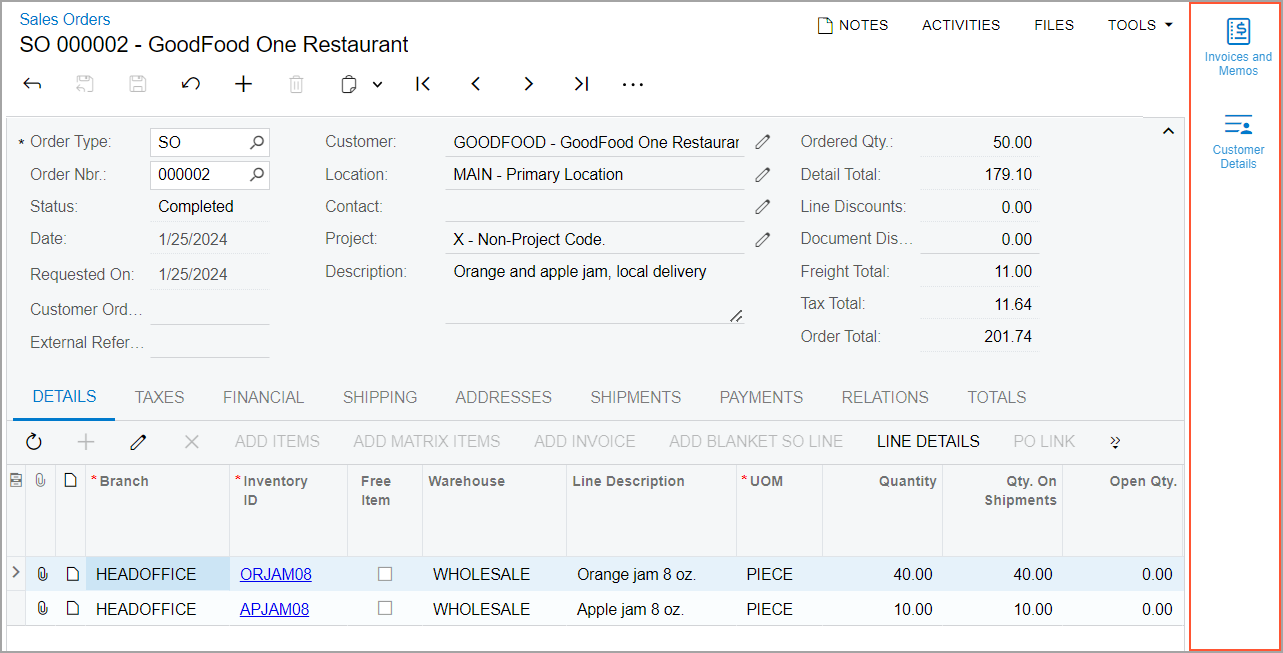
You can close the tab by clicking  in the upper-right corner of the
side panel. For details about side panels, see Side Panels on Forms.
in the upper-right corner of the
side panel. For details about side panels, see Side Panels on Forms.