
Payroll: Multi-Company Pay Super (AU)
For version 2025.2.3, multi-company Pay Super is only available to sites who participated in an early access program. With version 2026.1.2, these features have been made available to everyone.
Easily Manage Superannuation Payment Methods for Multiple Companies
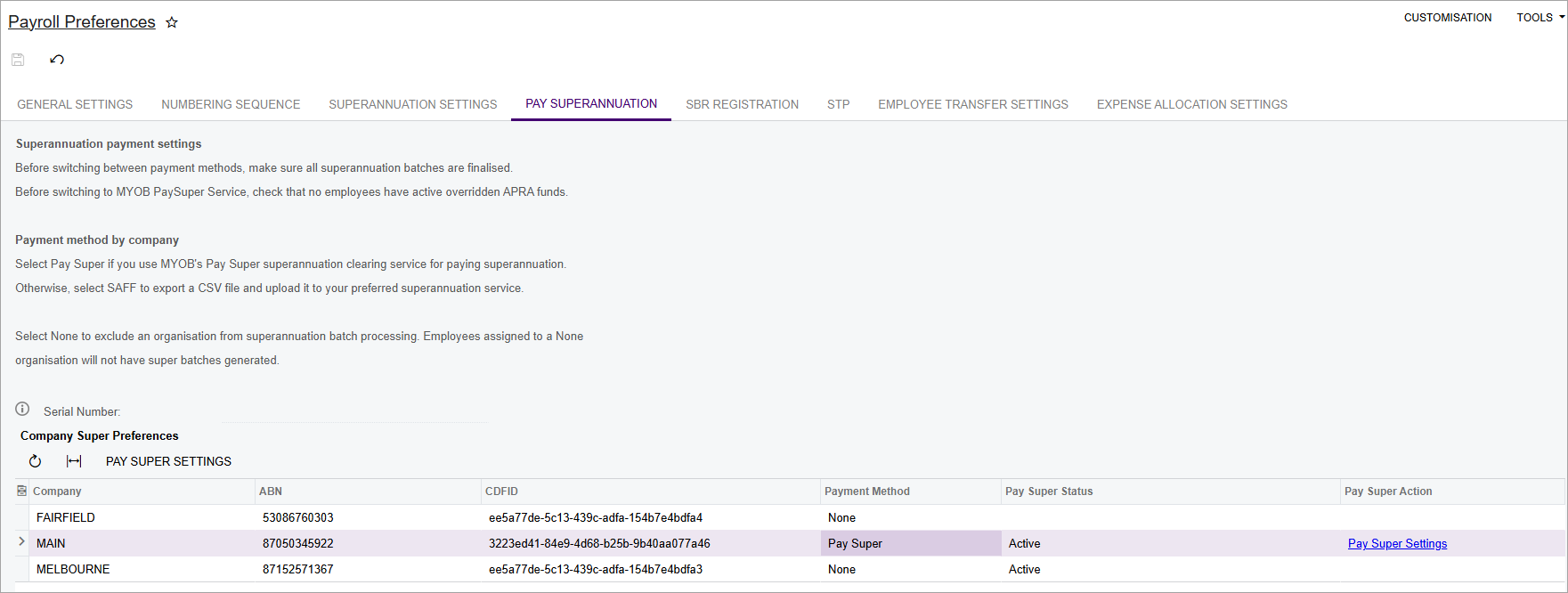
We've updated the Pay Superannuation tab of the Payroll Preferences form (MPPP1100) so it's easy to manage superannuation payment methods for multiple companies. You can see all the companies in your tenant and which payment method they currently use.
Superannuation Batches Grouped by Payment Method and Company
When you create superannuation batches that include transactions from multiple companies, the number of batches created depends on your setup. If the transactions were from companies that use:
-
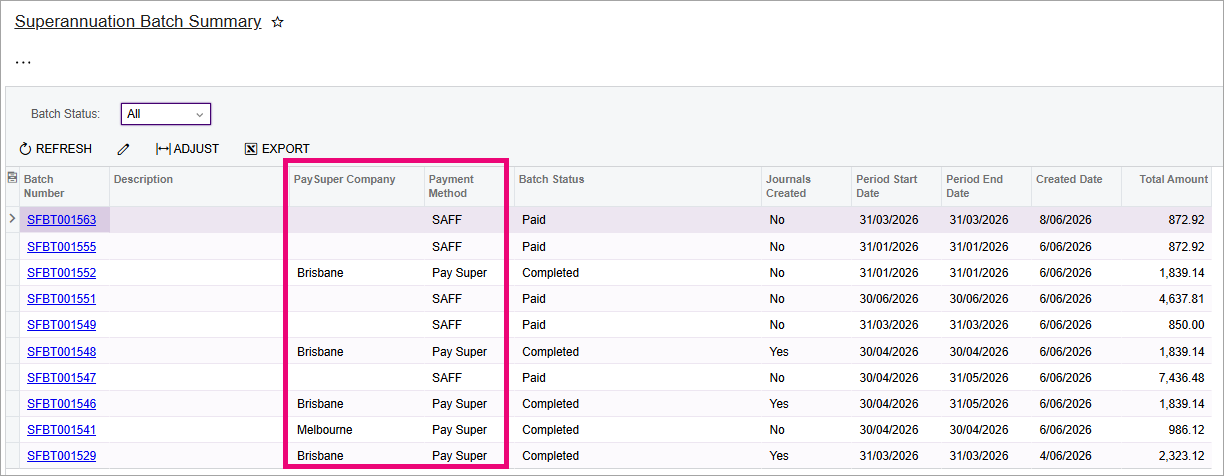
Pay Super, a separate batch is created for each company. For example, if your Melbourne branch and your Brisbane branch are registered for Pay Super, two batches are created – one for each branch.
-
SAFF, a single batch is created containing transactions from all SAFF companies.
-
Both Pay Super and SAFF, a separate batch is created for each Pay Super company, plus one batch that includes transactions from all SAFF companies.
Saving New Batches Takes You to Superannuation Batch Summary
Because a separate batch is created for each Pay Super company, saving the Create Superannuation Batch form (MPPP5005) now takes you to the Superannuation Batch Summary form (MPPP4051), instead of the Superannuation Batch Details form (MPPP5006).
This lets you see all the new batches that were created. The Superannuation Batch Summary form is automatically filtered based on your site's auto-approval settings. If auto-approval for superannuation batches is:
-
Enabled, the form shows batches with the Created status.
-
Disabled, the form shows batches with the Approved status.