
Processing Form: UI Guidelines
In this topic, you can learn the UI guidelines for the processing forms.
Template, Label Sizes, and Other Layout Settings
By default, you should use the following guidelines while designing a processing form:
- For the Selection area, you use the
17-17-14or17-14-17template. For more details about templates, see Form Layout: Predefined Templates. - For the Selection area, you use the default label sizes.
- For the table area, you use the Processing preset. For details about presets, see Form Layout: Grid Presets.
- No Activities, Files, and Notes buttons in the form title bar should be displayed.
- No Files and Notes buttons in the table
should be displayed.Attention:For particular forms, the Notes and Files buttons can be required. For example, on the Process Export Scenarios (SM207035) form, this is the only way a user can download an exported file.
- Sections in the Selection area can have captions if the captions make sense.
Recommendations for Organizing the Layout
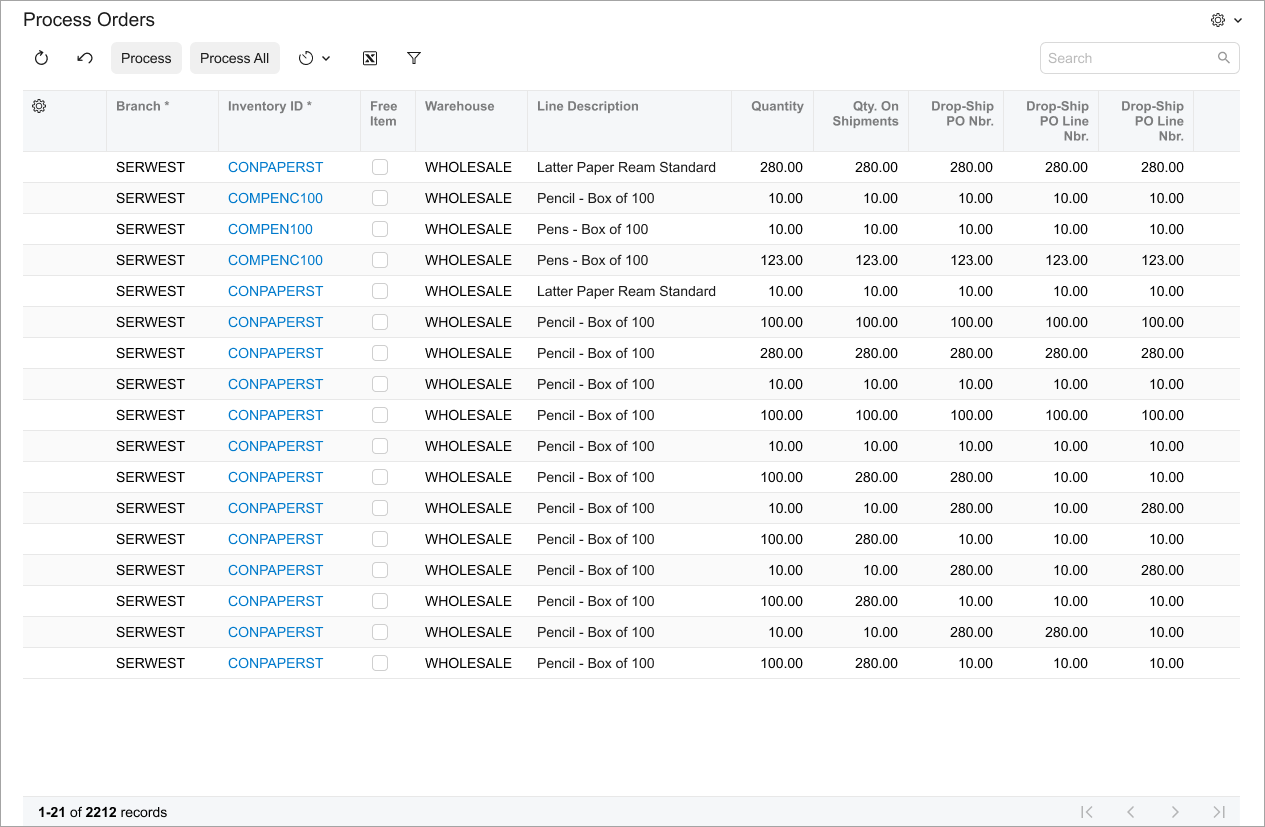
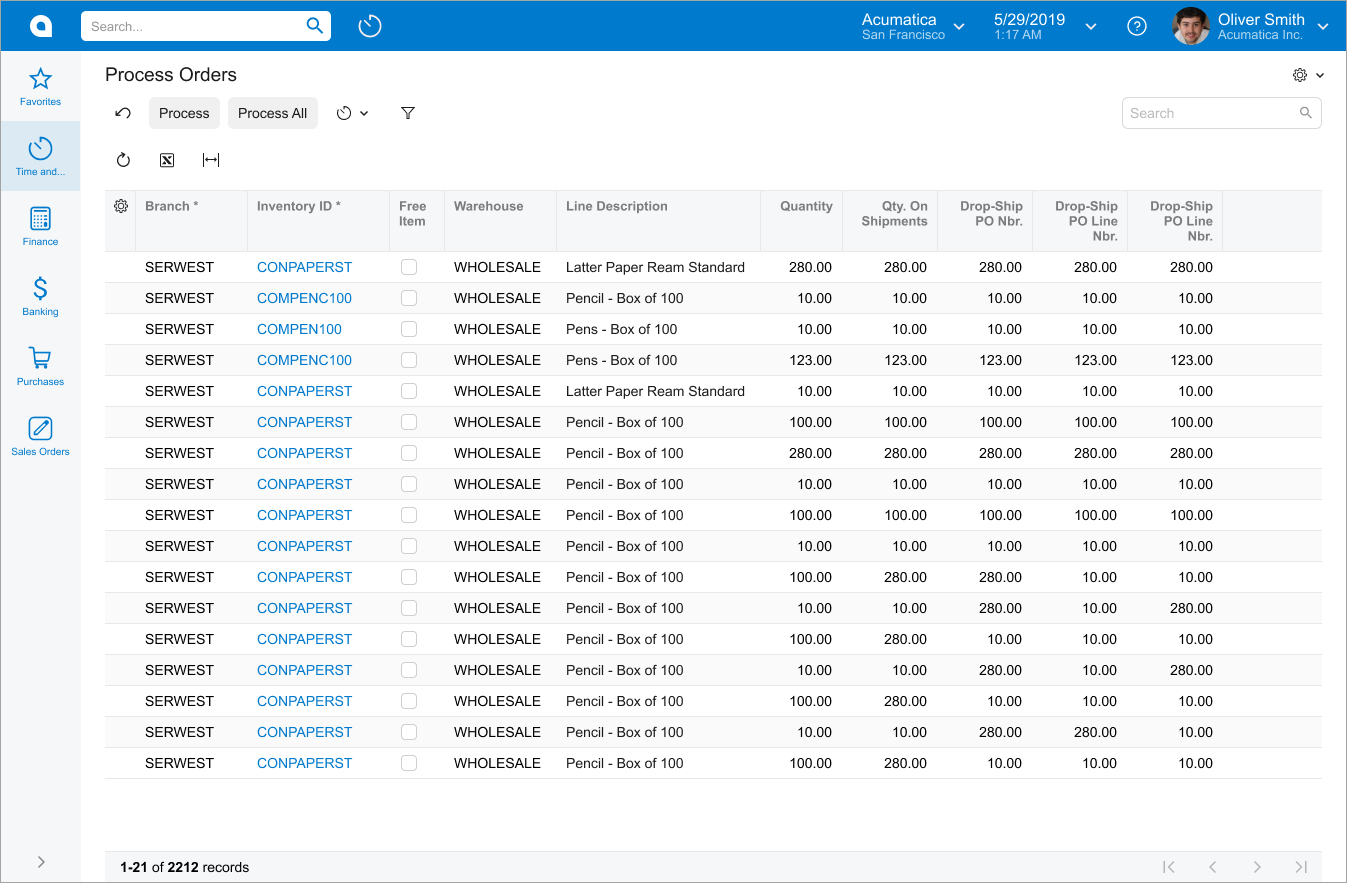
The following table shows recommendations for organizing the layout of a processing form.
| Correct | Incorrect |
|---|---|
| Put all commands on a single toolbar. |
Do not separate commands into two toolbars. |
|
|
|
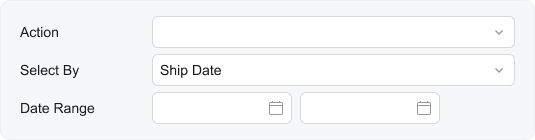
Use a single This approach applies only to processing forms. |
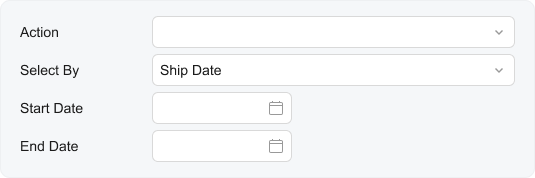
Do not use two separate fields in a fieldset for the Start Date and End Date boxes on processing forms. |
|
|
UX and Functional Guidelines
The form design should be tailored for screens with a resolution of 1280 x 720.
The number of a processing form should start with 50. For details, see Form and Report Numbering.