
Displaying the Available Actions In a List of Records
Screens of the MYOB mobile app often display lists of records, such as the details of a document or all records created on a particular screen. While viewing a list of records, a user may want to act upon individual records.
In this topic, you’ll learn how to display each record’s available actions in a list of records.Displaying the Available Actions for a Record
You can display the available actions for each record in a list of records by setting the
showActionsOnList property to True in the MSDL code of
the corresponding container. The available actions are rendered at the bottom of each
record, as shown below.
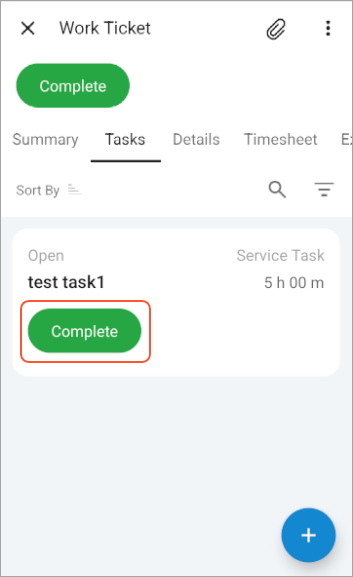
The following MSDL code uses the showActionsOnList property for the list of records shown in the preceding screenshot
add container "WorkTasks" {
  containerActionsToExpand = 1
  filter = "TicketWorkTasksFilter"
  showActionsOnList = True
  add layout "listview" {
    displayName = "listview"
    layout = "ListView"
    add layout "line1" {
        ...
    }
    add layout "line2" {
        ...
    }
  }
  ...
}
Attention:
An action can be displayed for a record only if it has the
DisplayOnMainToolbar property of the PXButton
attribute set to
true.The system collects these actions in the following ways:
- For substitute screens, the actions are typically collected from the graph of the corresponding entry screen. For example, actions for sales orders on the Sales Orders (SO3010PL) screen are collected from the Sales Orders (SO301000) screen.
- For secondary containers on a screen—such as the container corresponding to the Details tab on the Sales Orders screen—the actions are collected from the current graph of the screen.