
Aligning Document Date and Post Period for WIP-Linked AR Documents
Previously, you could release a WIP-linked AR document even if the document date was outside the range of the post period. This could cause issues with WIP billing and reconciliation reports.
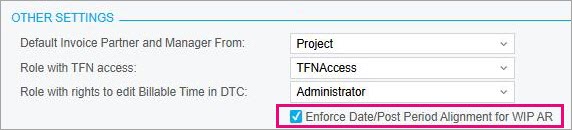
If the new checkbox is selected and you get a warning that "The date is outside the range of the selected financial period", then the Release button is disabled on the Invoices and Memos (AR301000) and WIP Allocation (MYPE3010) forms. On the Release AR Document (AR501000), you'll get an error that prevents the document from being released.
To release the document, you need to either update the document date or the post period so that they're both in the same open financial period.