
Employee Events Data Entry
Introduction
The IMS Employee - Events Data Entry System has been designed to capture timesheet information for employees whose time must be accurately costed to specific events with specific base cost centres within an organisation.
The data entry process is entry of multiple event payments for nominated employees. A separate module is available which enables entry of multiple Employee payments for a nominated event.
The system integrates its database with and relies on information from the IMS Payroll Partner payroll system database.
The Employee - Events Data Entry System uses the IMS Time Import module to facilitate data transfer between the two systems.
Events Data Entry - Application Window
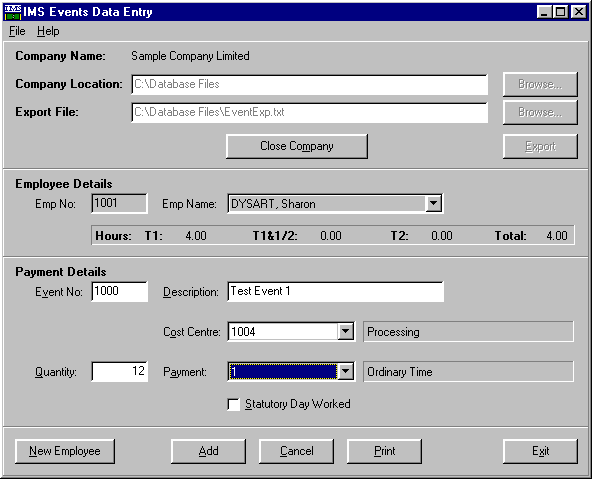
Processing
An IMS Payroll Partner payroll company is opened from within IMS Employee Events Data Entry. The payroll company database provides the Events system with employee, payment and cost centre information used to set up new event cost centres and for timesheet data capture.
The user selects each employee with a timesheet in the Employee Details section of the Events Data Entry screen. Once selected, the Enter key is pressed to enter individual timesheet entries (Payments) the employee in the Payment Details section of the Events screen against the an event code and base cost centre code (the employees default cost centre).
Each time a new Event Code / Costing Code combination is encountered by the system, a new IMS Payroll Partner Cost Centre will be created with a costing code comprised of the Event Code appended to the Cost Code. The value entered in the Event "Description" field is assigned as the payroll Cost Centre Description for the new cost centre record.
Timesheet entries are recorded against the specified event/cost code until the user changes the event code or cost centre code or until a new employee is selected.
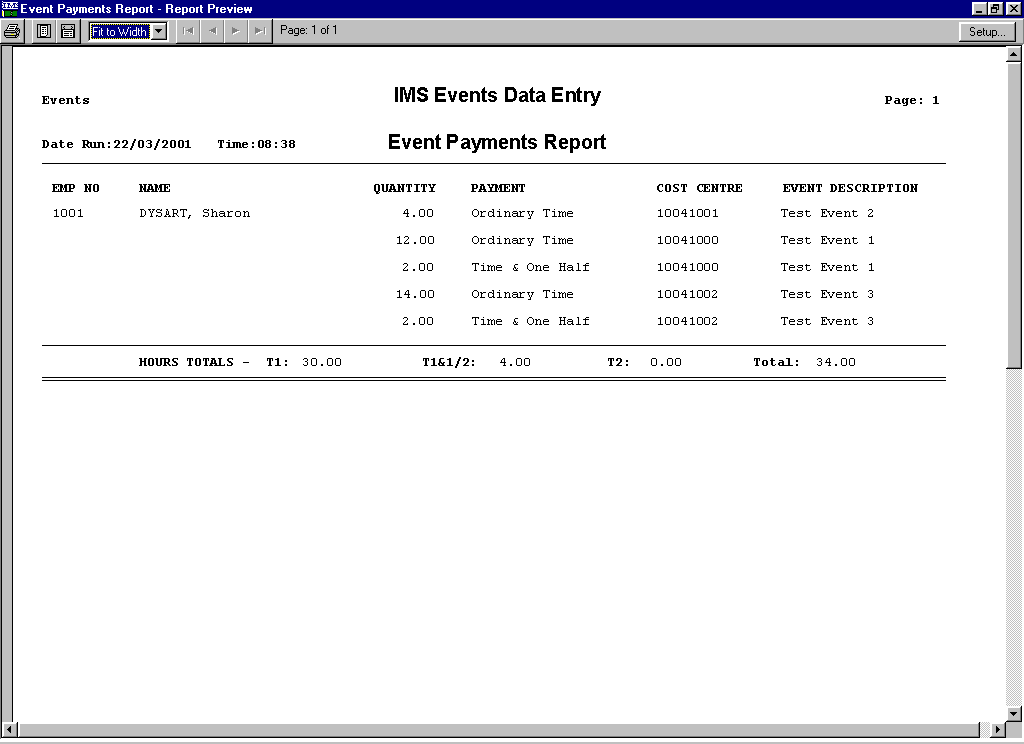
At the end of the data entry process for each employee timesheet, the user can preview (and print) a report that lists the timesheet entries recorded for the employee.
Export
At the end of the data entry process, for all employees, the user can export the timesheet information for subsequent import into the payroll. In order to activate the Export option please ensure that:
-
The cursor is currently in one of the Employee Detail fields (ie: No or Name). Pressing the ‘New Employee’ button whilst in ‘Payment Details’ returns you to ‘Employee Details’.
-
The Company is still in an opened state.
-
An Export File path and name has been entered.
Use the Browse button to select the path and enter the name of the file to be exported.
Use the Export button to output the captured timesheet information in the form of an IMS Time Import - CSV format data file. This file can then be imported into an open payroll period in IMS Payroll Partner via the IMS Time Import module.
Event Maintenance
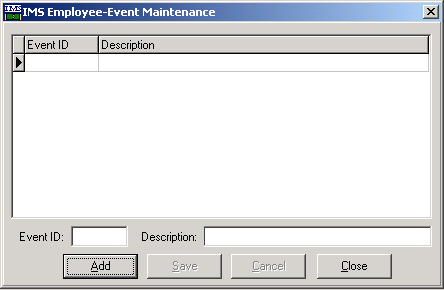
An Event Maintenance screen is available via the Tools > Event Maintenance menu. This screen allows you to enter Events before processing employee timesheets. You can also view a list of Events currently loaded into the system.
Event Payments Listing
Sample "Exported" Data File
113,1,4,10041001113,1,12,10041000113,15,2,10041000113,1,14,10041002113,15,2,10041002113,1,4,10041001113,1,12,10041000113,15,2,10041000113,1,14,10041002113,15,2,10041002