Payroll Giving
Payroll Giving Overview
Payroll Giving is a voluntary scheme that allows employees to make charitable donations from their pay.
Donations to an authorised Donee Organisation will attract a tax credit of 33.33%, which is offset against the PAYE for that pay period. You must file electronically to the IRD to implement Payroll Giving. It is voluntary for both employers and employees.
Key Points
-
Payroll Giving is voluntary for both employers and employees.
-
You must file to the IRD electronically to implement Payroll Giving.
-
A list of authorised Donee Organisations can be located at:
-
Any tax credit granted in a pay period cannot subsequently be donated to another Payroll Giving Donee Organisation within that pay period, i.e. you are not entitled to a Tax Credit on a Tax Credit used for an additional Payroll Giving deduction.
-
The maximum tax credit allowed is limited by the tax portion of the PAYE for that period, i.e. the ACC Earner Levy portion of the PAYE cannot be used for the credit.
-
Tax credits cannot be generated for Payroll Giving deductions where an employee has the “WT” Tax Code. Additionally, tax relating to schedular payments cannot be reduced by any tax credit calculation.
For further information, refer to the IRD’s Payroll Giving Guide:
Further employer information and a list of approved Donee Organisations can be found on the IRD website:
Implementing Payroll Giving
To activate Payroll Giving for a particular payroll company, tick the Payroll Giving? check box in the Company Options section of the Company tab.

Go to the Deductions tab and create a new deduction to the authorised Donee Organisation. Ensure that the Payroll Giving Deduction? check box at the bottom of the screen is selected on these deduction(s).
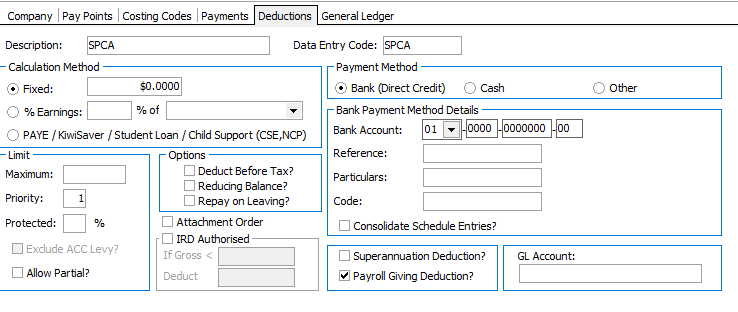
This box will activate the Tax Credit calculation on the total amount of the deduction. This box is only available if Payroll Giving? was selected on the Company tab. It is advisable that the name of the authorised Donee Organisation be utilised for the Deduction’s Description to enable identification of deductions made and tax credits granted for auditing purposes.
As with any other deduction, if the Payment Method is set to “Bank”, the donation will be included in your regular payroll bank file.
If the deduction is a regular donation it will need to be added to the Employee’s Permanent Tab.
Reporting Changes
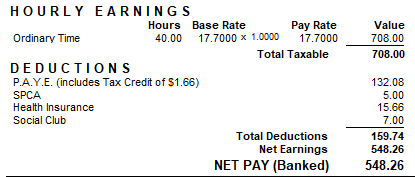
The Employees payslip shows the Tax Credit:
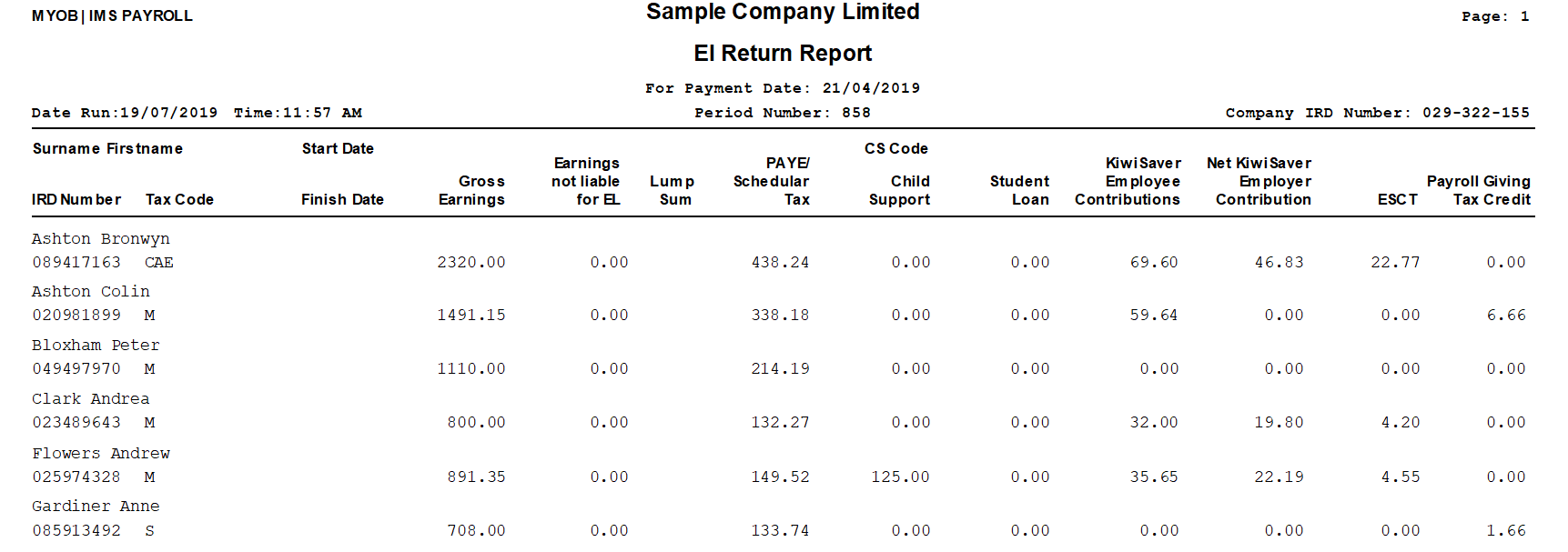
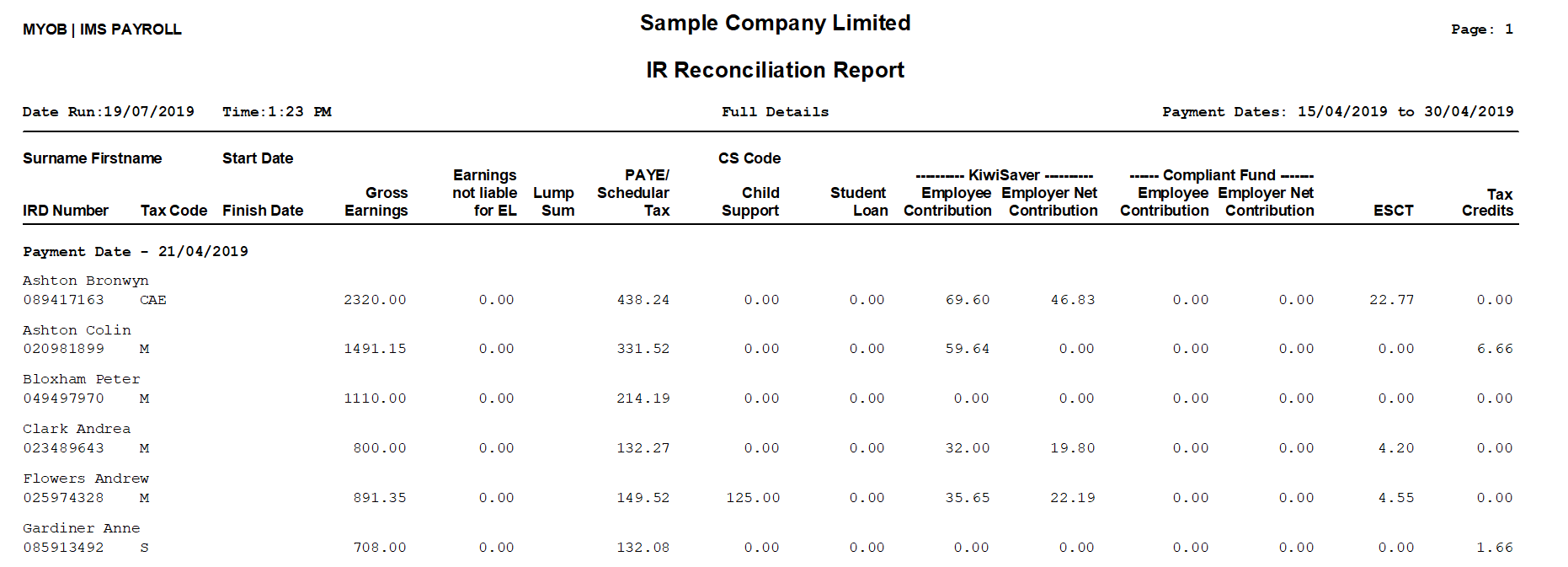
Reporting to the IRD will also show the Tax Credit, as will the IRD Reconciliation Report: