
Downloading a Company Backup File
Downloading a Company Backup File
To download a company backup from IMS Payroll Cloud:
-
Select the company and click the Toolkit button.
-
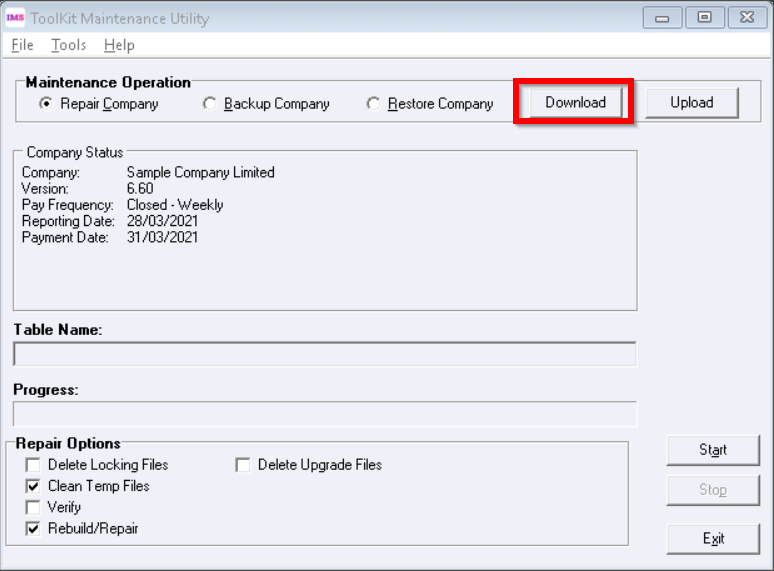
On the Toolkit Maintenance Utility window, click the Download button.
-
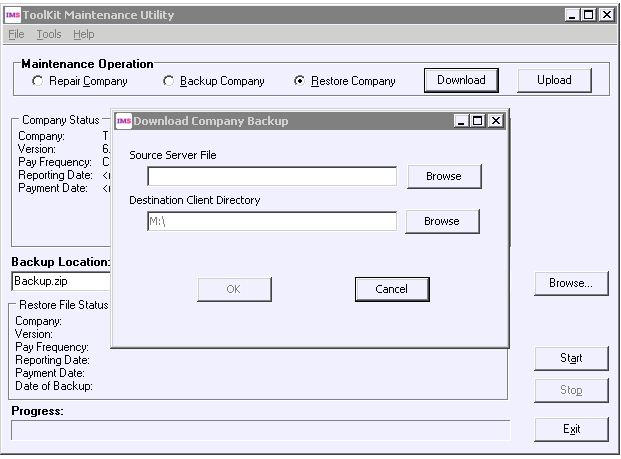
On the window that appears, click the Browse button next to the Source Server File field.
-
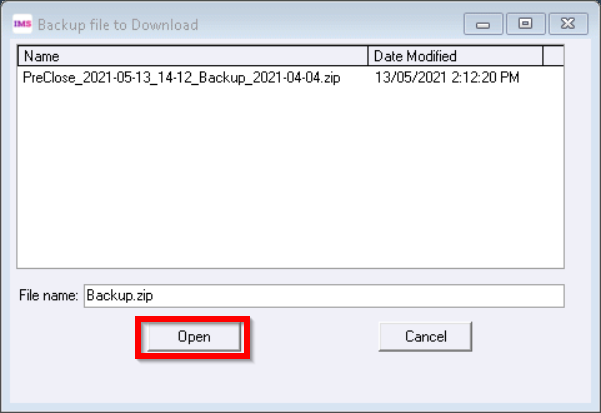
Select the backup file that you want to download and click Open.
-
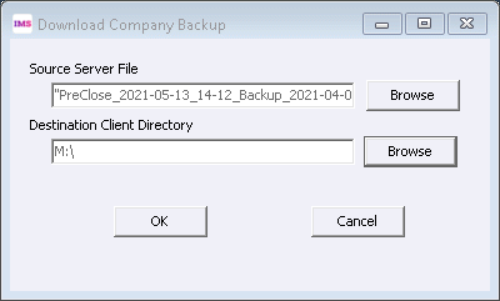
Ensure that the correct backup has been selected. The destination client directory will automatically default to M: (your local drive). Click OK.
-
A “Download completed” confirmation message appears. Click OK to close the message.