- Contents
- Index
- Search

Show results that include all search words
Reminders
When adding or editing a note, you have the ability to set a Reminder date for that note. Reminder notes provide a place to enter comments on any given day, for employee-related tasks, appointments and reminders. Here you might put a comment as to what needs to be done for the next pay and why.
Reminder Notes less than or equal to today's date will appear whenever you go into a company. Alternatively you can access them by selecting Show Reminders from the Help menu.
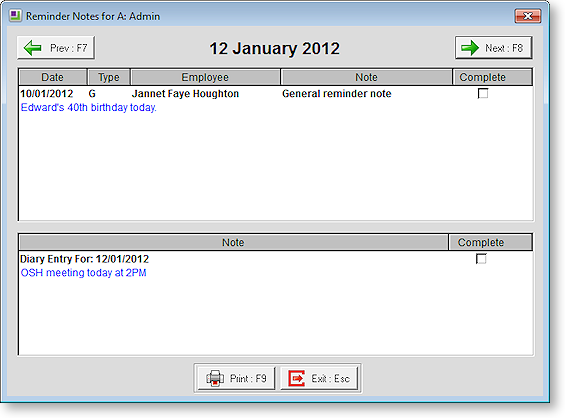
To avoid seeing a Reminder again, tick the Complete box.
To print all current Reminder notes, select Print.