
User-Defined Fields
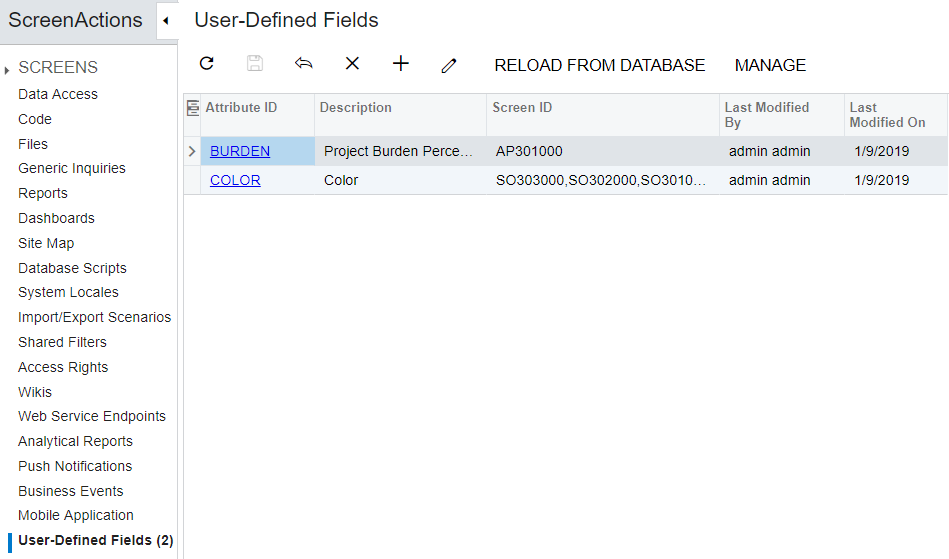
The Customization Project Editor includes the User-Defined Fields (AU230000) page, which is shown in the screenshot below. On this page, you can do the following:
- Update field properties that have been updated by users in an instance of MYOB Acumatica by clicking Reload from Database.
- Add a new user-defined field based on existing attributes. For details on defining attributes, see Attributes.
- View detailed information about a user-defined field.
- Modify the list of screens on which the field is displayed.
- Remove an existing user-defined field.
You can add a user-defined field either on the applicable form of MYOB Acumatica or on the User-Defined Fields page of the Customization Project Editor. Any user-defined fields you add in the Customization Project Editor are added to the current customization project with all other items; when the project has been completed, it can be exported and imported.
Note: You can add user-defined fields for the Customer Portal as
well. For details on the portal, see Customer Portal[1]https://help-2020r2.acumatica.com/?ScreenId=ShowWiki&pageid=37516f24-6bf1-4a2c-8554-49665f71db3d2021/01/2914:29:31+03:00.