Manufacturing Hierarchies
Location hierarchy - for an inventory item planned Purchase Order/Factory Order:
- MRP Generation has a purchase order/factory order warehouse. Find the primary location or if no primary location the first active stocking location, in that warehouse.
- PO/Manufacturing user preference default location.
- The first active primary location.
- The first active stock location in the inventory item.
Reorder details - Min Qty:
There are three streams for finding the minimum balance for an inventory item during the MRP calculations.
- All warehouses is selected.
- All warehouses is not selected and at least one location included in the MRP generation has a minimum balance defined.
- All warehouses is not selected and no minimum balance locations are defined, but a empty location minimum balance exists.
Note: Selecting All warehouses is the same as running MRP at stream 1. Deselecting All warehouses and then selecting all warehouses from the list, and while comprising the same warehouses as stream 1, is the equivalent of running MRP at streams 2 and 3. This enables MRP to run at either the global item level or the warehouse/item level.
Scenario and Examples
Assuming no inventory is on hand and there are no forecasts, or sales or purchase orders before today's date, MRP calculates an initial requirement for the minimum balance only.
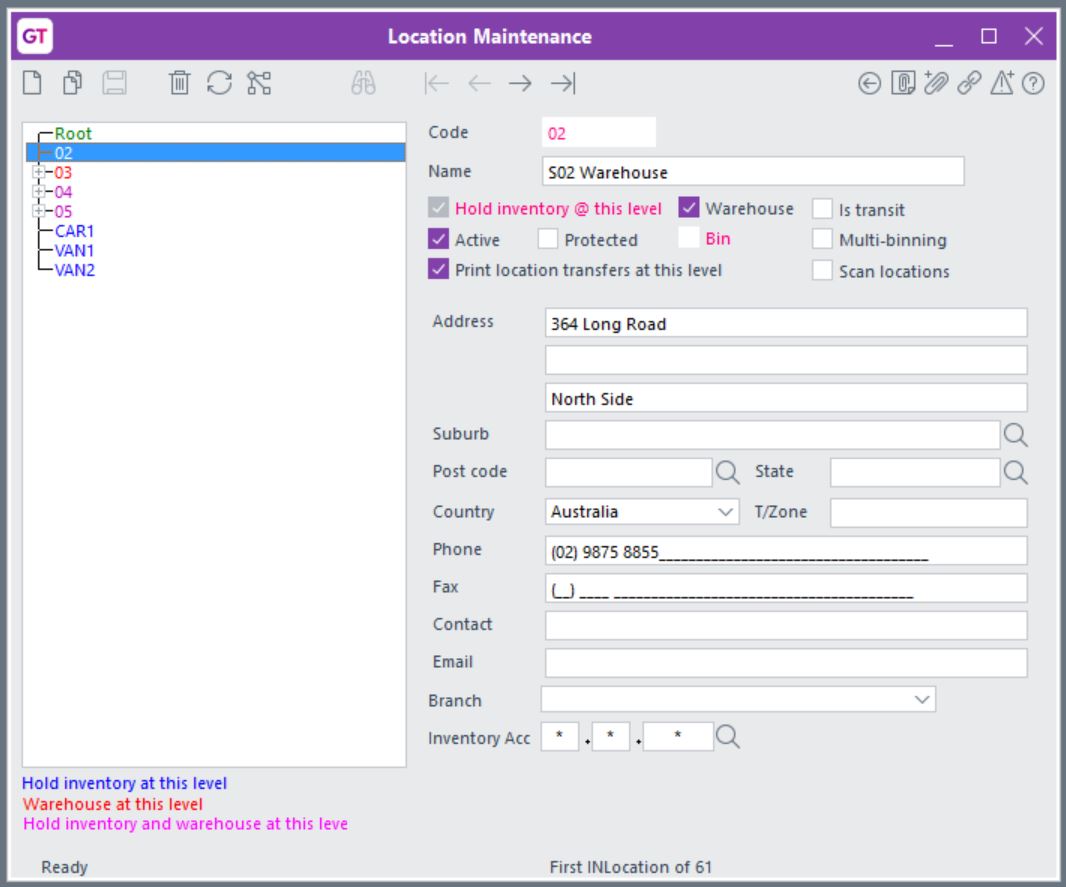
Warehouse 03 has stocking locations for 03.Z01 and 03.Z02.
Warehouses 02 and 04 are also stocking locations.
Stream 1
MRP Generation is for all warehouses.
- Similar to running MRP at the item level.
- Minimum balance is from the planned order location only.
Inventory Reorder Details
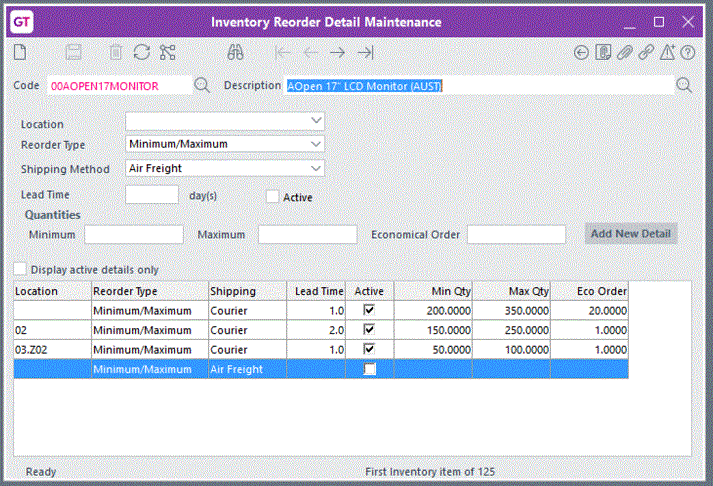
The calculated planned order release is for 150 made up of the minimum balances for: 02 = 150 (02 being the planned order location).
Stream 2
All warehouses is not selected and at least one location included in the MRP calculation has a minimum balance defined.
- Accumulate the minimum balances for all selected locations.
- If a selected location does not have a minimum balance, use the empty minimum balance if one exists.
Inventory Reorder Details
MRP Generation is for selected warehouses 02, 03 and 04. The calculated planned order release is for 800 made up of the minimum balances for:
02 |
= |
150 |
03.Z02 |
= |
50 |
blank |
= |
200 (for 03.Z01) |
blank |
= |
200 (for 03.Z03) |
blank |
= |
200 (04) |
Total |
= |
800 |
Stream 3
All warehouses is not selected and no minimum balance locations are defined, but a empty location minimum balance exists.
Count once only, the min balance.
Inventory Reorder Details
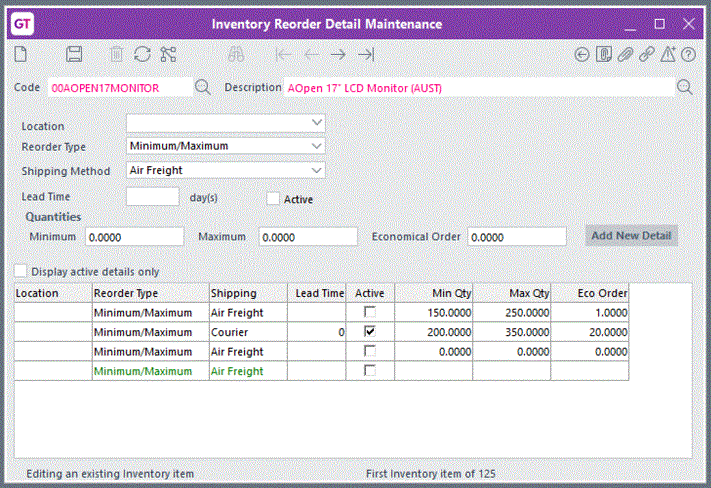
MRP Generation is for selected warehouses 02, 03 and 04. The calculated planned order release is for 200 made up of the minimum balances for: empty = 200