- Contents
- Index
- Search

Show results that include all search words
Upload Stock Load to Ledger
After verifying the counted figures on the variance report, run the stock take upload function. This posts stock transactions to the live stock ledger for the variance quantities and signals conclusion of the stock take for that location.
To upload variances, click the Upload Counted Quantities button. A window opens, requesting date and period information to apply the variance stock posting.
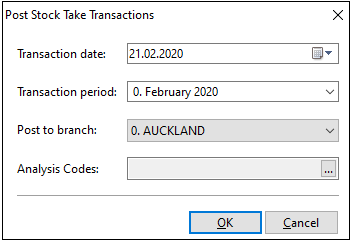
Posting to past periods is supported as a stock take can be aligned with an end-of-period process that has been performed.
Click the OK button to proceed. Exo Business confirms completion of the post.