- Contents
- Index
- Search

Show results that include all search words
Setting the System Date
MYOB Exo Business usually uses your computer's system date as the default date for all transactions; however, if you enable the Prompt for date on login profile setting in Exo Business Config, you will be prompted to enter a new system date whenever you log in to an Exo Business module:
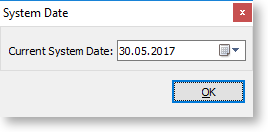
The date you select will be used as the default for all transactions you enter. When Prompt for date on login is enabled, the system date you specified is displayed in the status bar at the bottom of the window:

You can double-click on the date (or on the connection/username details to the right of it) to open the System Date window and select a different date.